The Best BMW Ever

The car in question is the 1 Series M Coupe, and I think it’s the best BMW I’ve ever driven.

I do. Seriously.

Let that sink in for a minute before you get angry and start leaving comments at the bottom of the page saying I have no idea what I’m talking about. I know what you’re going to say because I had the same doubts when I picked up the keys. What about the E30 M3? How could this be an “M” car when it has a turbo?

I know, a turbo! We’ve all seen the video mocking BMW’s switch to turbo power. I wanted to hate this new turbo setup as well. But I can’t. It’s just too good of a car, and an absolute blast to drive. I have some minor issues with it, but it’s the same with most modern BMWs, and they are pretty insignificant compared to how much fun this car is. This is simply the best BMW I’ve ever driven.

I have absolutely no idea which minivan you should buy, but I know BMWs, and this is the best one I’ve ever driven.

I feel uniquely qualified to make that statement. I’ve been racing BMWs for over 10 years in everything from traditional wheel-to-wheel races to the national Mexican class at the World Rally Championships. I’ve raced in the Pikes Peak International Hill Climb (12.42 miles straight up) and I’ve even fitted a BMW with 33-inch tires and 15 inches of wheel travel to race in the Baja 1000. The only car I’ve owned that wasn’t a BMW was a Lotus Exige, and my daily driver is currently an E30 M3. I have absolutely no idea which minivan you should buy, but I know BMWs, and this is the best one I’ve ever driven.

I do wish it had a different name. “1 Series M Coupe” is a mouthful, but that’s life. Normally not a big deal, but this car draws a ton of attention and you will need to explain yourself pretty much every time you park it.

Before I could even get into the car, two employees of the car park came running over to ask what the car was and why I was driving it. That happened all day long, on every day I drove the car. Pretty cool for a 1 Series on steroids. But it makes sense; the car looks right and sounds even better. Several times on the highway, I would look over to see someone taking a picture. Sure, the Valencia Orange paint scheme helped, but the car looks really cool, too. It sits quite a bit lower than the regular 1 series and rides on a set of huge competition package wheels. It looks aggressive, like a running back. Strong, powerful, and built for speed.

And it’s not just a body kit on a 135i. The M Coupe’s 3.0-liter engine produces a healthy 335hp and 332 pound-feet of torque, and propels the car to 60 mph in 4.7 seconds through a manual 6-speed transmission. Automatic is forbidden, not even an option.

The rapid acceleration is partially due to the giant 265-sized rear tires, which are enormous for such a little car. Top speed is limited to 155 mph, but that should be more than enough, even for places like Road America. The little car gets 19 mpg around town and 26 on the highway. I wasn’t able to drive it enough to fully test those fuel efficiency numbers, but I drove it pretty hard while I had it, and the gas tank lasted a long time for a car this quick. It sort of makes the turbo seem like a decent idea after all.

The only downside is the car’s weight; the M Coupe is a heavy 3,362 pounds. You don’t really feel the weight when accelerating or driving normally, but start changing directions quickly and you’ll realize you’re carrying the extra pounds. Some view this a positive, as extra weight provides extra impact protection. Maybe it’s better to be safe, but I do think the latest model is a bit fat.

So, is it fast? I didn’t think so at first.

Up Falls Down

Photo by Ariel Zambelich/Wired/CC

You must first understand I am a sedentary man.

My typical day at Wired involves two minutes of quasi-ambulatory floor puttering for every 58 minutes spent sitting at my desk. I work out at home, yes, but my fitness regimen could be best described as low-impact snack digestion.

Were it not for my dog Whiskey (she of the twice-daily poop walk), and my girlfriend Julie (she of the twice-daily “Whiskey needs a walk!” reminder), I probably wouldn’t receive much exercise at all.

And so it was with jazz and anticipation that I began to test the Jawbone Up, an innovative new lifestyle monitoring system that consists of an electronics-packed wristband and accompanying iPhone app. The two elements work together to hector, needle, and ultimately inspire the user to live a more active, healthy life.

The Up has great potential as a health and wellness gadget. And, yes, the Up worked fabulously — until it stopped working entirely.

The Up system can tell you how many foot steps you take in a given day, and includes a bunch of “challenge” features to prod you to take even more. It can also monitor your sleep habits, and gently wake you up within a predetermined window during REM sleep. REM is not only your lightest sleep cycle, but also the best cycle in which to wake if you want to avoid that groggy morning lethargy that feels like all the blood in your brain has been replaced with frozen Barenjager.

So, yes, the Up has great potential as a health and wellness gadget. And, yes, the Up worked fabulously — until it stopped working entirely. It turns out one of the cleverest gadgets of 2011 currently has such grave hardware reliability problems, I can’t recommend it. In fact, until Jawbone can prove that it has remedied what’s causing the wristbands to fail at an alarming rate, no one should consider buying the Up.

I’ll be attacking this review in two parts, first describing the system’s considerable features and talents, and then listing the litany of hardware problems the Up has suffered since it was released a little more than a month ago.

How the Up Works

The Up wristband costs $100, and currently comes in three sizes, and just a single color (black). The band’s internals are quite simple. Inside there’s little more than a motion sensor, vibration motor, and rechargeable battery (supposedly good for ten days of continuous use).

The outside of the band is even more unremarkable. It’s just a nondescript, hypoallergenic rubber ring, with a single steel button on one end, and a 3.5mm plug for device syncing on the other end. You get a single cap to cover the sync plug, and the exterior also features two LEDS. Jawbone says the band is water- and sweat-resistant, and while you can wear it in the shower, it should be removed for swimming.

To get started with the Up, you place the band on your wrist, hit the button to enter Active mode (confirmed by a flower-shaped green LED), and then go about your day. Every step you take will be recorded by the band’s internal motion sensor — as will all the minutes you spend off your feet.

When it’s time for bed, you hit the button again to enter Sleep mode (confirmed by a crescent moon-shaped blue LED). You wear the Up band throughout your slumber, and the internal motion sensor records all your night-time movement. The system is clever enough to know when you’re awake, when you’re in light, REM sleep, and when you’re in a deep, Rip Van Winkle-worthy trance.

After waking, you sync the band with Jawbone’s iOS app by plugging the Up into your iPhone’s headphone jack and hitting a simple menu button in the app. And here’s where the fun — or pangs of guilt, or flashes of inspiration — really begin.

Give Your Spirits More Spirit

I didn’t think the complex and lingering flavors of a 16-year-old Lagavulin single malt Scotch could get any better. After all, this is one of the consummate classic whiskys, renowned for its smoky, peaty personality.

But when I poured a dram through the Vinturi Spirit aerator, my skepticism faded. I was astonished by the subtle but distinct enhancement of flavor. It was like jumping from DVD to Blu-ray.

A couple of years ago, Vinturi pioneered the single-glass aeration process with its now-popular red wine Vinturi aerator. It followed it a year later with an aerator specifically engineered for white wine. Of course, wine is a natural candidate for aeration, since its quality is known to change when exposed to air. Wine has to breathe to reach its ideal flavor potential — air helps to soften harsh tannins and cut the heat of higher alcohol levels. Spirits, on the other hand, do not age after bottling. But as the Vinturi device demonstrates, all spirits can be improved by mixing in a little O2.

The Vinturi Spirit is an acrylic, tear-drop-shaped thing about six inches tall. It has a built-in jigger with measuring lines, a no-drip holder, and a single button on the side to release the liquor into your glass. It operates in a similar fashion to Vinturi’s wine aerators. Simply pour the liquid into the jigger, place it over the glass, then click the button to release. Aeration is done.

I felt it was my duty to collect subjective data that in fact what the Vinturi Spirit can do for a fine single malt Scotch can be repeated with bourbon, vodka, rum, tequila, gin, sake, cognac and liqueurs. To test the device’s efficacy, I bravely volunteered to taste a variety of these spirits filtered through the decanting device. The test, performed blind, involved sipping a shot of each spirit in its unaerated, undiluted, out-of-the-bottle state, and another after aeration. The glasses were labeled “A” and “B,” and they were switched at random, so I wouldn’t know which of the glasses were aerated.

In each case, the aerated booze was immediately apparent. And I’m not just blowing smoke here — the damn thing really worked.

The harsh astringency of Johnnie Walker Red was softened by aeration, giving it a more nuanced flavor not obvious in its non-aerated state. The heather and honey glow of a 10-year-old E&J XO Brandy can always come to the rescue on a cold night, but put through the Vinturi, it seemed mellower and had a smoother, less alcoholic finish. And the cheap (really, really cheap) vodka tasted like varnish remover before aeration, but it was brighter and almost drinkable after its trip through the Vinturi.

I suppose you could achieve the same result by swirling the booze in your glass for 60 seconds or so, but the Vinturi has engineered just the right placement and number of aeration holes in the acrylic that the effect is achieved in three seconds with more dependable results than a subjective 60-second swirl.

WIRED Aerates any type of alcoholic spirit to bring out nuances of previously undetectable flavors and a smoother finish. Made of acrylic, so it’s not too fragile. Measuring lines mark 1-, 1.5- and 2-ounce pours.

TIRED Only does one shot at a time; a drag at parties. Got a group with varying tastes in booze? Get ready for lots of rinsing. Aerator has to be held directly over the glass, which becomes increasingly difficult to manage with each passing hour.

A Pricey Tent for the 1 Percent

The Marmot Turret 3P is everything you’d want in a three-man tent. It’s lightweight, compact, and wind resistant. It keeps you dry even in the whipping rain, and it’s remarkably easy to set up.

However, with a price tag of $430, you’d half expect the tent to come with maid service. Do not bring this tent to the local Occupy encampment. You’ll likely be chased out, or become the target of a new Occupy movement.

All the campers around you will know you’re part of the upper crust when you unveil this plush, ostentatious dwelling.

This oddly shaped tent, in an anthropomorphic sense, is gorgeous. All the campers around you will know you’re part of the upper crust when you unveil this plush, ostentatious dwelling.

Sure, there are plenty of luxe, lightweight, three-man tents made for backpacking that cost more than $400. But with packed dimensions of 8.5 x 28 inches, the Marmot Turret 3P isn’t ideal for stashing in a pack. It’s better suited for car camping, and if that’s your speed, you could spend half as much money for something agreeable.

But with the Marmot, you certainly do get a lot for your money. The asymmetrical poles are a brilliant design twist, and the rain fly is strong enough to repel the harsher elements and (in my testing) even bears.

During a recent week-long fishing trip near Yosemite National Park, the Turret 3P withstood a flash rainstorm, then later, a vicious bout of wind and hail. Everything stored inside, me included, stayed bone dry. A bear even rubbed along it one night, leaving behind a set of tracks to prove I wasn’t hallucinating.

Setup is so simple that sobriety is not required, and one person can do it in a snap. The three asymmetrical foldable poles, which are made of DAC’s Featherlite material, are 15 percent lighter than aluminum, and they latch easily to the clips lining the outside of the tent’s dome-like body. The feet of the poles snap into a locking system, allowing the tent to maintain its form and rigidity without stakes. Obviously, you’ll want to stake it down if it’s windy.

It’s a 10-minute job, tops, giving you more time hunting for that trophy fish.

It might take a few more minutes to attach the rain fly. It’s adjustable and fits snugly. The fly has a door on each side, covering the tent’s two doors. That is a huge plus for tents with low vertical clearance, and means camping partners can pick the nearest exit. For extra support, fasten the fly to the tent’s poles using the velcro ties on the underside. Also, if you’re looking for some bare-bones shelter, you can use the rain fly without the tent.

The Marmot Turret 3P has all the interior trim you’d expect from a top-shelf tent, including gadget and key holders inside in each of the four corners, strong mesh windows, a fully taped and catenary-cut floor, and a lantern loop on the ceiling.

It’s strangely shaped, at 51 inches by 72 inches by 90 inches, meaning three campers is a tight squeeze. Two campers fit in my testing. Granted, we used a queen-sized blowup mattress that virtually consumed the tent’s 41-square-foot floor area. But even with sleeping bags and simple mats, three is definitely a crowd.

The whole package weighs about 6.5 pounds and packs in an 8.5 by 28 inch nylon bag. As I said earlier, that makes it a great choice for loading in the car, but too big to pack on your back. So there’s the trade-off — you can pack a palace in your chariot, but for a price that may force you to skip the champagne.

WIRED Setup is so easy it should be illegal. Withstands the elements with aplomb. Packs nicely into the trunk.

TIRED High list price is a crime. It’s really a two-man tent. Bulky when collapsed; not well-suited for backpacking expeditions. Too pimp for the Occupy protest.

Photos by Ariel Zambelich/Wired

European Payment Service Klarna Raises A Whopping $155 Million From DST, General Atlantic, And Sequoia

Klarna logo

European e-commerce payments provider Klarna just raised a huge, pre-IPO round of $155 million. The round was led by General Atlantic and Yuri Milner’s DST Global, and included Sequoia Capital, which led its last $9 million round in May, 2010. At that time, Sequoia partner Michael Moritz (he of Google, PayPal, and Yahoo fame) joined the board.

The new round almost certainly puts Klarna’s valuation into Europe’s billion-dollar tech club.

Klarna is based in Stockholm and was founded in 2005 by three economics students, Sebastian SiemiatkowskiNiklas Adalberth and Victor Jacobsson. It already has 600 employees and clears $2.5 billion worth of payments from 6 million consumers across 14,000 merchants.

The company operates primarily in Europe, where it takes some of the risk out of e-commerce by extending credit to shoppers and allows them to pay after they receive the goods. Merchants are paid upon order. (In Europe, they call this invoicing).

The key to Klarna’s business and profits is to assess and minimize credit risk on the fly. The company acquired Analyzed, an Israeli fraud prevention firm, last May to help with risk assessment. The new capital could be used for more M&A, hiring, as well as further geographic expansion.


Fownd Launches A Free Service To Reunite You With Lost Phones, Gadgets, Keys & More

fownd_logo_blue

Do you lose things? Despite being meticulous about personal hygiene and a snappy dresser, I tend to misplace things. I blame it on bad parenting, of course. But, we all lose our personal items — and as much as it pains us — our gadgets are often the victims. Smartphones, especially iPhones, have been known to surreptitiously slip out of pockets at inappropriate times. Unfortunately, unlike our vehicles, most gadgets do not have panic buttons, or remote key access — although there are some tracking apps that get close. In fact, there are umpteen ways to find lost iPhones, or track your stolen hardware.

Apple’s Find My iPhone has traditionally been the best way to safeguard against permanently losing an iPhone, running in the background (once set up) until you need to locate it. (And for Samsung/Android users, there’s always stuff like this.) But, of course, we have other personal items that are often lost, whether they be gadgets, like iPods, or car/house keys, etc.

Launching this week with its MVP is a startup and its eponymous free iPhone app called Fownd, which simply put, helps return your lost items — one and all. Well, maybe not children, but most everything else. Cofounded by Drew Izzo (the former CMO of Ancestry.com and Roost.com, among others), Fownd customizes a homescreen photo of your choice to include a message that enables the finder of a lost item to connect with the owner — essentially, a terrific complementary service to Find My iPhone.

What do I mean? Well, along with its free iPhone app, Fownd sells tags that you can add to your keys, cameras, flip phones, and just about every other important item that can go missing. These pages of 10 tags sell for $0.99, and can be ordered directly from the app.

As you can see, the tags come in different sizes, with adhesive on one side, so that you can stick them to your personal items — even your smallest ones. One of these tags may take up a lot of space relative to the size of, say, your iPod Nano, but it’s not always about image here, people, think of the utility. Izzo did say that the product is still in its early stages, as Fownd has a team of four working on their product, some of whom have full-time jobs, and tags will likely continue to be improved upon and refined, until that are at maximum elegance.

But the point is that, once you download the app and receive your tags, you are free to register them all through the Fownd app on your iPhone. If they happen to get lost, the finder simply texts the code provided on the tag to the number given — all anonymously — and voila! Because Fownd sends these “connection” messages to your email, iPhone and alternate phone numbers that you provide when you register, you are thus able to be reconnected with your beloved devices/keys. You can see an example text that you might receive in the image to the right.

The homescreen tag is a good quick safeguard for your iPhone, but in the event that your phone runs out of batteries, (something the iPhone 4S especially has been known to do, although it has gotten better with the new software updates), you can just add a physical tag as a backup. Though, hopefully the finder will be so kind as to charge the phone.

Fownd is also working on getting its web client up and running (which it should soon), so you’ll be able to track your iPhone and all other personal nicknacks and doodads from — you guessed it — the Web, and view your phone’s location on GPS via a handy map.

It’s a simple product in conceit, but it works, and it’s a great complement to Find My iPhone, so that users can now keep track of their iPhones and even hope to reconnect with lost feature phones, iPods, keys, and more. And what’s better than saving money on replacing keys, or that 8 million dollar Apple product you just bought?

For more, check out Fownd here. The team is looking for feedback, as the product is still in early stages, so fire away with your suggestions. Android apps are currently in the works.


Gogobot Partners With Flipboard To Turn Your Travel Photos Into A Digital Magazine

90466v4-max-250x250

Since launching early last year, young social travel site Gogobot has been off to a pretty good start, or at least it has, shall we say, been hitting all the stops. As Jason pointed out recently, it was named one of Time’s top sites for 2011, won a Crunchie for best design in 2010, and brought its total funding to just under $20 million with a series B raise from Redpoint Ventures, Battery Ventures and CrunchFund. It launched a good looking iOS app in October, and has seen its user base grow 10x in the last six months.

But, so what, right? As we’ve written before, the travel space is rife with newcomers. And TripAdvisor, the leader in the space and the veteran incumbent is on its way towards an IPO, but there are still a few things it doesn’t do as well as some of the younger travel sites. Gogobot CEO Travis Katz specifically cites fraud and the fact that most reviews are left by strangers — not your friends — and it’s this social travel recommendation functionality that Gogobot, I would agree, does fairly well.

The trick for these young startups is to leverage the wealth of data now available from social and LBS services to give their own apps and websites a more robust set of features, and Gogobot has followed suit, integrating with Facebook, Foursquare, sharing via Twitter, etc. Part of its success is thanks to a veteran team of former Myspacers (and Ori Zaltzman, one of the guys who built Yahoo Answers), who’ve gone down this road before and know which social buttons to press (and which ones not to touch with a 10 foot pole).

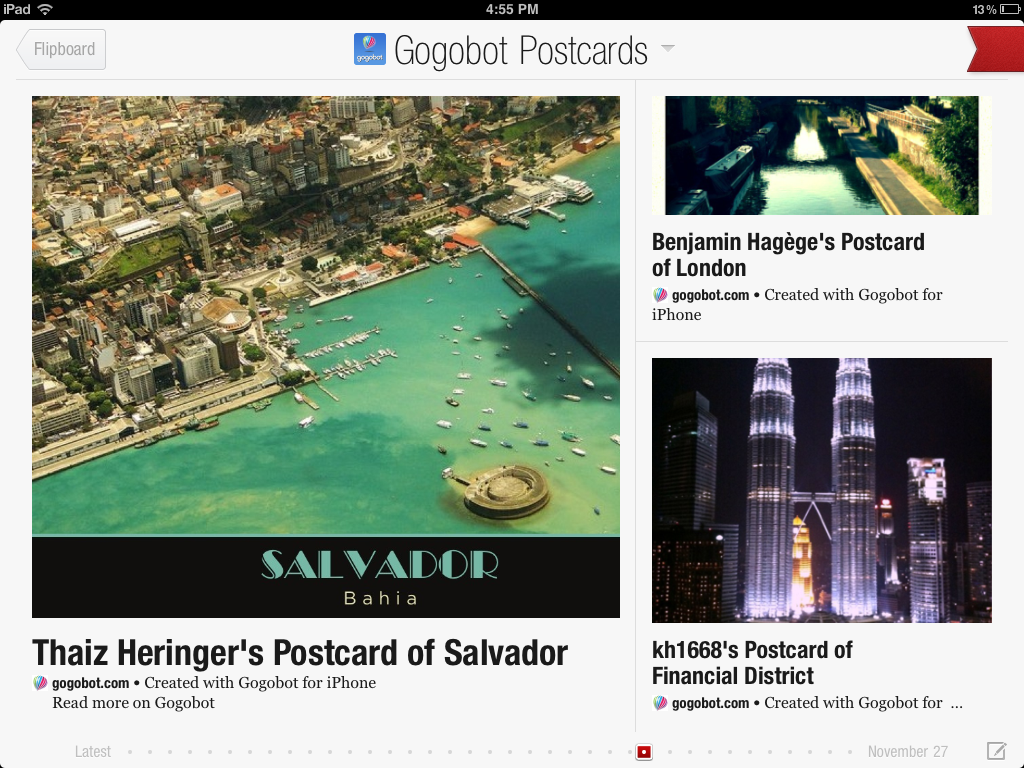
The other key is that Gogobot has built a reservoir of travel photos, and its iOS app allows users to select their current location, snap a photo choose from different filters (like the Instagram for travel), and turn those into geo-tagged postcards. With its new mobile app giving users the ability to create geo-tagged postcards on location during their travels, Gogobot’s announcement today that it will be integrating with Flipboard — the iPad’s social magazine of record — makes a lot of sense.

The integration will take a realtime stream of travel photos and experiences from around the globe, generated using Gogobot’s iOS app, and transform them into a travel magazine. This will allow both users to flip through global postcards in a Flipboard magazine-like experience to reflect on their travels, or to let users at home browse photos from the comfort of their iPads, discovering new places and getting inspiration for their next trip.

Each photo that one takes with Gogobot can now be transformed into a postcard, automatically uploaded to their Gogobot Guide, easily shared to Facebook, Twitter, and now Flipboard in a magazine-style spread.

Also of note: Fotopedia launched Flipboard integration this week to create a tech-style magazine for the Le Web Conference in Paris.

For more, check out Gogobot at home here.


Ticket Search Engine FanSnap Acquired By Shopping Site NexTag, But Employees May Get $0

Nextag fansnap Done

Comparison shopping site NexTag has made its fifth acquisition in 15 months, buying event ticket search engine FanSnap. Unfortunately, FanSnap employees and any other common stockholders won’t get anything out of the deal, according to a source close to the transaction. Apparently the purchase price was low, and FanSnap had taken over $15 million in funding primarily from General Catalyst Partners. That means even if the investors were paid back, there’d be nothing left for common stockholders.

There were high hopes for FanSnap, which lets users search for tickets across big providers like StubHub and eBay, leading us to liken it to a Kayak for event tickets back in 2009. Heck, its backer General Catalyst was also a major investor in Kayak, and FanSnap was founded by StubHub CMO Mike Janes. But it seems that FanSnap didn’t gain enough traction, and eventually its technology that surfaced low priced event tickets became more widely available, leading to the reportedly low sum paid for the company.

The ticket search engine should do well under the NexTag umbrella, though, which can drive it traffic. By acquiring FanSnap, NexTag will become a one-stop ecommerce shop for coupons, products, entertainment experiences, and lodging. NexTag CEO Jeffrey G. Katz says “customers will be able to scoop up some of the best tickets possible to their favorite sporting or music events, find a room to stay in, and outfit the whole family in related gear.”

FanSnap’s team will relocate to Nextag’s headquarters in San Mateo, CA where they’ll join employees scooped up through NexTag’s other acquisitions. It bought real-time shopping social shopping platform ThingBuzz in October 2011, German comparison shopping site guenstiger.de GmbH in April 2011, and before that NextCoupons, and product review company Wize, Inc.


Groupon In Talks To Acquire Clever Sense, The Startup Behind ‘Alfred’

alfredshot

Groupon is in late-stage negotiations to acquire Silicon Valley-based startup Clever Sense, we’re hearing from a source. Clever Sense is the company behind Alfred, a popular ‘butler’ app for iPhone that makes restaurant and activity recommendations based on your taste preferences. The company was founded in 2008 and has raised around $1.5 million to date.

Clever Sense declined to comment, and we’re waiting to hear back from Groupon.

If you haven’t used it before, Alfred might sound a lot like Yelp, and various other recommendation engines. The key difference is that Alfred is focused on keeping the number of taps required to generate a recommendation to a minimum — based on the time of day, the restaurants you’ve eaten at previously, and other factors, the app can generate a recommendation for lunch or coffee in a tap or two (find our past coverage here and here).

With that in mind, it’s a logical fit for Groupon. The app itself could help Groupon expose new restaurants (presumably ones that are running deals) to users. And the technology behind Clever Sense involves more than meets the eye — the company has previously discussed how in addition to collaborative filtering, which creates recommendations by looking at users who are similar to you, the service also uses model-based learning, which means it establishes a unique taste profile for each user.

I’m no expert on machine learning, but it seems to work — Alfred has over 1000 reviews on iTunes, with a four star average.

Here’s a video explaining the app:


Mark It Down: June 6, 2012

Screen Shot 2011-12-09 at 2.39.58 AM

“Six months from now you’ll say the opposite. Because ultimately applications vendors are driven by volume. And the volume is favored by the open approach that Google is taking.”

That was Google Chairman Eric Schmidt speaking at LeWeb a couple days ago. Specifically, he was addressing a question from the audience wondering why most big application developers are still choosing to develop for the iOS platform first instead of Android.

First of all, if you haven’t watched Schmidt’s entire talk with Loic Le Meur yet, you really should. They cover a range of topics important to both Google and the broader tech space. Plus, it will avoid the small situation that arose yesterday when Schmidt was misquoted, making him sound much more arrogant about the Android platform than he actually was.

While Schmidt was misquoted, the core of this latest debate around iOS and Android remains very much intact. Schmidt predicted that 6 months from now, most app developers will choose to make their app work on Android before iOS. This statement gives us an actual date that we can mark down to see if he’s right or not: June 6, 2012.

Of course, my stance is going to be that there’s no way he’s going to be right about that. Not a chance.

In fact, I’m not even sure he would say the same thing again if pressed. Because while the way he answered the question may have sounded reasonable, history has already given us plenty of guidance as to why he’ll be wrong.

The audience member who asked the question clearly did so because Android already is the dominant player in the space. And it has been for quite some time now. Schmidt brushes that fact (a fact which he so often states when it’s advantageous to an argument) aside completely and instead implies that the only reason developers aren’t rushing to Android is because the software hasn’t been good enough until now.

Of course, that goes against basically everything Google has been saying for the past couple of years. In that time, it was always been that Android was ahead of iOS when it came to software. Last year at Google I/O, for example, the knives were out for Apple’s platform. At one point, they showed Android 2.2 (Froyo) literally running laps around iOS.

So when Schmidt says: “It’s taken us a while to get software that really is capable of delivering on the promise that you’ve just articulated.” to the audience member, you have to wonder why then such a software comparison was a focal point of previous Google I/Os?

That’s not to say Android Ice Cream Sandwich isn’t good (I happen to be testing it out right now, and it is quite good — more on that in another column soon), it’s just that Google has consistently said the newest version of Android is the one that will blow the doors off the iOS house. It just hasn’t happened yet. And I see no reason why we should believe that the situation will be different this time.

Further, Schmidt goes on to imply that another reason why ICS will bring all the developers over to Android is that Google has now gotten better at working with their carrier and OEM partners to ensure the latest software is available to customers. “With the ICS release our core objective as a company is to get all of the hardware vendors onto that platform,” was his actual quote.

Yes, that has been a problem — a huge one. But again, I see no reason why it’s going to be solved here. At Google I/O this past summer, Google went on and on about their new “Android Update Initiative”. It sounded great. Google was going to get all the OEMs and carriers in line and make sure that Android updates came to all in a timely manner. “Over the next few weeks, we’ll figure it all out,” Android chief Android chief Andy Rubin said at the time.

That was seven months ago. Guess how much we’ve heard about the plan since then?

*Crickets*

Worse, just yesterday, Motorola — the hardware company Google is buying, mind you — took to their blog to dampen expectations about when their users may seen ICS on their wide variety of phones. They don’t come out and give a date, but putting two-and-two together, it sure sounds like it’s going to be many months at the earliest. Hell, they aren’t going to even finalize which devices they want to and can update until a month from now.

Here’s my favorite bit:

3. Submit the upgrade to the carriers for certification

This is the point in the process where the carrier’s lab qualifies and tests the upgrade. Each carrier has different requirements for phases 2 and 3. There may be a two-month preparation cycle to enter a carrier lab cycle of one to three months.

I’m starting to wonder if sure any Android device besides the Samsung Galaxy Nexus is going to have ICS by June 6, 2012. That doesn’t bode well for Schmdit’s prediction.

All that aside, let’s just think about what Schmidt is saying for a second. He’s saying that  developers are just months — and maybe even weeks — away from changing their current line of thinking. Are there some developers out there that do Android first right now? Sure. Has that number been growing? I think that’s fair to say (though I have no data to point to either way). But it’s also fair to say that the vast majority of the key mobile software developers are still focusing on iOS first. The audience member cited Flipboard, everyone else can probably rattle off a dozen big names.

Again, Android is already the biggest smartphone platform out there. And again, that has been the case for a long time now. So when Schmidt says “ultimately applications vendors are driven by volume”, Android should already be dominating in the race for getting the best apps. But they aren’t.

I’ve spoken to many mobile developers over the years about this issue. There are a few refrains, but they’re all largely the same.

First, many of them still seem to prefer to use iOS as their own primary device. The likelihood is greater that they’re going to develop for a platform they actually know and use.

Second, most developers are still unconvinced that you can make any meaningful amount of money trying to sell an Android app (Schmidt hit on this quickly in his remarks, saying that the Market is now better, but doesn’t really address the issue). Instapaper creator Marco Arment is going to put his money where his mouth is in this regard by offering to split the revenue with any developer who can make a decent Android port of his app and sell it in the Android Market. If he thought it would be a huge money maker, obviously he would do it himself.

Third, the Android Market is still no App Store when it comes to both distribution and discovery. Again, Schmidt sort of alluded to this being fixed, but it’s not yet clear if the changes made are actually working.

Fourth, if volume was all that mattered, everyone would still be developing for Symbian, as Anil Dash pointed out earlier. Or they might even still be focusing on Windows, as John Gruber pointed out yesterday.

Fifth, while eventually Android volume may be a boon to apps largely based around advertising, many app developers don’t want to move in this direction. Most still want to make something and get paid directly for it (imagine that) — see: argument number two.

Finally, and perhaps most importantly, Android development itself remains a huge pain in the ass. I hear this again, and again, and again — just as much today as I did two years ago. Android has what are widely considered to be vastly inferior development tools when it comes to making apps for Android versus what Apple gives you to make apps for iOS. Many refer to them as a joke. Or a nightmare. Or the bane of their existence. Or all of the above.

And you have to use them to ensure that your app will work on the huge number of devices in the Android ecosystem. Very few developers even bother to actually test on the majority of them, and it’s still a pain. It makes IE6-specific development look like a cakewalk.

I actually brought this up on stage with SoundTracking creator Steve Jang at LeWeb on Wednesday. They were at the conference to launch their Android app after finding some success going iOS first. When asked what the Android development process was like, he admitted it was long and painful. Pretty much every app developer going from iOS to Android will tell you the same thing — and if they don’t happen to be on stage, they’ll use many more expletives.

So you’ll forgive me if I laugh when Eric Schmidt says that by June of 2012, all of this is going to change. Suddenly, the Flipboards, Instapapers, Soundtrackings, Instagrams, etc, are going to launch on Android first. It’s like saying that by the middle of next year, the majority of all TVs are going to be running on the Google TV platform.

Oh, wait.

[image: flickr/LeWeb11]


2011 Holiday Gift Guide: Nook Tablet And Kindle Fire Accessories That Are Must-Have

giftguide11-bug-1

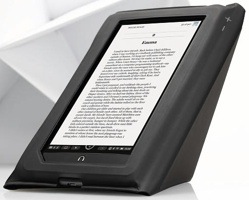
These new e-reader-tablet hybrids are shaping up to be the hottest gifts of this year. Amazon’s Kindle Fire is flying off both virtual and real-world shelves and Barnes & Noble has offered up a worthy opponent in the form of its Nook Tablet. But even at their relatively low prices, these e-readers might still be a bit pricey.

That’s why we’ve laid out some of the best accessories for the technologically advanced bookworm in your life.

By the way, if you’re on the hunt for some sweet accessories of the e-ink, e-reader persuasion, stay tuned. We’ll give those their own moment in the sun.

Amazon Kindle Fire

Best Case:

As Matt so eloquently explained earlier today, you want your ereader case to do more than just protect your gadgetry. Sure, durability is important. But so is style, especially if the one you love is toting around the hottest ereader on the market. That said, the DODOcase for Kindle Fire is about as awesome as it gets. It’s made using traditional book-binding techniques and sports a bamboo frame and fold-over flap. You can even take it a step further and have this bad boy monogrammed.

At a cool $45 price-point, this is certainly the case to consider when holiday shopping for your Fiery friend.

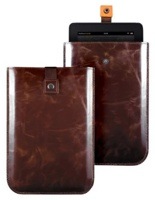
But perhaps you’re looking for something a bit more mature. Maybe leather (or something like it)? I’ve got just the thing. Proporta has a slick little (almost) leather pouch for the Kindle Fire that is sure to make your loved one feel like Ron Burgundy, smelling of leather-bound books and rich mahogany… Sorry, got a tad carried away. In any case, the Proporta “Leather Style” Cover is made from “the finest quality alternative to leather” (thus the whole “style” bit in the name), and has a nice protective lining to shield from bumps.

Priced at $26.95, the Proporta Leather Style Case for Kindle Fire is a “compelling and rich” option.

The thing about the Fire that makes it so great is that it’s nearly a full-functioning tablet. You can watch movies, play apps, and browse the web just like you would on full-fledged tablet. With that in mind, Marware has a pretty sleek Kindle Fire case that can act as a kickstand for you (or your loved one’s) Fire should the two of you decide to cuddle up and watch a holiday flick. Made of genuine leather, the CEO Hybrid case also features a strap along the back which will allow users to hold the Fire with one hand, even with the added bulk of the case.

Not far off from the DODOcase, the Marware CEO Hybrid will cost you $44.99.

Best Apps:

As I just mentioned, the Kindle Fire’s access to the Amazon Appstore for Android is one of its biggest selling points. I’m actually convinced that what the world needs now is apps, not love. Still, it’d be a mistake to forget the Kindle history behind the Fire.

It’s an ereader just as much as it’s a tablet, and with that said it’s only fair to put Audible for Android at the top of the list. Audible for Android offers up a wider selection of audiobooks, though it will cost around $15 a month (which includes one free book a month) in order for use of the app to be worthwhile.

Gamers will enjoy the Fire just as much as bookworms, which means it’s only fair that we include our favorite Fire-compatible game in the gift guide. Plants vs. Zombies has been around for a while on a number of different platforms, but the special Fire edition is pretty sick. The extra screen real estate really takes this now-famous tower defense game to a new level. And for $3.00, it’s probably one of the cheapest gifts you can get that will still get a genuine thank you.

The 7-inch backlit display on the Fire makes it a great option for video playback, but I had trouble landing on which video streaming app to recommend. Therefore, I’m throwing out Netflix and Hulu Plus. Both services (not the apps themselves) are paid, and while Netflix doesn’t require Wifi the same way Hulu Plus does, that won’t really make a difference on the WiFi-only Kindle Fire. So really, it all comes down to whether your a Hulu Plus person or a Netflix person.

Barnes & Noble Nook Tablet

Best Cases:

The Nook Tablet is a tad more flashy than the Fire, and I usually like to dress up louder designs with more subtle cases. It’s all about balance, people. So when searching for the very best Nook Tablet cases, Speck’s new FitFolio case for the Nook Tablet instantly came to mind. The case combines a precision-molded hard shell case with padded microsuede lining to offer up the ruggedness you need while still feeling comfortable in the hand. In black, the FitFolio case quiets the Nook Tablet’s multi-tonal coloring. However, if that’s the whole reason you got the Nook Tablet you’ll be glad to know that the FitFolio comes in much louder blue and purple flavors.

Speck’s FitFolio case for the Nook Tablet will go for an easy $29.95.

I’d be worried if you had already forgotten that Proporta Leather Style case for the Kindle Fire. Well, after perusing through Nook Tablet cases I have something much more Ron Burgandy for our B&N fans. Etsy, our favorite platform for artists, inventors and creators of all types to sell their wares, has a beautiful wooden Nook Tablet case that I simply couldn’t resist. From the product page: “This beautiful case is made from a wood known as Sapelle which is similar to mahogany.” Mahogany! Yep, this one’s for the anchorman in all of us, especially with that brass buckle. There are also thick felt pads along the inside to keep your Nooky poo safe.

You can pick this guy up for $60 at Etsy.com.

No one has more Nook Tablet case offerings than Barnes & Noble, of course, but the one that seems to catch my eye most is the Tasume. It has two flaps that fold over the front, but can also fold back to offer that same kick-stand functionality we were seeing on Marware’s CEO Hybrid for the Fire. The rather flexible flaps are secured to the back with magnets, making it easy to prop up your Nook Tablet in both portrait and landscape.

Hit up Barnes & Noble’s website and you’ll find the Tasume ready and waiting for a mere $49.95.

Best Apps:

While the Nook Tablet’s app selection doesn’t really compete with that of Amazon’s, I’m finding that just about every one of the Nook apps seem to be high-quality and useful.

A few, however, are absolutely essential, the first of which being Evernote. We all know it (or at least should), we all love it, and there really isn’t a better note-taking app out there. You can jot down notes, pictures, save audio clips and upload images, all of which can be organized into notebooks.

Oh, and did I mention that it’s free?

As far as news consumption goes, I’m really digging Taptu – DJ Your News.

The app lets you customize your news based on the feeds you love, and even lets you put together your own stream of curated news, which can then be shared on the various social networks. The interface is super clean and it offers thousands of news sources for the news junkie in all of us.

Taptu is also free on the Nook Tablet.

Facebook does this cool thing where, even though it’s the most popular social network in the world and one of the most visited sites of all time, they don’t mind waiting a while before launching the Facebook app for a new device. The Nook Tablet is a victim, just like the iPad was. But alas, FriendCaster for Facebook may just do the trick. The app is a perfectly suitable alternative to an official Facebook app, and even lets you pin chat convos to stay connected while using other apps.

Unfortunately, FriendCaster for Facebook is a paid app, but $1.99 is a small price to pay for solid Facebook access on your new tablet.

For some extra inspiration on all things gifty, check out the rest of our 2011 Holiday Gift Guide here.


Ness Adds Social Sharing To Its Mobile Restaurant Recommendation App

ness128photo (11)

Ness Computing has just launched a new version of its restaurant search engine app that takes its existing recommendations technology and adds in new sharing services. Yes, there are plenty of restaurant recommendations apps out there, and social tie-ins are increasingly common on mobile devices. But what Ness does is already special, and getting better with the new version.

The company has spent years developing machine learning technology that looks at your social data from sites like Facebook, Foursquare and Twitter, as well as your behavior, and figures out which nearby restaurants you’ll like most.

It presents this data in a score from 0% to 100% match in a classy scrolling interface. Instead of going to a site like Yelp and seeing every restaurant with 3.5 to 4.5 stars, as cofounder and chief executive Corey Reese tells me, you get an exact percentage based on its analysis, along with explicit ratings from your friends to highlight what matters. (Note that it has bigger plans for applying this tech, as we’ve covered, but it’s focused on restaurants for starters).

Having launched in late August, it has spent the intervening months refining its system using the 1.5 million ratings generated by the 100,000 users it has accumulated. The result is even finer-grained recommendations. The new social features should help it get out in front of more users.

The core additions include a way to post thank-you notes and reviews to Facebook. Just click on the photo of your friend in their review to send the note, or write a review and share it on your wall and news feed. The homescreen also now shows mouthwatering photos of dishes from various cuisines, based on what it thinks you like most (you can swipe to pick different ones). The app has upgraded its provides friend recommendations and notifications integrations with iOS5, too.

The getting-started process for new users has also been rearranged from the previous version to highlight sharing. In a series of three steps, you connect with Facebook or Foursquare (Twitter is coming later), and it starts pulling information about you and your friends from those platforms. The second step asks you to provide ten ratings of various nearby locations — as with the previous version, this helps it build on your social data. Then it asks you to invite friends.

Overall, Ness’s tech effort has resulted in much better results for users, and the interface makes the experience more enjoyable. But it’s still hitting a crowded market that has established competitors like Yelp and Urbanspoon. The one-off recommendation improvements that it can provide are often subtle, so integrating social features could help it break out.

The new version is now live in the iTunes App Store (here).


Google Currents: First Impressions Of Google’s Flipboard Competitor

foxy

Google has just launched its much-rumored Flipboard competitor, Google Currents. The service is available for both iOS and Android — including support for phones and tablets — and you can download it right here. But only if you’re in the US (sorry international readers).

The gist of Currents is simple: it’s a clean, touch-friendly way to consume your favorite blogs and news sites on your phone and/or tablet. And it looks good — much better, in fact, than most of Google’s other applications.

After installing the app, you’ll see icons for a handful of pre-selected publications like 500px and The Daily Beast. Currents will immediately begin downloading the most recent articles from these sources, and you’ll also be prompted to add additional publications to your Library (including TechCrunch, should that suit your fancy — we’re an initial launch partner).

If you’re using a large enough display (in other words, a tablet), Currents will display large photo banners that help lend a magazine vibe to the app. Aside from these, the app is broken into two main sections of content: Library and Trending. The former is where content from the publications you’ve opted to follow will show up , and the app will proactively download that content so you can read it offline.

The Trending tab displays the hottest stories across the web, broken down by category and drawn from a variety of sources. The default section is called simply ‘Top Stories’, and you can add additional topic-specific lists including Technology, Business, and World News.

But while Currents has been discussed as a Flipboard competitor — and it is, in the sense that it gives you an attractive way to browse your favorite sites — this initial release has relatively little integration with social networks like Twitter and Facebook, which are Flipboard’s bread and butter. At this point Currents will let you share with any social apps you have installed (as you can with most Android apps). But you can’t connect with Twitter or Facebook to view posts shared by your friends within Currents itself. Another way to put it: at this point, it doesn’t feel terribly social.

That said, Google says it plans to roll out more social features down the line, so this may come eventually. Of course, the fact that Google omitted them from this release may indicate that it’s more interested in driving people to Google+.

Here are some of my other early impressions (I’ll be adding more as I spend more time with Currents):

  • I’ve toyed with the app on three devices so far: A Nexus One, Galaxy Nexus, and a Galaxy Tab 10.1. The app looks great on the tablet, and works well on the Galaxy Nexus, too. It’s pretty clunky on the Nexus One, particularly when I try to browse content while the app is downloading other articles in the background.
  • Reading content housed in the Library section is a pleasant experience. You can flick left and right to progress through a story (or, if you’re reading the last bit of a story, to jump to the next one), and you can hit a Menu icon to see headlines and brief excerpts of recent stories from the same publication. I could definitely see myself using this on a regular basis, particularly on Android devices where Flipboard isn’t yet available. The fact that there are no ads helps.
  • Reading content in the Trending section isn’t nearly as nice. After tapping on one of the trending topics, you’ll be presented with several relevant articles from different publications. Tap one of these, and you’ll see the story’s excerpt — but not the full article.  You see, many of these publishers aren’t content partners on Currents yet, and Google can’t simply scrape all of their content. So, instead of being able to read these articles within the app’s native UI, you need to tap a button that says ‘See Original Article’. This will open the article in a browser pane, which includes the full text (and ads) from the article, as if you’d browsed to it from the web. Google doesn’t really have any other choice here, but it’s a buzzkill, especially because, unlike the content in your Library section, Currents doesn’t pre-fetch these articles so it needs to pause for a moment to download them.
  • Google will be allowing publishers to sell premium content through the app, though I can’t find any yet.
  • Currents doesn’t have as many visual flourishes (like page-turn animations) as Flipboard does. This isn’t necessarily a bad thing, though. I’m actually finding Currents easier to get the hang of, particularly comparing phone-sized version of Currents with the new iPhone Flipboard app that just came out.
  • Update: After playing with the app more on the Galaxy Nexus, I’ve found that Currents definitely has some performance issues. It seems to hesitate a bit at times when I flick to the next page of an article, and twice now I’ve had it get slow as I left the app (the Android homescreen took a few seconds to pop in). That said, the issues aren’t deal-breakers, they’re just a little annoying.


Exploring Some Implications Of Driverless Cars

google-car-1-460

Driverless cars have been a popular and fertile topic for research and discussion for years. From the first high-profile Grand Challenge to the more recent work by Google, there has always been activity, though it’s rarely applicable to everyday life. But a few years from now we’ll really need to start pondering the potential effects of these robocars on cities, infrastructure, and markets.

ClockworkMod’s Koushik Dutta has written an interesting little post on Google+ about one potential major change that could come with the automation of vehicles. If a car can drive itself, that drastically increases its potential efficiency, and decreases the number of cars necessary per capita, especially in a city. You better believe the car companies don’t like the sound of that.

The comparison Dutta makes is to commercial fleets of planes, which spend a huge proportion of their “lives” in the air – i.e. in use. Private cars, on the other hand, sit idle 95% of the time. Naturally there are examples of the opposite in each case: private jets sitting in hangars and commercial car fleets being used constantly, but that isn’t really relevant to the comparison. With automation of cars, they could be put to use in much more ways and used collectively instead of independently.

There are already services that are exploring the potential of this model: Zipcar and Getaround, for instance, which attempt to maximize the utility of vehicles. But systematizing that and adding automatic navigation changes the game. What if you could drive to work and then send your car home to pick up your kids and bring them to school? Or if it wasn’t even your car, but one shared by five houses in your neighborhood, and after it dropped you off, it dropped off your neighbor, then took your spouse to the grocery store — and went to charge itself for half an hour while they shopped?

The implication is that if the average car is made even slightly more efficient, that results in a propotional decrease in the number of cars that need to be sold. Sure, there will be inefficiencies like empty cars (though taxis are in a way also empty much of the time) and individual vehicles will wear out faster owing to more constant usage. And, of course, many people will simply prefer to drive. But the amount of work a car can do per joule or hour or whatever could be increased, and if that utility ratio is improved enough, it starts having a serious effect on transportation.

And while at first the idea of driving cars around doesn’t seem like a Google thing to do, don’t forget that the most important part of this whole business, and the part that produces the most efficiency, is the logistics. Tracking the cars, locations, needs, routes, and so on — all information Google would love to sift. Google doesn’t care about the way the cars avoid obstacles – that’s an engineering challenge that researchers around the world are cracking. Google wants to power this network of nodes and be the unseen hand that points at this vehicle in this lot and tells it to go to this location by this route and pick up this person. Google’s forte is flattening deep data, and this would be a great application of it.

Not that I would trust Google to drive my car for me, exactly, at least not in Google Commute Beta, but I would certainly trust them to provide all the information my robocar needs to get where it’s going. And they’re jockeying for that position already, probably a decade before automated vehicles even start to be considered for road use.

That’s really the part of the equation that Google fits into. Where would Apple, Microsoft, IBM, Intel, Qualcomm, and everyone else figure? How will cities, and cars themselves, change? Like I said, it’s a fertile topic, and we’ll probably be talking a lot about these things in years to come.

Edit: Koushik does not work for Google, as I originally wrote (and still appears in the URL). Entirely my mistake, not entirely sure why I would even think that. He is an Android developer among other things and heads up ClockworkMod.

[via Hacker News]


Up Close With A 3D-Printed Card Skimmer

krebsonsecurity

I’ve recently fallen into the habit of pulling and tugging at ATM slots before I slide my card through because I fear that someone nefarious has stuck one of these 3D-printed card skimmers over the opening. This skimmer, found in California, was 3D-printed to resemble the real Chase ATM slot almost perfectly.

Wildly enough, there’s a pinhole camera connected to a full PCB hidden under the plate and the ports designed to assist the visually impaired seem to be unimpeded, which means nothing would seem amiss even as this thing grabbed your card account number, PIN, and, presumably, the security code on the back of your card in some cases. The fact that this barnacle of electronics is attached, parasitically, to one of the most secure and human-proof devices in existence is an amazing feat.

Krebsonsecurity writes:

Looking at the backside of the device shows the true geek factor of this ATM skimmer. The fraudster who built it appears to have cannibalized parts from a video camera or perhaps a smartphone (possibly to enable the transmission of PIN entry video and stolen card data to the fraudster wirelessly via SMS or Bluetooth). It’s too bad so much of the skimmer is obscured by yellow plastic. I’d welcome any feedback from readers who can easily identify these parts based on the limited information here.

I’ve noticed that since a pair of skimmers were caught in New York City using similar hardware, many of the Chase ATMs here have begun using a different design with blue transparent plastic. I worry that this sort of security by reaction will be a bit shortsighted but clearly Chase has begun the cat and mouse game with these guys. I wonder when those janky ATMs at delis and convenience stores will be hit?