Gillmor Gang: Apple’s High Definition Anxiety

Gillmor Gang test pattern

The Gillmor Gang — Robert Scoble, Kevin Marks, John Taschek, and Steve Gillmor — inaugurated a new title format where the topic replaces the date of the show release (it’s in the URL). Today’s topic: what it always is, Apple’s relentless march toward encircling Windows in a sea of HD-quality iOS devices. In the latest update to OS X, push notification, the Twitter social bus, and AirPlay come to the TV by way of the full complement of iOSish devices, now including the Mac.

With iPad 3 just weeks away, Apple has made it retinal clear that the company has no intention of allowing anybody to catch up to the economic juggernaut where premium products sell out at prices that can’t be undercut. The realtime global social network fuels demand for the iOS pervasive screen architecture (and coopetive partners such as Android and Amazon) to such a viral extent that the resulting momentum keeps competitors from realizing Apple’s supply chain economies of scale.

@stevegillmor, @scobleizer, @jtaschek, @kevinmarks

Produced and directed by Tina Chase Gillmor @tinagillmor


New Hope For Open Source Textbooks

textbooks

Editor’s note: Verne Kopytoff is a technology journalist who lives the the Bay area.

A college textbook can cost a staggering $200. Over four years of study, students can easily spend thousands of dollars on books on top of a hefty tuition.

The situation is not much better in public elementary, middle and high schools, where taxpayers pick up the bill. California spends around $100 on every math and science book for its 2 million high school students, for example.

But textbooks don’t have to be such a financial burden.

Free digital open source textbooks are a promising alternative for states looking to cut costs and for universities trying to spare students from the soaring price of higher education. A growing number of laptop computers and tablets in the classroom provide an even greater opportunity to switch.

Indeed, the fledgling open source textbook movement is getting extra attention these days. Experiments are underway in a number of states and districts.

Last month, Utah’s State Office of Education said it would start a program to make open source textbooks available to students in kindergarten through 12th grade. Washington State’s legislature is considering a similar program.

The idea of open source textbooks is not new. They have been around for more than a decade, a period in which the major commercial publishers hiked textbook prices faster than inflation.

Until recently, however, open source textbooks gained little traction, in part, because of the byzantine process for approving school books. State and local school boards, which insure that books meet standards, are not known for innovative thinking.

California’s experiment with open source books started in 2009 when then Gov. Arnold Schwarzenegger, facing a huge budget shortfall, endorsed a digital textbook initiative to quickly bring digital textbooks in the classroom. The effort, however, fell far short of the revolutionary change that he had hoped for.

A state body evaluated a number of digital high school textbooks as to whether they met state standards. But the review served as merely a guide for local school districts, which have the ultimate say in which books they use and are under no requirement that those books be open source.

Nor does it help the cause that most open source textbooks—produced by a mix of non-profits, academics and a handful of companies—lack the polish of the major commercial publishers like Pearson and McGraw-Hill. Anyone scanning the books will immediately notice a shortage of graphics, maps and photos that are standard in the more expensive books and important for making dry subjects interesting to students who may be half asleep in class.

One source of hope is a new initiative from Apple that offers publishers tools to more easily create digital textbooks and then sell them in Apple’s iBookstore for iPads. Kno and Inkling, two start-ups, offer competing platforms.

All three companies welcome working with publishers of free textbooks. In fact, a free open source statistics textbook from 20 Million Minds Foundation, a publisher of open source textbooks, is already available on Kno.

But, as it stands, major commercial publishers dominate the school market and charge exorbitant prices. They issue new editions every few years, making older books obsolete.

Buying their digital versions is only marginally cheaper. Some publishers even require buying a hard copy to get online access.

Contrast that with open source textbooks which are available for free online. Hard copies can be printed for free or, in some cases, ordered for around $25.

Printing books remains an important, albeit inconvenient reality because most schools can’t afford to give laptops or tablets to every student. Schools that do forego digital miss out on some of its inherent advantages.

Digital books can be updated quickly with new information like Pluto’s demotion from the 9th planet in the solar system to a dwarf planet. Teachers can also add new lessons based on what they plan to cover in class.

Open source is a bit of a misnomer for the books because it brings to mind images of Wikipedia, where anyone can edit an entry. But for a few exceptions, open source books are edited by paid experts and peer reviewed before being published.

The “open” refers to the licensing, which is less restrictive than with traditional textbooks and allows for free distribution for non-commercial purposes and copying.

Neeru Khosla, co-founder of CK-12 Foundation, a non-profit open source textbook publisher, said that the toughest part of open source textbooks is dealing with the state bureaucracy. California’s lengthy review of digital textbooks gave good grades to six of her organization’s books, although it’s unclear how many of them are being used in the state’s classrooms.

“It’s all about politics,” Ms. Khosla said.

Ms. Khosla, the wife of Vinod Khosla, the prominent venture capitalist, co-founded CK-12 five years ago (Mr. Khosla is a board member). In that time, people have downloaded more than 1 million of the group’s textbooks, which are intended for high schools.

It’s a good start. But there is clearly much more progress needed for open source textbook publishers to reach a broader public.

Competing against the major publishers is tough, even when making textbooks available for free. The major publishers have the big marketing budgets, the experience and the deep pockets to create study guides and other material that supplement the textbooks.

Sanford Forte, founder of the California Open Source Textbook Project, expects that in 10 years, open source textbooks will rise from an insignificant share of the market to up to 25 percent. But he does not foresee major publishers imploding during that time, though he said that they will likely have to adapt.

“They are being forced to change,” Mr. Forte said. “But I don’t see the open source movement completely replacing the commercial publishers.”


Video Review: Gerber Apocalypse Blades

In a brilliant marketing move, Gerber Gear has repurposed a series of its bushwhacking and survival tools as necessities for the improbable (inevitable?) zombie apocalypse. If you have an ancient stone Mayan calendar in your living room, you know what I’m talking about.

The original limited edition Apocalypse Kit, promoted in conjunction with the AMC series The Walking Dead, quickly sold out. But now it’s back in production to coincide with the show’s second season. The next limited run of Apocalypse Kits will ship in March for $350. Each kit has has seven blades, ranging from small to massive, all squeezed into a highly portable roll-up carrying case.

The individual blades are also available. We took a few of our favorites from the kit — the jungle machete, the camp axe, and the smaller machete — out to the woods and gave them each a few whacks.

Survival Series Parang

With its 13.5-inch curved stainless steel blade, the 19.4-ounce Survival Series Parang jungle machete ($43) was the most effective blade against brush, branches, small trees, and those pesky coconuts. The Parang’s rubber grip keeps slippage to a minimum, whether you’re hacking your way through a thicket or a crowd of undead. The handle is constructed around the bottom of the handle, giving it an extremely sturdy feel and a smooth swing.

WIRED Even weight distribution. Sturdy blade makes short work of thick branches and vines.

TIRED Weight could make an afternoon of hacking a tiring affair.


Gator Machete Jr.

At just over 14 ounces, the Gator Machete Jr. ($20) is a lightweight and wallet-friendly choice for clearing trails. The 10.75-inch stainless steel blade sports a saw on the backside for clearing away thicker brush, and the rubberized Gator grip keeps it steady when you’re working in rainy, wet or sweaty conditions. The partial tang (meaning the handle is bolted to the blade) keeps the weight down and ups the swing momentum, but it gives the Gator Machete Jr. a flimsy, wobbly feel. The blade is also fairly dull out of the package — you’ll need to get it sharpened before using it.

WIRED Light weight means faster swing. Gator grip handle prevents slippage.

TIRED Partial tang construction is flimsy. Needs sharpening right out of the box.


Camp Axe II

Made for heavy-duty backcountry clearing and shelter-building, this big hatchet ($52) front-loads its 34 ounces into a forged-steel head. Combined with a lightweight nylon handle, each swing feels like a blockbuster. A hammer on the back end adds some versatility to the piece, and the 17-inch handle gives you plenty of room for two-handed swings. The Camp Axe II made short work of thick branches, firewood, and just plain annihilated coconuts in our zombie field tests.

WIRED Keeps an edge well. Top-heaviness adds oomph to every swing.

TIRED The handle is so smooth, it could accidentally turn into a tomahawk.


The Smallest of Vans Stands Alone

If you call yourself an auto enthusiast, you’ve got to have some love for Mazda. I don’t care if you take factory delivery of a new M3 every four years or have a Mustang logo tattooed on your bicep — when it comes to championing technology that nobody else will, the fifth-largest Japanese automaker can’t be beat.

While the MX-5, RX-7 and first-generation Cosmo earned the company some street (and track) cred, there’s a definite freak flag flying over Mazda headquarters. For almost 50 years, it churned out lightweight, fuel-thirsty Wankel engines until stopping development in 2011. The rear-wheel-drive 929 sedan had a solar-powered sunroof vent before the Prius was a twinkle of code on a screen. And the posh Millenia S featured the world’s first production Miller cycle engine. Even the reskinned Ford Probe that was the MX-6 got four-wheel steering. Focus groups in Mazda’s hometown of Hiroshima must consist of highly imaginative contrarians, the sort of people who drink French beer and Canadian wine.

Returning to the States after a mysterious one-year absence, the redesigned Mazda5 is no exception to the corporate-sponsored quirkiness. It’s a six-passenger van, but it’s built on the same C1 platform used by compact cars like the Mazda3, Ford Focus and Volvo C30. At 180.5 inches long, it’s nearly two feet shorter than a Dodge Caravan or Honda Odyssey, but it’s got ample room for four adults and two kids. Mazda’s optimistic euphemism for the 5 is “the space van,” though those sliding rear doors might as well wear a “Student of the Month” bumper sticker.

In Europe, compact MPVs (multi-purpose vehicles) like these are huge sellers and almost every automaker offers one. Those cars almost never make it across the Atlantic, which is why the Mazda5 is the only car in its class in the U.S. until the arrival of the Ford C-Max next year. Yes, you can even order the 5 with a stick shift, though only in bare-bones “Sport” guise.

Though I try really hard to remain unbiased — I’ve never worked for an automaker, I don’t take advantage of press junkets, and I even buy my own gas for the cars I’m reviewing — I have to admit I fell pretty hard for the Mazda5. I’ve also got a fridge full of Kronenbourg and VQA Vidal, so take my praise with a grain of salt.

That there are thousands of automotive deviants like me is a fact not lost on company brass. At the vehicle’s launch — coincidentally, an event I watched on YouTube while sitting on my couch, not live at the Loews Coronado Bay Resort where it was held — it was clear brand manager Tetsu Nakazawa takes pride in the 5′s niche status. “I really like to think of this as our hidden gem in our lineup,” he said. “This vehicle does not fit into any traditional segmentation.” You can say that again. Championing lost causes and automotive orphans must be part of some unannounced business plan. Heck, if Mazda had rescued them, Saab would have resumed production of shoe-shaped two-stroke coupes.

The 5 is also unique in that it’s the only car to feature Mazda’s “Nagare” design language. The quickly discarded style was intended to depict motion, apparently through three creased lines that flow along the side of the vehicle. They look better in person than in photographs, but at the very least they’ll hide parking lot dings. From a distance, the van’s low ground clearance and wide rear end give it the look of a macrocephalic Mazda3 hatch.

First Look: Red Scarlet-X Camera

Photo: Greg Broom

Check back in March for our full, in-depth review of the Red Scarlet-X

Can’t wait to see The Hobbit? Try shooting your own Middle-earth adventure. The Scarlet is a slightly simplified version of the rigs Peter Jackson used to film his Lord of the Rings prequel. Its Super 35 image sensor and 4K resolution (4096 x 2160 pixels) capture four times the detail of typical HD, making top-of-the-line DSLR footage look like an ’80s home movie.

The Scarlet is fully modular, so you can buy the “brain” (the gray box), then accessorize it with viewfinders, grips, even mounts for lenses from other manufacturers. And when sensor tech improves, just ship the camera back; for a price, Red will swap in the latest and greatest.

WIRED Takes indie film projects to Lucasfilm levels. 5120 x 2700 resolution for stills (even in 12-fps burst mode).

TIRED Can’t shoot 4K video at more than 30 fps. Precise controls for pros = steep learning curve for amateurs.

$9,700 (brain); $15,965 (kit shown here)

Digital Doodler Doesn’t Draw Inside the Lines

The Wacom Inkling tracks the movements of your pen as you sketch on paper, creating a digital version of your drawing. Photo: Jon Snyder/Wired.com

As an illustrator who works in both paper and digital media, I’ve been looking forward to getting my hands on the Wacom Inkling ever since it was first announced. A physical pen that tracks your drawings and digitizes them on the fly? Can you say “dream tool?”

The Inkling is a two-part gadget, a pen and a receiver. As you draw with the pen, the receiver stays clamped to the top of your notebook where it records your every stroke. Later, you can load up the digital version of your drawing on the computer and do whatever you’d like with it.

Both the pen and receiver run on rechargeable batteries, and you get about eight hours of drawing time from a full charge. The the pen and receiver both fit into a carrying case, where they charge simultaneously (three hours to fill it up) over a single USB connection. The case is small and easy to stow, so you can take it anywhere and clamp it to practically any paper notebook or sketch pad. The device can store about 2GB of data, which the Wacom guys tell me is literally “thousands of sketches.”

The Inkling is very smart. When you clip the receiver to your notebook, it automatically creates a new file, so you don’t have to worry about drawing over previous works. The device also lets you create multiple layers on a single drawing. To start a new layer, just press a button on top of the receiver.

I found this extremely useful. I was able to incorporate the layering feature into my normal drawing workflow very naturally — lay down a basic sketch first, make a new layer, work on some details, make a new layer, add shadows, new layer, and so on.

The layers also came in handy if I wasn’t sure when to stop on a drawing. Sometimes I overdo my inks. With the ability to add new layers, I could just move on and continue working normally. When I’m done and I’ve transferred the drawing to my computer, if I find I did too much, I can just erase any of the layers I didn’t like.

The transfer process is easy, exporting the drawings requires you to install a bit of proprietary Wacom software on your Mac or Windows PC. You can generate 600dpi layered files for Photoshop or Illustrator (CS3 and later), or Sketchbook Pro (2011 or later). Flat files can also be saved in all the expected image formats (JPG, TIFF, SVG, PDF) for use in any other application.

Once you open up a drawing on a PC, it’s pretty clear the Inkling works best for sketching, concepting and storyboarding rather than creating finished products.

The line work in my digitized drawings wasn’t perfect — don’t expect the digital version of your paper drawing to look like it was imported on a scanner. The processing is adequate, but it’s not quite there yet.

The author's original ink drawing (left) and the Inkling's output (right)

Smaller details get lost, and lines aren’t always in the right place. And if you happen to bump the receiver with your hand or draw too close to it (within an inch), you’ll gunk up the results. It uses infrared and ultrasonic technology to track the pen tip, so line-of-sight obstructions (like fingers or straightedges) between the pen and the receiver can cause hiccups.

Wacom readily admits the Inkling is meant for roughing out ideas rather than creating perfect works of art. If you need 100-percent accuracy, the best option is still scanning.

The pen is very close to a the input pens you’d find on other Wacom devices, like its Intuos desktop tablets. While I appreciated working on honest-to-goodness paper, I wasn’t too fond of the 1mm ballpoint pen tips in the kit. They’re not horrible, but I would hope we’ll eventually see some better tips for drawing. Also, while the Inkling is pressure-sensitive and can detect 1,024 levels of pen pressure (variations in line thickness show up in the digital output), it felt very standard while drawing. I would like to see the sensitivity increase so I can more accurately control the brush size.

Finally, here’s a video showing one of the cooler features: the ability to “play back” your drawing after the fact to see how it evolved over time.


WIRED Slick concept. Easy to use, intuitive. You can rotate the paper or work at any angle. A nice glimpse of what the future of Wacom might hold.

TIRED Accuracy of the digital translation has a way to go. Better for first drafts than finished works. Be careful not to bump it too hard — especially when pressing the “New Layer” button.

It’s Two, Two, Two Hard Drives in One!

If you’re still making excuses about why you aren’t running local data back-ups, this drive is prepared to shoot down every one of your tepid arguments.

With the My Book Live Duo, Western Digital updates its venerable line of network-attached storage devices. The biggest upgrade is in the “Duo” part of the name: This is WD’s first dual-drive NAS, and the addition of RAID means your data should be safe from anything short of a house-frying power surge, or a disaster that levels your entire home.

4TB of total storage is included (a 6TB version is coming), giving you 2TB to work with if you go for a redundant/mirrored configuration. Once you connect the drive — which is largely plug and play, no router futzing required — you then manage all of its features on your primary PC via the passel of applications included.

While WD has upgraded some of its management software, things are still more complicated than they need to be. Novices may be a bit confused deciding whether to use WD SmartWare (for backup configuration and stats), WD Quick View (a drive health widget), or simply open up Windows Explorer to manage files (pretty much the easiest way). There’s also an unnamed web interface to the drive that’s used for everything else. And that doesn’t even mention the three iOS and Android applications you can use to access and upload photos to the device (WD Photos) or manage all your data on the drive (the free WD 2go and the $3 WD 2go Pro).

The best news: WD has mercifully jettisoned the old and buggy system for cloud-based access that was included with its prior NAS, but the new version is still a bit overly complicated to set up. Namely, users have to be created on one screen, then connected to an e-mail address on another. Once that e-mail account receives a confirmation code, then you can actually access the drive via the wd2go.com website. A completely different process is used to configure an account for smartphone access.

It’s understandable, I guess. WD is a company that basically doesn’t do anything except make hard drives, so it’s probably not surprising that its software chops aren’t up to snuff, nor that it fails to understand that consumers who buy a device like the Live Duo don’t want to spend hours managing the intricate details of their storage infrastructure.

The good news is that once you jump through all the configuration hoops, the Duo works exceptionally well. Remote access and local network sharing are all speedy and free of the hiccups that plagued last year’s model, proving that, even though it might have been designed by and for engineers, they got most of it right in the end.

WIRED Broad Mac, PC, and consumer device support. Works with Time Machine, DLNA devices, you name it. An affordable way to add lots of RAID-protected storage for backup, media serving, or both. Solid performance. USB port available should you wish to expand storage capacity further.

TIRED Files uploaded via iPhone app get renamed. Still no social networking hooks for auto-uploading photos or videos. Costly at $400 (the 2TB version was $170 last year), though that may have more to do with the constantly fluctuating cost of storage drives than anything else.

New Windows Logo Shows Microsoft Is Going All In With Windows 8

logos

In a move that demonstrates how cleanly Microsoft intends to cut itself off from the last 20 years of its most widely-used and widely-recognized products, they have given the Windows logo its most significant redesign in 20 years. Ever since Windows 3.1, the slightly curved, red-green-blue-yellow panes have greeted millions on startup, or at least peeked out from the corner of the screen.

No longer: Microsoft has abandoned the shape, color scheme, and even the start button. The new logo is monochromatic (or rather, polymonochromatic), straight, and unfamiliar. If they intended to show just how much they’ve changed the philosophy of the OS, this is a good way to do it.

The logo was actually leaked earlier this week on a Chinese site, but there was some question of its authenticity. Now that it has been explained on the Windows Blog, it’s official:

Some like the new design. Some don’t. But changes to major brands rarely produce anything but controversy, and this is no exception. Microsoft can’t go back on it, the way they can’t go back on the changes they’ve introduced with Windows 8. Whether you enjoy the new logo and look or not, at least you can say they are both new.

Personally, I’m not a fan. I understand the idea of the clean break and of evoking the Metro interface. That’s fine. But the logo fails for me because it doesn’t represent Windows as a brand, it represents a visual theme that hasn’t shipped and isn’t familiar to most users. The logo also changes color with your theme, which I think is a weak decision. The four-color panes were a little loud, to be sure, but that was what they had to work with back in the day if they didn’t want to dither but still wanted to show a decent image in an 8-bit graphics mode.

It has survived not just out of tradition, but because it’s instantly recognized by billions worldwide. That’s not brand capital Microsoft throws away lightly, I’m sure, but the question is why they’ve chosen to throw it away at all.

And the tilt on the “window” seems incongruous with both the OS and the logo itself. Is it coming, going, or just tilting? Does it ever tilt like that when you’re using Windows 8? If it’s meant to evoke the Metro UI, shouldn’t the Metro UI reflect that shape and angle more strongly?

But like I said, any change like this generates dissent like mine, while there are plenty who will find it magnificently clean, understated, and very in keeping with the Metro visual language. It’s here to stay, and a year from now when we’ve had it at our elbows and seen it on a hundred new devices, maybe we’ll feel differently.


Review: The Playstation Vita, Sony’s Portable Powerhouse

scaledwm.IMG_5695

Features:

  • 5-inch (16:9), 960 x 544 OLED screen
  • Front and rear capacitive touchscreens
  • Dual joysticks
  • WiFi and 3G Wireless Broadband support
  • MSRP: $249 (Wi-Fi Only)/$299 (Wi-Fi/3G)

Pros:

  • Beautiful, bright screen
  • Surprisingly light but solid
  • Amazing, console-quality graphics

Cons:

  • Too wide for smaller hands
  • Vita game selection is currently limited
  • 3-5 hours of battery life

The Short Version

Like a line of hard-marching Lemmings (or a swarm of Patapons), Sony’s countless, niggling enemies would like nothing better than to distract and steal the company’s hard-won fan base. The Playstation has long been the gold standard in console gaming, despite the Xbox’s recent challenges to the throne. And Sony does a good job. Graphics are better, gameplay is or can be more immersive, and in the battle for RPG dominance the PS3′s library is peerless.

But now Sony is fighting against lots of great ways to waste your time. Stuck in a long line? Whip out the iPhone, RAZR, or Blackberry. Want to play something bigger and bolder? Pull out a tablet and rock a few hours of Civilization Revolution or Need For Speed. Want to watch a movie? Bring up Netflix on any device in the house save your kitchen blender. There’s not as much space for a dedicated gaming device out there as there used to be, and both Nintendo and Sony know it.

So what, then, is the Playstation Vita and should you care about it? The Vita is Sony’s latest handheld device. It’s a small game console that takes SD-Card like cartridges but depends more on customer downloads and local storage. It can play multi-gigabyte-sized games that would look more at home on a console or PC than on a handheld.

You should care about the Vita because its success will define the value of the dedicated handheld in the marketplace. In a world full of devices vying for our attention; how a $250 handheld console designed with games in mind does in terms of sales and popularity is very important for Sony, Nintendo, and Microsoft (not to mention stealth game console manufacturers like Apple and Google). Sony said this console has to last for another eight years in the marketplace, a prospect that seems a little far-fetched. The more important question is whether it lasts just one year without a major price cut and whether it lasts out this decade as a handheld console of choice.

All of this doom and gloom is distracting, however. Before anything else, the real question is whether the Vita delivers a great gaming experience. The answer to that question is a resounding “Yes.”

PSP Reborn?

The first thing we need to understand is that the Vita is far more than a PSP successor. Although it looks quite a bit like the old PSP, gone are the hard edges and moving parts of Sony’s previous design generation. The aesthetic here is rounded, soft, and usable – perhaps a nod to the softer, curved designs found in newer phones.

There are two clickable analog sticks on the left and right sides of the screen along with a four way directional pad on the left and four action buttons on the right. There are a two shoulder buttons on top along with a Vita card slot and HDMI/audio port. On the bottom is a port for a MicroSD next to Sony’s proprietary charging and data cable. There are no USB ports on this thing. But there is, famously, a touchpad on the back.

The 3G version has a SIM card slot on the left side. There are built-in stereo speakers and a small microphone as well as VGA cameras on the front and back.

The Vita is surprisingly light. It looks like it should be a dense product of Japanese engineering. Instead it feels almost hollow (in a good way) which makes it much easier to hold for longer periods.

The 5-inch OLED screen is powered by a Sony-built quad-core ARM-based processor and is amazingly bright and clear. The Vita contains 512KB of RAM and Bluetooth and Wi-Fi support. It also contains an accelerometer for sensing position changes and a GPS chip. iFixIt found the device to be well-made and surprisingly serviceable.

All told, the Vita is very usable. The UI is based on “lozenges” that display various apps, including every game that has ever run on the device. This makes for some odd situations when you tap the lozenge for a game that isn’t currently in the Vita’s card slot (although you can transfer games to the on-board memory to remedy this). These lozenges are sort of like pointers to various content, a sort of reminder that you own a game rather than access to the game itself. The distinction isn’t important enough to discuss further, but it’s a quirk that bore mentioning.

The UI also uses a unique sticker interface to handle multi-tasking. You can multi-task in any app by pressing the dedicated Playstation button. When you do this, you bring up the main screen. Then you access other screens by swiping left or right. When you’re ready to “close” an app or game, you swipe from the upper right corner down, essentially “peeling” it from the screen. The same UI trick happens when you unlock the Vita – you “peel” off the lock screen. This makes it easy to see what is currently running and coupled with a sort of mini dock at the top of non-clickable icons, the Vita OS becomes more like a mini computer than a games machine. Clicking the Playstation button twice brings up a stack of current apps running on the device, including a notifications list where your trophy wins and download status resides.

Other apps include Sony Music and a video player as well as a Google Maps-based mapping app. There are also apps for the PSN Store as well as a trophy case, a Friends list, and a system for multi-player chat called Party.

Would You Like To Play A Game?

Gaming on a Vita vs., say, an iPhone is a revelation. The games are responsive, crisp, and vibrant compared to similar games on the iPhone and Android platforms. Uncharted: Golden Abyss, for example, is as good as any console game, with loads of textures and rich, high-poly environments that you would see on any PS3 or Xbox. Barring a few artifacts, you will be amazed at the quality. Because the Vita also plays some PSP games, you’re able to experience last gen gaming running on the Vita’s superior processor. For example, Dungeon Hunter: Alliance, a 1GB PSP game that I downloaded, was on par with an iOS native version of Dungeon Hunter 2. However, the game was much easier to play on the Vita because of the dual joysticks and – oddly enough – the rear touchpad.

This is not to say all is wine and roses on the Vita gaming front. If you are not a fan of Sony’s brand of gaming, you’re not going to be happy with the initial crop of games. The Uncharted title, while graphically stunning, is a long movie interspersed with running while the more casual titles like Super Stardust Delta display superior graphics and dubiously enticing gameplay.

Assessments of game quality are highly subjective, however, so I’ll leave those to a minimum. Sony has a massive following and their games are often considered the epitome of the video game arts (Final Fantasy and Metal Gear come to mind), at least by their fans. This device will do all of those titles justice.

Online play is very simple to set up with friends and/or strangers. Sadly, online play was mostly disabled for the titles I had access to simply because there weren’t many Vitas floating around on the network yet. However, the “friend discovery” system, called Near, is worth a deeper look.

Near

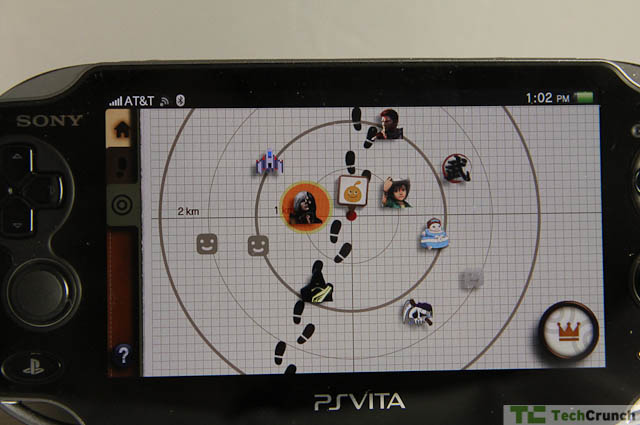
The most interesting part of the Vita UI is a system called Near. Near allows you to find people who are playing PS3 or Vita games and friend and/or challenge them. You can also chat and play with these nearby folks (once you’re connected) allowing you to create an ad hoc network of buddies who are within your general vicinity (say 2 kilometers or so).

While online play has been around for years, the PSP’s was historically abysmal and this means to rectify that. In fact, the “loose” nature of the networks created encourages game discovery as well as friend discovery, something that is slightly more difficult on the Xbox and considerably more difficult on the Wii.

In short, Near is the Vita’s way of going viral. If you can see others with Vitae nearby, you’ll be more inclined to consider other popular games and you’ll generally play more. It marries the best aspects of local discovery a la Foursquare with some of the better online gaming solutions.

The Bad

I write this last section with a bit of sadness. The Vita, while amazingly capable and very cool, may be the last of its breed, a bold experiment in its evolutionary stage waiting for the crash of a meteor to wipe it off the planet. Kotaku’s review hits the nail on the head: while the Vita (and, arguably, the 3DS) offers a superior gaming experience to any tablet or smartphone, my money is on the non-dedicated gaming device rather than a system that does one or two things well.

You’ll note that I didn’t cover the browser or the music services on this device. They exist and they work, but they are far from perfect — to be honest, they aren’t great. For example, the browser doesn’t work while a game is running in the background. The primary reason I browse the web around any game is to pop over to the FAQs or Wikis for a particular title (I’m not a very good gamer and Skyrim is hard). To be forced to close out of a game in order to browse is quite nasty. The browser also doesn’t support Flash 9 out of the box.

A battery life of 3-5 hours is strong but not ideal and the device doesn’t play well with some devices so there is no promise that you will be able to charge over USB. I tried a number of ports, including powered USB ports, and the results were mixed. The console really shines with in-depth, graphics rich games but if you know it’s going to die in a few hours, the impetus to get into an RPG is reduced. That leaves casual gaming, a space in which many other devices excel.

I want to love this device and I suspect a dedicated gamer will find it far superior to any other device, the Nintendo 3DS included. But I feel this will be the last iteration of the “dedicated gaming” handheld we see.

To be clear, the Vita does purport to be a connected console. It does support 3G and wireless and we can assume that some sort of Skype app will appear sooner than later. Netflix is coming. It already has voice chat with friends so something similar for general chatting can’t be far off.

The Bottom Line

As a device, the Vita is stellar. It has all the right pieces in all the right places – the huge, bright screen, the dual analog sticks, the acceptable battery life, the size, shape, and weight. I wish all Sony products were like this – intelligently designed, handsome, and usable. Sony has finally figured out how to put all the puzzle pieces into the right spots and it is an example of what the company can do when it produces a device dedicated to its biggest fans – gamers.

Who should buy it? PS3 and SCEA fans, definitely, and general gaming fans secondarily. If there are any titles that catch your fancy, you won’t be disappointed when you play them on this thing. However, as it stands I can’t actively recommend any of the launch titles as “must haves” although, as I said before, they are technically impressive.

Not a gaming fan but interested in this as a media player? Pass. There isn’t enough here to replace a good tablet or phone. I would, as a parent, also recommend caution before picking this up for the kids. The titles are not there to warrant the investment.

Time will tell how the Vita shakes out in the gaming market and everyone I’ve spoken to agrees that it’s an impressive and compelling package that, in many ways, feels like the end of the line.

Click to view slideshow.


After Conquering The World, Our Favorite Angry Birds Head Into Space On March 22

Screen shot 2012-02-17 at 1.36.16 PM

I’m not even going to pretend that you don’t know what Angry Birds is… that would be insulting to both you and the game. But do you know what Angry Birds Space is? Nah, I didn’t think so. And truth be told, I’m not quite sure what it is either.

According to Rovio, Angry Birds Space will be the biggest launch for the company to date. Remember what a big deal Angry Birds Rio was with that whole 20th Century Fox partnership and a movie and all that jazz? Well guess what! Space is even bigger.

If you can’t tell from the past few sentences, I’m pretty excited about this. Angry Birds is the most popular mobile game in the world… ever… and Seasons and Rio were excellent additions to the series. But living/playing in a regular world, or a seasonal world, or even in an islandy world are things we’ve all done. Chilling out in space, on the other hand, is not.

There are little to no details so far. In fact, all we know is that the red bird looks much more devilish in space and that the game will debut on March 22. I predict that aliens will be our nemeses, and that gravity (or rather, a lack thereof) won’t be an issue.

You can check out the teaser video below and head on over to the official teaser page to download an Angry Birds Space wallpaper and/or glare into the burning eyes of our favorite little red bird.


Cobook, A Slick Address Book App That Doesn’t Upload Your Data

cobook-01

The mundane Address Book was big news this week due to the privacy fiasco, but here’s a post about an impressive address book app with a different approach to privacy. Cobook is a Mac contact management app that’s simple, powerful and actually fun to use. The software, made by a boot-strapped startup, is now in a free beta test, with 60,000 downloads since it launched at the end of January.

Cobook is what the Mac OSX Address Book should be. It sits in the menu bar or can be undocked and instantly synchronizes with Apple’s Address Book. Any data entered into Cobook gets synced to your other computers and devices. Because it’s a native app, adding contacts, assigning tags, and editing contact info is very quick. Your Facebook, Twitter, and LinkedIn contact info can also be pulled in, and if you hover over it, a pop-up window displays your contacts’ Facebook info, Tweets, or LinkedIn profile. It’s the fastest way to read a contact’s info, much quicker than using any of those websites.

The address book controversy has focused on iOS apps that upload users contact data without their knowledge. For an address book app, you purposely want your data uploaded to the cloud so it can be viewed anywhere. So I was a little surprised when I installed Cobook and got a warning saying:

“Cobook cares about privacy. All your data is stored locally on your computer only, we don’t have any access neither to your data nor accounts. In fact we don’t even have any servers, except for a component that collects bugs.”

Cobook still lets you access your data everywhere, since it’s based on Apple’s Address Book and that’s where the syncing happens. You use iCloud, Google or Yahoo contacts to sync.

In the past, I’ve had problems syncing Apple’s Address Book, so I use Google contacts. To use Cobook with Google, I first needed to sync Apple’s Address Book to Google and wound up with three contacts for everyone. But, Google’s “Find and Merge Duplicates” feature fixed that.

And cleaning up bad contact info is fast and easy, much more so than with Google contacts or Apple’s default app. With 1,000 contacts, I never got around to it. But, Cobook has some neat features that make cleanup easy, such as viewing all contacts with no phone or email address.

One warning. Definitely backup your contact data before you do any syncing. Yeah, we know we should do this but often don’t. You will thank me later if you follow this advice just in case you run into any issues. I didn’t follow my own advice and lost half my contacts when I added a laptop to sync Google contacts with the Address Book. But, Google has a “Restore Contacts” feature that lets you travel back in time with your contact list and that restored the lost contacts.

I was able to get Cobook loaded on 2 laptops and a desktop, and via Google contacts, with an iPhone and iPad. I did run into one problem when I added a phone number in Cobook and it went to Google, but not to the iPhone. Hours after notifying Cobook’s support about the problem, they released a patch that fixed it.

The man behind Cobook is Kaspars Dancis, Founder and CEO of Codo. He worked at an enterprise startup that got acquired by a large company. After working at the big company for a few years, he decided he would rather work at a startup in the consumer space. Dancis wasn’t personally happy with any of the existing contact management solutions, and says he chose to “scratch his own itch.”

Dancis is now working on the project fulltime along with a team of three, in Riga, Latvia. He started building it last April.

Dancis says his vision is to make contact management something you don’t need to worry about. He says that just like Dropbox is for files, and Evernote is for notes, he wants Cobook to be for your contacts, so they are everywhere easily and quickly accessible.

Cobook is expected to come out of the free beta period by the end of March. The pricing hasn’t been set.

While Cobook is Mac only right now, they have a broader vision. Future plans include a PC version and mobile versions on iOS and Android. They might do some type of syncing service, where your data does get uploaded. Dancis says any such syncing would involve client side encryption so if contact data is stored on a remote server, it couldn’t be read without the user’s key.

Cobook faces competition from well-funded Xobni, which recently released a new iPhone app. Xobni, which launched at TechCrunch 40, also pulls data from Facebook, Twitter and LinkedIn. But it doesn’t have a native app. It runs as Gmail and Outlook plugins on the desktop and laptop.

Another competitor is everyme, now in private beta.

Here’s a video demo of Cobook:


Study: Windows Web Browsing Market Share Drops 10% Over Past 6 Months

windows-web-browsing-decline

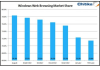
Following up on its earlier report on iOS browser market share, ad network Chitika today released new results from a study which analyzed the impact mobile computing has had on traditional web browsing trends. In examining traffic across its network from August 2011 to February 2012, Chitika says that Windows web browsing market share has declined by almost 10%.

To determine its findings, Chitika analyzed data from hundreds of millions of ad impressions covering a cross section its network of 120,000 sites. Although a large sample size, we need to point out that this study is limited only to sites on the Chitika network. To be definitive, a larger study across multiple ad networks is still needed.

However, the data is interesting, especially in light of Chitika’s earlier discovery that iOS web traffic now surpasses that of Mac OS X. The firm theorizes that the new research, which involves an observed nearly* 10% decline in Windows web browsing market share, is due to the increase in browsing from mobile devices, including smartphones and tablets. That is to say, mobile browsing is eating into traditional PC-based browsing. But the drop may also be the result of decreased PC production in 2011 arising from the component shortages that occurred during the recent monsoon season. The monsoons led to flooding in Thailand, which disrupted factories, and therefore overall PC production.

On its own, data like this could be taken with the proverbial grain of salt, but other signs that we’re entered the “post-PC” era have already arrived. For example, earlier this month, analysts at Canalys reported two major shifts in computing trends: one, that smartphone shipments outpaced PCs for the first time ever, and two, that Apple has become the world’s largest PC maker, assuming iPads are counted as PCs.

With that data in hand, Chitika’s insights into its own network feels more like further confirmation of the ongoing trends, and less like some weird fluke occurring with a niche number of websites.

* The chart shows a drop from August 2011 (78.3%) to Feb. 2012 (71.4%), which would be a 6.9% drop. But the percentage change between the highest and lowest points referenced in the study come out to 9.66% which rounds up to 10%. 


WinZip iOS App Lets You Crack Open .Zip Files From Anywhere

Screen shot 2012-02-17 at 12.41.44 PM

Having access to your documents and pictures is really easy these days. About a million services, including Dropbox and iCloud, allow you to sync your stuff between devices, but there’s one little thorn in our collective cloud-syncing side: it’s called a .zip file.

Fortunately, WinZip has just launched on the Apple App Store and it effectively rids us of this particularly annoying issue. After installing, a single tap will let you get a peek at what’s inside the .zip file. If you tap again, you’ll be able to look at individual files, even if you don’t have the associated applications installed on your iPhone or iPad.

Copy/paste functionality has also been integrated, to let you pull a snippet and pop it into an email or text message. Even encrypted .zip files can be opened.

WinZip is a free application that’s available now for download in the Apple App Store.


Analyst: Facebook Will Make $1.2 Billion Annually From Mobile Ads

facebook mobile ad revenues

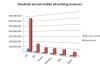
No, Facebook is not advertising yet on mobile devices. Yes, that hasn’t stopped people from speculating on what it will mean when it does. The latest: an estimate of how much the social network stands to make from mobile advertising: more than $1.2 billion a year in the U.S. and its five biggest markets in Europe — the UK, France, Germany, Italy and Spain.

The numbers come from UK-based analyst firm Mobile Squared, which has worked out that Facebook will be making an average revenue per mobile user of around $6.50 per year — some $2 more than Facebook currently makes per users online, using figures supplied in its S-1 earlier this month.

This is how Nick Lane, chief strategy analyst, arrived at these figures:

He estimates that across these six markets, there are a total of 185.3 million users of Facebook on mobile. (That’s something worth noting in itself: Facebook has something of a long tail when it comes to mobile users it seems, with the top six markets still accounting for less than half its 425 million mobile users.)

Within this, the average user spends 12 hours per month on the site, he writes. Here, he notes that comScore puts the average monthly usage at 24 hours.

The average amount of time, he tells me, that a mobile app serves up a new ad is around every 20 seconds, and he puts a CPM on Facebook of $0.25 — calculated, he says, partly based on what other social networking sites are generating on mobile. CPMs, it should be noted, vary wildly — Lane says as low as $0.10 and as high as $50. (Which app brings in that, I wonder?)

The U.S. will account for roughly half of that revenue, at $653.7 million in 12 months, with the UK bringing in $166.6 million, $100 million in France, Germany and Italy, and $70 million in Spain.

He tells me other markets — particularly emerging ones like Turkey, Brazil, and Indonesia — will also add more to the pile, but those CPMs are less stable and were therefore not included in these calculations. He estimates that Indonesia currently has 30 million Facebook mobile users, with another 20 million in Turkey, and 26 million in Brazil.

While it’s worth pondering how much money Facebook could make from mobile ads, there are some big caveats to this kind of number crunching. One thing Lane does not cover are ad formats: the rumors have been that Facebook will first present ads as sponsored stories, rather than traditional display ads, that appear in a user’s timeline. Would these take a different kind of metric other than a traditional CPM and if so, what?

Lane tells me that separate research his firm did for a mobile marketing company found that only 10 percent of respondents said they would be comfortable with brands reaching out and engaging with them through Facebook. Ninety percent said the opposite. If click-through-rates on mobiles is currently 0.5 percent, “expect that figure to drop significantly on Facebook Mobile,” he writes.

There are also still some question marks over what, exactly, the value is of “liking” a brand on Facebook. “Thirty-six million follows, but what does that mean in relation to a brand like Coke?” Lane asks.


RVIP Karaoke: The Most Amazing RV On Earth Is Now Much More Than A Hobby

karaokefeat

You’ll never forget your first time.

Huddled in a hallway three feet wide, arms reaching every which way for a cup or a beer or the microphone. It’s hot and it’s messy and it’s noisy and everyone is pushing against everyone else but it doesn’t matter because your best friend is at the front of it all belting Total Eclipse of the Heart (how did she just hit that note) — and the world outside is whirling by in a blur.

It’s incredible. And now the RVIP Karaoke RV is ready to take the country by storm.

Today, the people behind this legendary tradition are announcing that they’re turning their passion into a full-fledged company. The papers have been filed, they’re fully insured, and the RV fleet has doubled in size (to two — with more on the way).

For those that haven’t been fortunate enough to take part in one of these karaoke-infused voyages, here’s a little background.

The Karaoke RV first got its start in 2007, when Jonathan Grubb and Kestrin Pantera — a couple who, brought together through the power of karaoke, are now married — decided that they “wanted to have the awesomest party there was at SXSW… but it had to be cheaper than a hotel room.”

And so the Karaoke RV was born. They rented an RV, drove around downtown Austin during the festival, and opened their doors to anyone and everyone who wanted to sing their hearts out.

It was a hit, and the RV has been a SXSW staple ever since (veteran attendees like myself use GroupMe to keep tabs on its whereabouts at all times). For the next few years the team would also rent an RV for a handful of other appearances throughout the year, stopping by at occasional film and music festivals.

And then, thanks to the generosity of entrepreneur Tara Hunt, who heads Buyosphere, RVIP had an RV to call its own — Hunt literally gave them a 27′ Winnebago because “she liked what we were doing and wanted us to do it more.” And so they have.

The team has systematically demolished and rebuilt the interior of the vehicle to maximize its Karaokeing Capacity, and spent much of last year driving it to events across the country, making appearances at venues including TC Disrupt SF and the Sundance film festival. And they’ve recently purchased a second, much larger RV (a 37′ CAT Diesel A-Class), to expand their potential reach — and participants’ shoulder room.

The idea to turn the Karaoke RV into a company, Pantera says, came about late last summer, when she realized that the core team that typically runs the show would be at Burning Man during an event that warranted an RV appearance. So she put together a team to test if the RV could function smoothly when the original founders weren’t onboard. It worked — and they realized that this could be bigger than a hobby.

Which brings us to today.

“We wanted to open a bar, but the rent, buildout, and liquor license costs are really high and it takes forever. So we thought about it like a software project and eliminated the hardest features–alcohol sales and a location–and started iterating. It’s a minimum viable bar,” Grubb says.

Pantera, an actress and musician by trade — who has worked with Weezer and Beck and has made appearances in films that debuted at Sundance and Cannes — is the company’s CEO.

Grubb, who cofounded Get Satisfaction and Rubyred Labs and was previously head of Lookout Mobile Security’s product team, will take the helm as the RV’s Chairman, Builder, and Driver. Grubb was most recently the lead product designer of Isis, the mobile industry’s NFC solution — he quips, “I feel like I’m leaving the hottest industry in the world to have parties all the time, which is awesome.”

Rounding out the executive team is CTO Scott Watson, the Senior Vice President and CTO of Imagineering at The Walt Disney Company (a position he’ll keep while he simultaneously works at RVIP), whose work includes designing Disneyland rides like Indiana Jones and California Aventure’s Soarin’ Over California. Watson is responsible for converting the RVs into the best karaoke machines they can be — and some of the techniques developed for the RVs are being incorporated into Disney rides. Read that again. These people are awesome.

Finally, the company’s advisors include Nate Bolt (who runs SF design firm Bolt Peters); Mark Trammell, Design Researcher at Twitter; and Jon Snoddy, VP of R&D at Disney Imagineering, who has also been involved with big-name rides.

The company is being funded by its founders, but this isn’t just a benevolent force of awesome, — RVIP actually makes money. Venues and events are willing to pay to have the Karaoke RV make an appearance, and, aside from that appearance fee, these events also are responsible for covering the cost of alcohol, which gets freely distributed to any riders who wish to partake (you need to be over 21 to hop onboard).

In case it wasn’t clear, I love this: some of my favorite memories took place on the Karaoke RV. If you get a chance, don’t hesitate — jump on and sing the way you do in the shower when no one else is home. Even if you’re a little off-key, or you a miss a few lyrics, it doesn’t matter. Your friends probably won’t remember anyway. You won’t regret it.

I’ll close with a quote from Pantera:

“RVIP, for me, is an obsessive labor of love. I hope that the friendships forged here expand beyond the RV, beyond the karaoke, into someplace where people feel an exhilarating sense of love, creativity and liberation. “