Apple Goes Big In Texas With $304 Million Austin Campus

AnjiiX3CQAAGhRm

Most of the news around Austin this week is centered around SXSW, naturally, but Texas Governor (and erstwhile presidential candidate) Rick Perry broke some news today that’s unrelated, but still Austin-relevant. Apple, it seems, which has been slowly growing its presence in the state’s tech oasis, chose SXSW weekend as an auspicious time to announce a major new campus in Austin.

There isn’t much known about the campus or its purpose, but Perry’s announcement does note that the price tag is a hefty $304 million, so it’s more than just a new building or two on the existing Riata Vista Circle. It’s estimated that it will add 3,600 jobs over the next decade, doubling Apple’s employment in the area.

The existing buildings and employees are reportedly focused mainly on administrative duties, and a few related to chip engineering. Apple told Reuters that the new campus will be in customer support, sales, and accounting. Not the most exciting thing in the world, but essential to supporting Apple’s increasing software base and customer responsibilities.

To sweeten the deal, the state has earmarked $21 million from the Texas Enterprise Fund to help with the cost of establishing the facility. That’s less than $6000 per job if things pan out as expected &Mdash; a bargain. Perry’s press release lauds the fund as having successfully created thousands of jobs and much revenue for the area. So far, the TEF has spent $443.4 million, matched by over $15 billion in other tech investment in the state.


Clouds & APIs: Mayor Lee Unveils The San Francisco Open Data Cloud

Screen shot 2012-03-09 at 11.12.23 AM

With 30,000 tech jobs already in town and more (hopefully) on the way, San Francisco has been making a big push to make its city as friendly as possible to entrepreneurs. In January, we saw Mayor Ed Lee, Ron Conway, and former TechCrunch CEO Heather Harde launched sfCITI, a committee which focuses on hiring — both placing and training competent programmers and just generally bringing smart people into San Francisco’s workforce.

Last month, the city complemented its hiring committee by announcing a new initiative again aimed at making the city more relevant to its chief industry, called the 2012 Innovation Portfolio, which helps founders, as Eric wrote at the time, do everything from “completing the paperwork for creating a company, to giving developers new access to city data, to actually testing out tech products at City Hall itself.”

Today, Mayor Lee unveiled data.SFgov.org, a cloud-based open data site and the successor/replacement to DataSF.org. The city is adopting cloud services, “social citizen interfaces,” and APIs to power its new open data site, all in an effort to provide a more robust, technologically sound infrastructure that can drive innovation, access to information, engagement, and government efficiency.

Mayor Lee said in his announcement:

The future of San Francisco, as the world’s first 2.0 City, is greatly enhanced by a deeper integration with the local technology ecosystem, and by promoting the frictionless flow of information and feedback between the city and our residents. It’s only natural that we move our Open Data platform to the cloud and adopt modern open interfaces to facilitate that flow and access to innovation.

According to San Francisco’s Chief Innovation Officer Jay Nath, the upgrade today aims to expand access to information, while enhancing cost efficiencies and speed of execution. The San Francisco Open Data Cloud offers easy-to-use citizen interfaces that let the non-technical explore data, including visualizations, and share relevant info across the Web. On top of that, it offers “automatic full-text indexing of every data set’s content” in order to improve online search and the ability to “download the data in multiple open, machine-readable formats.” The initiative also includes automatic API access to every data set, including technical support and online developer resources — aiming to lower the barriers for civic developers.

Nath tells us that the city originally launched its open data efforts in August 2009 and, since then, have developed over 60 apps and published over 200 datasets. What’s cool is that, in order to facilitate its new data initiatives, it’s calling on a data sharing startup — from Seattle no less — called Socrata.

The city’s Chief Innovation Officer said that the startup allows the city to share data in multiple formats (JSON, CSV, etc.) and allows non-developers to easily visualize that data in maps, charts, and so on, with the ability to post to their own blogs — like YouTube videos, for example.

As you may have guessed, the Seattle-based, VC-backed startup provides a cloud-based platform for aggregating data from multiple sources, then disseminates it as interactive information through web, app, social, and API interfaces. Socrata has focused on the public sector in particular, where it’s enabled open initiatives at the federal, state, and local level, including work for New York, Chicago, Seattle, as well as FederalData.gov, the United Nations, the World Bank, and so on.

It’s a credit to San Francisco that these kind of open data initiatives were experiments two years ago when the city launched DataSF.org, and now those cloud technologies have grown by leaps and bounds, and it’s looking to again stay ahead of the curve with a full suite of citizen, social, and programmatic interfaces — not all things you’d necessarily immediately associate with government services. But if the cloud can make it more cost-effective and agile, there’s no reason not to.

It also helps that the city recently received a $5 million federal grant for a workforce-training program, specifically for IT jobs.

For more, check out the San Francisco Data here.


How Green Dot Will Use Loopt To Go After Mobile Payments

3938248052_5b5823e58f_m

Imagine you’re walking by your local cafe, and you get a notification on your phone that you’ll get a free bagel if you buy a cup of coffee. You walk inside, and make the purchase with your credit card — no need to take out your phone again. The bagel rings up as “free,” and you get a notification from your bank confirming you’ve received the discount.

All of this payments and loyalty interchange can happen over the cloud. A lot of companies are trying to get their arms around mobile payments. Many of them, trying to make your phone itself act as the credit card. Google with Wallet, Square, PayPal, American Express, everybody who’s experimenting with NFC.

And now prepaid card service Green Dot is, too, via its acquisition of location company Loopt.

Here’s a bit more about this vision, which Green Dot chief executive Steve Streit and new SVP and Loopt founder Sam Altman laid out to me today.

First of all, many Silicon Valley readers might not even really know what Green Dot does. TechCrunch has only talked about them a little bit, like in this big post Michael did in 2010 after the Monrovia, Calif.-based startup had a giant initial public offering. Basically, the company provides those pre-paid cards you see at supermarkets and other retailers. Teens and people with poor credit can buy them ahead of time, then spend through a month without being worried about incurring overages and fees like they might with credit cards. The cards, sold in conjunction with Visa, Mastercard and other credit card and payment service providers, are available in 59,000 locations around the country.

So, Green Dot has relationships with businesses large and small. And it’s a bank, regulated by the federal government, and has call centers, a payments processing infrastructure, and all the other components of handling lots of transactions.

But those cards it has in stores today are not the end game. Streit, like top entrepreneurs and investors around Silicon Valley, believes that everything in the future will come through the device you hold in your hand.

This is where Loopt comes in. The formative location startup has been working towards offering mobile deals and other offers to its users over the years, combining information about the user and where they go to match them up with retailers. It has also built a collection of patents in this area.

A business with a local presence, in other words, could work through a Green Dot/Loopt merchant service to stick a deal in, that a user with the app installed would see when they walked by.

Altman and his team are going to become the Silicon Valley outpost of the LA-area company. He’ll be the senior vice president of interactive, and the new division will be building the types of mobile applications that you’ll soon be using to get that free bagel with your coffee.

[Image via Flickr/scaredy_kat]


How To Win At SXSW: Give Away Experiences, Not Grub and Booze

Salesman Shouting

The fundamental mistake companies make when marketing at SXSW is giving away things I can easily buy on my own. Open bars and taco giveaways only attract freeloaders. If brands want influencers to take notice, they have to provide unique experiences.

From my last three SXSWs, I couldn’t tell you who provided the ice cream sandwiches or Lone Star beers. But Zynga’s warehouse concert with TV On The Radio, Tagged’s limo rides, and Diggnation’s fire-eating magician — those I remember.

Food and drink giveaways work most places, but not at SXSW. Here, attendees pay for flights, hotels, and expensive badges. Compared to those, the price of  a burger or cocktail is negligible. If you want me to stay at your event, those will help, but they can’t be the main attraction. They’ve become commoditized goods I can get anywhere else, for free at another event or for a few bucks at a local bar or food truck.

The key is novelty, and that doesn’t have to run up a huge budget. Take something common and change the medium. Last year when Angry Birds was strictly a mobile game, Rovio sponsored an event where you could play on a big screen. The set up and staff couldn’t have cost much but it got me and a line of other people excited.

Another method is filling an urgent need. This year it’s going to rain like crazy, so the saviors will be those distributing umbrellas and ponchos like GroupMe is doing. Normally it’s scorching hot, and fans and visors rule the day.

Companies should also look to give away the most valuable commodity at SXSW: time. There’s no parking, cabs are overrun, and there’s always something amazing happening on the other side of town, so transportation makes an awesome perk. Chevrolet had a fleet of cars and chauffeurs stationed at the convention center last year, ready to deliver people to their destination of choice. Discovering and RSVPing to parties is a big time suck too, so I dig WillCall’s 1-click RSVP to 70 parties.

These promotions will not buy favor or headlines from any journalist worth their salt (go ahead and be nice to me, if your product sucks, I’ll say it sucks). But unique experiences will get people, talking, tweeting, and leave a lasting impression. Because really, if you get someone drunk, how are they ever going to remember you?

[Image Credit: Studio Wide]


StartupBus To SXSW Day Three: Las Cruces To San Antonio [TCTV]

startupbus 2012

StartupBus, the hackathon-on-wheels in which busloads of entrepreneurs make the journey down to the South By Southwest conference with the goal of teaming up to create viable web apps by the time they arrive in Austin, rolled into its third day yesterday.

Yesterday, the SF/SV StartupBus made its way from Las Cruces, New Mexico to San Antonio, Texas — one big step closer to SXSW. TechCrunch TV’s indefatigable John Murillo has been along for the journey since the San Francisco/Silicon Valley bus departed on Tuesday morning, and in this video you can see how the buspreneurs’ apps have gone from concept to code with demos from customizable breakfast cereal app Cerealize and motion detection video technology startup Kinect.ly.

It’s almost the end of the road for the buspreneurs, but in a lot of ways the best parts are yet to come: The crew is set to arrive in Austin today, and on Saturday they will demo their final apps to a panel of potential investors. We’ll be covering the journey til the end, and in the meantime you should check out our earlier coverage of the StartupBus journey, Day One and Day Two.


Resumes Are Bullshit. HireArt Is Better.

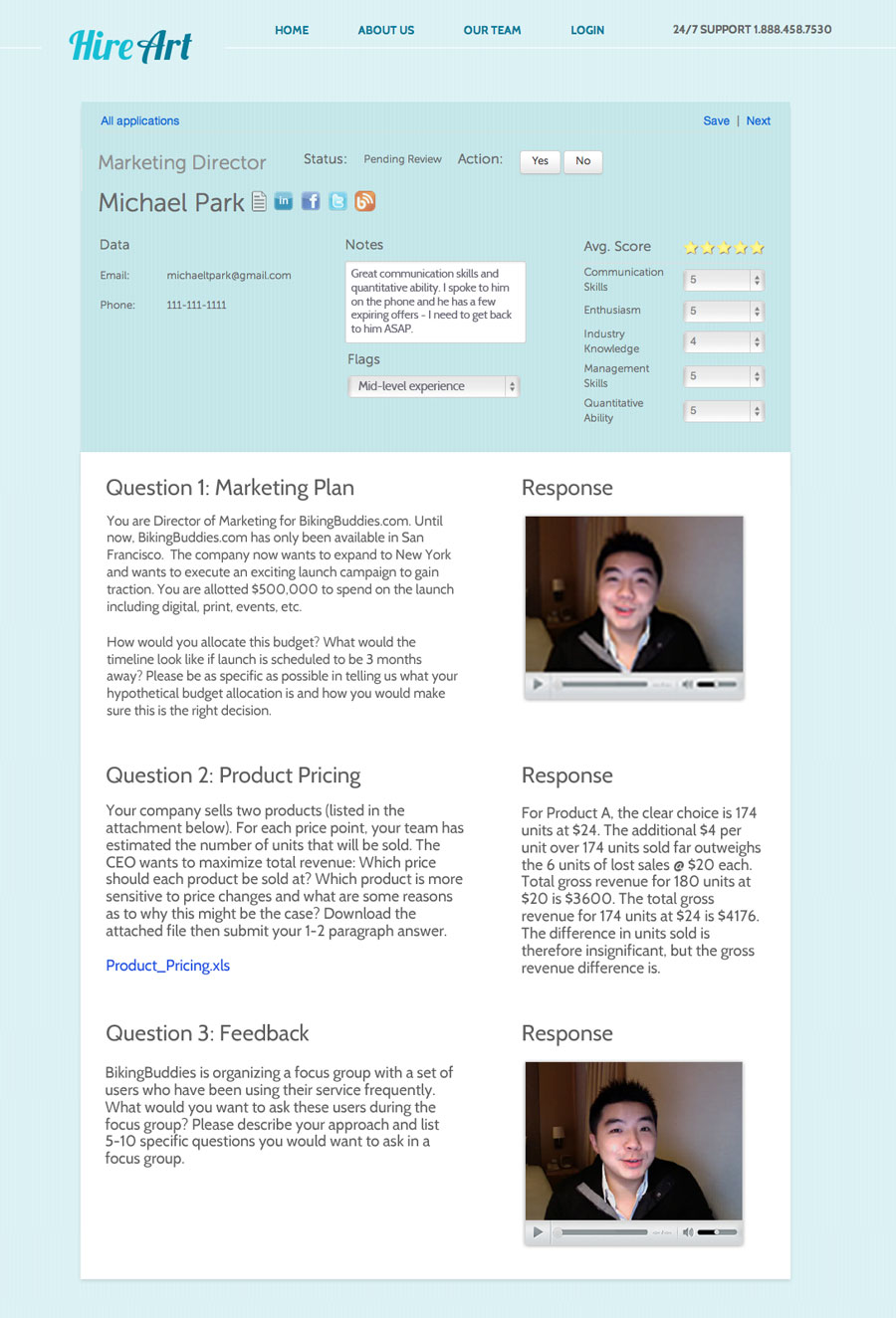
HireArt_logo

HireArt, a newly launched Y Combinator-backed company, is working to solve a major problem that all employers face today: resumes are bullshit. Job candidates often like to fluff up their experience, and sometimes they even outright lie about their abilities. Other times, potentially great employees are overlooked because they have unorthodox backgrounds that don’t match up with what an employer thinks they need in terms of experience. Sometimes these kinds of things are realized during the in-person interview. Unfortunately for many employers, they often don’t discover how much a particular candidate may have oversold themselves until they’ve been hired and can’t perform to expectations.

With its new applicant screening system, HireArt thinks it may have a solution: have the employees actually do the work first.

Here’s HireArt’s pitch in a nutshell: “You really can’t bullshit anymore.”

That’s per co-founder Elli Sharef, in explaining why the traditional resume system is broken.

Instead of asking applicants to talk about their experience, HireArt has them actually perform a series of tasks. For example, if an interview candidate claims to be an expert in Excel, an employer on HireArt might ask them to create an Excel model using a dataset they provide, then have them upload the completed file. Another employer may instead want to hear a creative’s pitch for a new product.

The idea for the company, founded by  Sharef, Dain Lewis and Nicholas Sedlet, three college friends from Yale, was inspired by their own experience in the corporate world, working at large corporations like Goldman Sachs, McKinsey, and a real estate company.

“We had varied experiences running interviews – some very good, some not so good,” explains Sharef. “We realized there was a need for a better way to interview, and a better way to make sure the candidates we were bringing on board were really the best candidates we could find,” she says. After doing research, the team realized that work samples were the best way to find the right people for the job.

Using HireArt, employers in need of filling a position can choose from HireArt’s online library of predefined templates, or can optionally create their own. Typically around four or five questions are chosen, specific to the job. For example, “create a marketing pitch” or “write out a business plan.” Basically, anything that requires the candidate to actually demonstrate, not just talk about, their skills is a good pick.

Candidates are then sent a link to the questions which they can fill out in their own time. The responses to the questions can include videos, file uploads and text responses, depending on the task. When complete, the employer has the option to review the responses on their own, or they can outsource that task to HireArt instead.

Using the company’s team of graders, which includes college professors and other industry experts working part-time to curate the responses, employers are given a set of top candidates who they could then choose to call in for the in-person interview.

Currently, HireArt has over a dozen clients testing the service to fill positions which include a head of marketing at a Silicon Valley startup, a junior operations manager at a London startup, a Fortune 500 company looking for summer interns, and more.

For the less technically savvy (like Baby Boomers and up), HireArt also provides technical support in using the system. Surprisingly, the company says that they’ve found these candidates are not all that intimidated by the technology, but are grateful for a chance to demonstrate their experience.

“There’s a distortion in the labor market in which some really qualified middle-career people are not employed or are under-employed right now,” Sharef says. These people see HireArt as an opportunity to actually prove their worth and their skills versus their younger counterparts, she explains.

But more importantly, a system like this encourages responses that don’t just involve taking a paper resume and turning it into a video version where a candidate repeats their work history and skill set out loud. This gives employers a chance to really understand the personalities of the candidates, how their minds work, and whether they’re up to the job at hand.

Sharef also notes that another problem with the traditional system is that it’s screening out a lot of the diamonds in the rough. Hiring “A players” is all that should really matter, but it’s often hard to do when you’re focused so much on a candidate’s pedigree (e.g. attended a top university, their previous position titles, etc.).

In the near future, HireArt also plans to further refine their predefined questions based on employer feedback as to how the candidate ended up performing on the job. In the long-term, the data generated by HireArt could even help universities better craft their curriculum to better reflect the real-world needs of employers.

The HireArt system is somewhat similar to another new startup called TakeTheInterview, which allows candidates to answer interview questions on video. While perhaps simpler for the candidates, there’s more work on the employers’ part to actually view all the responses they receive. Plus, candidates are only responding to questions on video  – which is just one aspect of HireArt’s service.

Pricing for HireArt is still being handled on a case-by-case basis. Employers can sign up for access here.


Microsoft Envisions A Future With Super-Fast Touchscreens

msfast

As solid as modern touchscreens are, there’s very often an subtly apparent sense of disconnect when you try to use one. According to Paul Dietz of Microsoft’s Applied Sciences Group, it all comes down to latency — he notes average touchscreens have a latency of a 100ms, which yields a noticeable bit of lag between a user touching a screen and the screen displaying a reaction to it.

Sure, it’s totally usable, but it never really feels like you’re fully in control. If you drag an app across the iPad’s screen, for example, the icon will dance around your finger a bit as the display tries its best to keep up. That’s not good enough for Dietz and his team, as they have whipped up a demo of how things ought to be — unlike the 100ms delay of a regular touchscreen, the demo knocks that delay between touch and tracking down to 1ms flat.

The difference is staggering, especially when Dietz trots out the slow-motion footage. With the delay between touch input and screen response slashed by orders of magnitude, a device that sports the sort of super-low-latency Dietz envisions has the potential to feel far more (for lack of a better term) natural than its brethren. There’s zero delay when you slide a checker across a board, for example, and bringing that sort of instantaneous feedback to the many screens in our lives could help to bridge the gap between operating a bit of software and the feeling of interacting with objects.

Stylus-based interfaces would benefit greatly from this sort of tech. I spent a few brief moments playing with Samsung’s 10-inch Galaxy Note, and while the included S-Pen certainly did the trick, it was still jarring to see the line I was trying to draw following the pen rather than coming from it. (It took me a few tries to nail that TC logo, natch).

But here’s the thing: as cool as this stuff is, I can’t help but wonder if it’s an accomplishment best appreciated by nerds. Microsoft’s interest in this seems purely academic — they’re not, after all, in the business of stamping out displays. The touch mavens at Synaptics though showed off an impressively precise low-latency screen at MWC 2011, so the interest within the industry is definitely there.

Whether or not this sort of tech will ever make it to the mainstream is something else entirely. Cost of implementation is one potential issue, but I would imagine for something like this, a bigger question is whether or not the average consumer will care enough. A stylus-driven UI is one thing, but our standard, slower displays have been doing an adequate job with finger-based input for a while now. Do we really need a disruption in screen tech if what we have is good enough?

I say yes (I’m no fan of just “good enough”) but that’s really not for me to decide. I look forward to seeing if any manufacturers out there are willing to take the plunge on a low-latency screen like this, and I’m even more hopeful that people find they like how it feels.


Fred Wilson, Ron Conway, Dennis Crowley, Keith Rabois And Roelof Botha Are All Ready To Disrupt

Preview

Who’s coming to Disrupt NYC this year, you may ask? Well, we aren’t going to reveal all of the fun surprises we have in store quite yet, but we are excited to announce a couple key speakers who will be joining us this year. This year’s lineup kicks off with a strong set of Silicon Valley greats and New York tech titans.

Roelof Botha is a partner at Sequoia Capital and is in the business of finding the most disruptive startups out there. As many know, Ron Conway puts the “super” in super angel. Dennis Crowley, the co-founder of Foursquare will also be joining us, along with Square’s Keith Rabois and top investor Fred Wilson of Union Square Ventures.

These five compelling speakers are just a quick preview of all of the guests who will be there. As they stroll through Startup Alley, which companies will catch their eye this year? Stay tuned for more announcements of our guest speakers, ticket giveaways and a few surprises each week as we get closer to the event.

Disrupt NYC kicks off on May 19th with our 24-hour Hackathon, with the main event starting May 21st and going through the 23rd.

As always, Disrupt NYC will be a huge event filled with industry stars, new startups, amazing guest speakers and judges, incredible hackers, after parties, and much more. If you’d like to become a part of the Disrupt experience and learn about sponsorship opportunities, please contact Jeanne Logozzo for more information. If you are a startup who would like to be considered for the Startup Battlefield, please submit your applications here. Applications will be closed on Sunday, April 1st, at 11:59pm Pacific.

Come join us. Get your tickets now.

Roelof Botha
Partner, Sequoia Capital

Roelof Botha is a partner at Sequoia Capital focusing on financial services, cloud computing, bioinformatics, consumer internet and mobile companies. Roelof sits on the boards of Aliph, Eventbrite, Mahalo, Meebo, Nimbula, Square, TokBox, Tumblr, Unity and Xoom. Roelof is a champion of consumer Web plays and considers himself as “just another consumer”. Roelof’s previous investments at Sequoia include Insider Pages and YouTube. Prior to joining Sequoia Capital in 2003, Roelof served as the Chief Financial Officer of PayPal during its sale to eBay. Earlier, he worked as a management consultant for McKinsey & Company. Roelof is a certified actuary (Fellow of the Faculty of Actuaries).

Ron Conway
Angel Investor, SV Angel

Ronald Conway has been an active angel investor for over 15 years. He was the Founder and Managing Partner of the Angel Investors LP funds (1998-2005) whose investments included: Google, Ask Jeeves, PayPal, Good Technology, Opsware, and Brightmail. Ron was recently named #6 in Forbes Magazine’s Midas list of top “deal-makers” in 2008 and is actively involved in numerous philanthropic endeavors. Ron is Vice Chairman of the UCSF Medical Foundation in SF, Board Member of The Tiger Woods Foundation, and SF Homeless Connect, and on the Benefit Committee of Ronald McDonald House, College Track, and the Black Eyed Peas’ PeaPod Academy Foundation.

Dennis Crowley
Co-founder, Foursquare

Dennis Crowley is a co-founder of Foursquare, a location-based social networking service. Previously, he co-founded Dodgeball, a network of the same nature which sold to Google in 2005. He has been named one of the “Top 35 Innovators Under 35” by MIT’s Technology Review magazine (2005) and has won the “Fast Money” bonus round on the TV game show Family Feud (2009). His work has appeared in The New York Times, The Wall Street Journal, Wired, Time Magazine, Newsweek, MTV, Slashdot and NBC. He is currently an Adjunct Professor at NYU’s Interactive Telecommunications Program.

Keith Rabois
COO, Square

Keith Rabois is Chief Operating Officer at Square where he oversees the company’s business operations including marketing, communications, business development, distribution, human resources and risk management. Keith specializes in transforming early-stage startups into successful businesses and has deep expertise in the financial services industry and government affairs.

An accomplished executive, entrepreneur and angel investor, Keith has held leadership roles at PayPal, LinkedIn, Slide and began his career practicing law at Sullivan & Cromwell. Keith was an early investor in several high-profile Internet companies including YouTube and currently serves on the board of directors of Yelp and Xoom. Keith holds a JD from Harvard Law School and an undergraduate degree in political science from Stanford University.

Fred Wilson
Partner, Union Square Ventures

Fred Wilson began his career in venture capital in 1987. He has focused exclusively on information technology investments for the past 17 years. In 1996, Fred co-founded Flatiron Partners. While at Flatiron, Fred was responsible for 14 investments including, ITXC, Patagon, Starmedia, TheStreet.com and Yoyodyne. Fred currently serves on the boards of Alacra, Comscore, iBiquity, Return Path, Instant Information and Tacoda Systems.


TechCrunch Cribs Visits Llustre — A Better Gilt For Home Decor?

Screen Shot 2012-03-09 at 17.10.14

I must admit I didn’t immediately get Llustre. It looked like another e-commerce play, super-focused on curation and editorial – where was the potential for scale? I looked again. They’d raised £750,000 (just over $1 million) from a host of experienced angel investors, entrepreneurs and venture capitalists. There must be more to it than meets the eye? Perhaps it was the latest in a new trend of culture-led startups coming out of London right now in the fields of art, design and music? Clutching a camera, I went along to their new offices in Clerkenwell to find out.

The location is significant. London’s Clerkenwell has long been home to a cluster of designers, artist and artisan communities and is well located between the creative/design companies of the West End and the tech startups of the East.

Founded by Vivienne Bearman and Tracy Dorée, their respective CVs offer a hint as to what they might do with Llustre. Bearman was a senior studio producer at Playfish acquired by Electronic Arts. That suggests gaming. Dorée was a former VC with MMC Ventures. That suggests a business that can scale. She wouldn’t do a mere lifestyle business, would she?

Then there was the investors – a nice roster including Oleg Tscheltzo (Founder of Fotolia.com), VCs Hussein Kanji and Rob Kniaz, Tom Hulme (Design Director at IDEO), Kirill Makharinsky (CEO Ostrovok), John Earner (GM Play?sh) and Sir Peter Bazalgette (media guru formally with Endemol). None of these guys is a mere pinch hitter, to use a base ball term.

So what is Llustre? On the face of it it’s a “trusted guide” to discovering good design, showcasing designers, curating a daily mix of exclusive products, limited edition pieces and flash-based sales (up to 70% off the recommended retail price). But it’s also content and community.

The designers are well known if you are into your interior design, such as Becky Bauer, Ella Doran, Hoganas, Iittala, Mellorware, Norman Copenhagen, Plumen, Shan Valla, Snow Home and Stelton. Meaningless to my thuggish self but well known in their areas.

Llustre is probably pushing at an open door in Europe, it’s main market. The European homeward and furniture market online is worth £130bn but only 10% of this sector is bought online versus 30-40% in women’s fashion. It’s a yawning gap waiting to be filled by new startups.

Certainly in the UK, the magazine stands are bulging with interior design magazines, and yet people’s homes seem largely Ikea-fied. It strikes me that there is a cultural zeitgeist going on here: Llustre and Pinterest are signs that people, especially women, are hungering for more choice of design in the their surroundings, and have a need that can’t be filled by flicking through magazines writing down web addresses.

Llustre certainly plans to get on the social train with its members by merging commerce with social gaming and content around discovering, discussing and buying designer homeware online. The aim is to create a frictionless ?ow from discovery to purchase.

They’ll do this in a very data driven way driving engagement via game mechanics (in the video below I also interview their CTO).

“The flash sales business is not generating cash because it’s all going into marketing,” Doree tells me. “The trick is to make the customer enjoy the experience and they’ll come back – so integrity is what it’s all about.”

It’s something other sites have struggled with. Gilt has extended to other areas. Perhaps Llustre can crack the magic code with its data-led approach.

Well, you’ll get a flavour for what Llustre is all about in our interview below.

(Apologies for the slight editing fail during part of the main interview).


A Mouse Small Enough for a Cat

Photo: Michael S. Lasky/Wired

Logitech’s Cube is a portable mini-mouse. It’s not cube-shaped, but it is about the same size as an ice cube, so I suppose the name is apt.

But an ice cube is what you may need after using the two-inch long, one-inch wide pointing device for more than an hour. While its tiny, non-traditional design might earn it a spot in a glass display case in the MoMA, the frustration and pain you’ll experience using it in the real world will certainly make it the enemy of ergonomics experts everywhere.

The Cube fulfills its basic purpose. It’s a lightweight (less than an ounce), handsomely designed but unobtrusive mouse. It fits in any pocket and is perfect for travel. Set it down on just about any smooth surface and its optical beam glides with pointing precision. Swipe your finger anywhere along the Cube’s top to scroll up and down. Pick it up off the table and it transforms into a PowerPoint clicker you can use to move forward and backward through slideshows or presentations.

The main reason people use mobile mice is to get away from their laptops’ touchpads. Even though touchpad technology has vastly improved over the years, and OS X Lion has glitzed Mac touchpads with more functionality than any mouse ever had, travel mice remain popular. Hence Logitech’s push to develop what it thinks is the ultimate travel-sized pointing device.

There’s just a teeny problem. The Cube is ultimately uncomfortable to use for any extended period of time.

I have what could be considered medium- to large-sized hands. They started to cramp after a few minutes of grasping the two-inch-long mouse. While sitting at a San Francisco Starbucks (amazingly, I was able to actually garner a table) I hadn’t downed but a quarter of my Mocha Frappuccino before my hand muscles tightened up. I wasn’t just mousing, either. I was replying to e-mails, moving between mousing and typing as normal.

To use it properly, you have to position your hand in an unnatural arch. The beauty of the Cube is its Lilliputian size, but that’s also its gotcha. Small hands might have a better time with it.

As I mentioned, the Cube also has a PowerPoint presentation mode. As it happens, this is where the Cube clicks — literally. Click to move forward through your slides, turn it upside-down and click it again to move back. In this context, it all but melts into your hand.

So in the Cube, we have an excellent presentation tool and an uncomfortably small mouse. Is it worth 70 bucks? I guess that depends on how big your hand is.

WIRED Small, featherweight mouse. Designed for travel, fits into any pocket. Doubles as a presentation clicker. USB-rechargeable battery lasts a very long time, and there’s a power switch on the mouse. Comes with one of Logitech’s minuscule 2.4GHz Unifying USB receivers, which works with over a dozen other Logitech wireless products.

TIRED Uncomfortable to use for longer than a few minutes unless you have very small hands. Device is tiny enough to be lost or misplaced easily. No Bluetooth, just the Logitech USB nub.

Celebrity DJ Headphones Are Nothing to Celebrate

Photos by Ariel Zambelich/Wired

Big idea: Match a headphone manufacturer with a music industry big-wig. Co-develop an exciting, new, cross-branded audio product. Price it somewhere between OMG and WTF. Repeat until everyone’s so rich they’re barfing up diamonds and using Benjamins to flambé their Crêpes Suzette.

This is the formula being employed by seemingly every youth-market musical artist looking to repeat the magical success of Beats by Dre headphones, (which, by the way, had nothing to do with sound quality and everything to do with savvy marketing).

The latest pair of celebriphones come from Mix Master Mike, the hip-hop DJ best known as the guy who usurped Hurricane’s seat as the fifth Beastie Boy — the fourth Beastie being Mark Ramos-Nishita, naturally.

These headphones are exemplary of Skullcandy’s new direction — they’re smartly designed, the sound is well-balanced and they have an appropriately eyebrow-raising $300 price tag.

Now, I’ve seen so many of these collabo-phones cross my desk in the last couple of years, I’m almost at the point where I’m mailing them back without even opening the boxes. But I set aside my cynicism to take a look at the Mix Master Mikes. They’re made specifically for DJ use, and I was curious enough about them to test them out. Granted, I’m only a weekend warrior on the turntables, but it’s a hobby I take seriously enough to have formed some opinions about what makes a piece of gear gig-worthy.

To make his cans, the Mix Master teamed up with Skullcandy, the company that’s rapidly branching out from cheap, day-glo earbuds for the BMX set to higher-end, higher-priced hardware for more discerning listeners. These headphones are exemplary of Skullcandy’s new direction — they’re smartly designed, the sound is well-balanced and they have an appropriately eyebrow-raising $300 price tag.

The MMMs have some very cool DJ-specific features, my favorite being a trick that switches the headphones from stereo to mono when you twist one of the earpads, dumping both the right and left channels into the driver that’s still over your ear. This is handy for beat matching or cueing up a crossfade, as it gives you a better idea of how well the track you’ve got on deck will sit with the track that’s currently playing. To that end, there’s also a mute switch nestled into one of the ear cups that kills the sound in the cans so you can hear the room. You can just flip the switch on and off to monitor the sound without removing the whole assembly. The last bit of DJ-friendly business is a coiled cord with a plug that securely screws into the either the left or right ear.

They sound great. Everything is nice and loud with just enough percussion and bass up-front, just what you need for a gig at Coachella (or in my case, the Monday night microbrew happy hour). They also performed equally well at my desk at work. They can’t compete with the sound signature of my Audio-Technica ATH-M50 studio monitors, but they aren’t too overbearing in any of the frequencies. They’re a bit too bulky to wear around town, but if you want to, you can swap in a mobile-ready cable with an inline mic/remote. Also, they’re very comfortable, and light enough to wear all day.

The reason they’re light is because of the all-plastic construction, and that’s actually one of their drawbacks. During a gig, there’s a lot of head-turning, waist-bending and moving around, and every time something would brush against one of the thin plastic earcups, it would translate into a loud, jarring KNOCK an inch from my ear. All headphones make noise when you bump them, but the MMM’s thin plastic earcups sound like you’re holding a red keg cup over your ear and thwacking it with your finger.

Another thing about all that plastic: it makes them feel cheap and flimsy. And after roughly two months of irregular use, my loaner pair is already starting to show signs of wear.

Finally, there’s the $300 list price, which is twice as much as a pair of Shure SRH750 or Technics RP-DH1200 DJ headphones, both of which are excellent in every way. I don’t think I’d be stretching it to say the MMMs are egregiously overpriced.

So if you’re at the level in your DJ career where each needle drop earns you the equivalent of one house payment, these headphones are a luxe, feature-rich joy. Otherwise, stick with the warhorse set of over-ears that’ll still be going strong three or four New Years Eve gigs from now.

WIRED Some very smart DJ-friendly features. Removable cable can plug into either ear. Foldable design and hard-shell carrying case for supreme portability. Leather is soft and lush. Weight and comfort are aces. Bay area represent!

TIRED The rent is too damn high. So’s the amount of thin plastic in the design. Big silver skulls on the ears and the giant Skullcandy logo on the headband are kind of tacky.

A Dime Bag of Photoshop

The iPad, for all its aesthetic curves and brilliantly clear screen, has generally lacked verve as an image editing platform. One of the reasons: Up until recently it hasn’t had Photoshop. Sure, there’s the low-impact — and admittedly free — Photoshop Express, but it is to real Photoshop as non-alcoholic beer is to uncut heroin.

Thankfully, Photoshop Touch, which Android users have had for a while now, is more worthy of the Photoshop name than its anemic little Express brother. It doesn’t have all the features of the desktop version, but hey, it’s only 10 bucks.

From color levels to blend modes, the app feels like a Greatest Hits compilation of Photoshop’s most useful features.

What does 10 bucks’ worth of Photoshop get you? All sorts of fun. Beyond the basics — brushes, erasers, brightness and contrast adjustment, layers, so on and so forth — you get a generous portion of the gimcracks and geegaws that have kept graphic designers from ending it all since the late ’80s.

Need a cloning tool? You’re covered. Magic wand? Check. Warps, fills, and everybody’s favorite workhorse, the noble drop shadow? Done, done and done.

It’s frankly startling how much functionality Adobe has stuffed into this app. From color levels to blend modes, the app feels like a Greatest Hits compilation of Photoshop’s most useful features.

So how do all these options fit into the limited space of the iPad? Masterfully. Three menu panels function like an Advent calendar of image editing, revealing new delights behind each icon. The left panel, conveniently under the left thumb of right-handers, gives you access to your tools and their settings. The right panel displays your layers, and the top of the screen is everything else, from cut and copy to fill and stroke. And, if you want an unobstructed view of your work, each panel retracts with a touch.

There are a number of tutorials packed in to get you started, but you can get pretty far poking around the well-chosen icons and seeing what happens. The whole interface is as clever as origami and almost as pretty.

The main problem lies with the hardware. The iPad simply isn’t designed for pixel-level editing and pressure-sensitive drawing. Until the hardware evolves, an actual Mac paired with some sort of Wacom tablet will snort derisively at iPad image editing.

Even so, can a professional make good use of Photoshop Touch? Let’s look at what the VIPs with MBAs like to call “use cases.”

Illustration

On one hand, Photoshop Touch isn’t the most versatile illustration tool on the iPad. Custom brush support is cursory, it’s tough to get anything resembling natural media, and of course the limitations of the iPad itself make subtle use of line weight and organic transparency nearly impossible. But if you prefer minute control to messy expression, you might find that Photoshop Touch’s array of tools for adjusting color, opacity and gradient make it the best tool for you after all.

Retouching

Touching up photos on the iPad has largely been limited to basic exposure adjustment, fake vintaging, and seeing what you’d look like fat. Photoshop Touch ups the ante by a large, clackety stack of chips. The clone tool is in the proverbial house, and you have all sorts of options for selecting problem areas, from your bog-standard rectangular marquee to your lasso to the new “Scribble Selection Tool” designed to separate foregrounds from backgrounds. It works as well as most Photoshop “smart” selection tools, which is to say it’s useful but not as useful as you’d like.

On the other hand, if you’ve gotten used to the desktop version’s Smart Layers and Layer Styles, Touch is going to feel like a firm step backward. Once you blur or sharpen an area, it’s going to stay that way.

Graphic Design

Is Photoshop Touch limited only by your imagination? Well, it depends on your imagination. If you’re happy to curve some text, drop a few shadows and throw a stock photo in the background, you’re in for a treat. If you prefer to push the envelope a little, you’re going to run into some turbulence with Touch’s less forgiving approach to effects, but you’ll be able to do most of what you want with a little effort. If you’re a power user, you might feel like a NASCAR racer on a riding mower.

The biggest impediment in any case will probably be the extremely limited selection of typefaces. On the plus side, you no longer have to look at Impact or Papyrus, but on the downside you’ll get pretty tired of Postino and Fusaka pretty quickly.

What’s It For?

Photoshop Touch is nothing short of amazing — for an iPad app that costs a mere Hamilton. (Or, if you’re Canadian, a mere MacDonald.) But compared to the full-on, bull-moose pro version of Photoshop for Mac or Windows, Photoshop Touch is a short serving of light fare.

If you already have an iPad, don’t want to shell out for Photoshop, and just want to counter a little red-eye, remove your brother-in-law from family photos, and maybe make a pretty decent-looking wallpaper incorporating your collection of action figures, Photoshop Touch is an all-in-one tool that’s actually fun to use.

But what if you’re a professional? Will Touch finally fulfill your dream of doing all your work with your iPad on the deck of your personal yacht while marlin fishing? Not by a long shot. However, if you ever wanted to throw up a quick comp while on the train to work, or just touch up your vacation snaps without having to get up from the couch and lean over the Cintiq, Photoshop Touch makes a nice companion to the grown-up version.

WIRED The core functionality of Photoshop with a slick and intuitive interface. Ten bucks.

TIRED Layer editing is in the dark ages, font selection is painfully limited, and the iPad isn’t really engineered for pro-level image editing.


Put Some Clothes On: Video Calling Just Got Easier

Cisco’s ill-fated Umi had the right idea: a plug-and-play webcam for your TV that fulfills the Jetsonian promise of bringing faraway friends and family members into your living room — and you into theirs.

Right idea, wrong execution. The Umi required pricey hardware ($600) and locked buyers into Cisco’s proprietary video-chat service, charging them $25 per month for the privilege. Jetsonian? More like Draconian.

Tely Labs gets it right with the TelyHD, an equally high-def but more-reasonably priced webcam that’s blissfully easy to use and tied to everybody’s favorite free video-calling service, Skype.

This was a marriage born of both convenience and practicality. The byproduct: You can place calls to anyone with a laptop, smartphone, tablet, or other Skype-friendly device, and vice versa.

Even better, Tely charges no monthly fees. Once you buy the hardware, you can close your wallet for good, yet still make unlimited calls. (Well, maybe not unlimited — beware your ISP’s data cap.)

This 720p camera roughly resembles a spent paper towel tube that’s been painted glossy black and capped on either end with silver grilles. Those grilles aren’t masking a pair of tinny speakers, though — the TelyHD taps a TV’s HDMI port, so call audio gets routed through the same speakers that blast Family Guy.

And that’s literally half the setup process: plugging the unit into an HDMI port. The other half requires navigating simple onscreen menus to create or sign in to a Skype account. Tely’s small, efficient, Roku-style remote handles the heavy lifting. The only real hassle is thumbing your way through an onscreen keyboard to complete the Skype setup.

With that done, placing a video call is as simple as clicking a contact “card” (or creating a new one). I tested the TelyHD with several different callers: one using a laptop, another holding an Android smartphone, a third with another TelyHD, and so on. I used the camera’s built-in Wi-Fi, but there’s an ethernet port for Wi-Fi-challenged environments.

The results were uniformly excellent: loud, clear, consistent audio, and mostly good video. Why “mostly”? Room lighting plays a huge role in the quality of the image; anyone sitting in a non-brightly lit room may end up looking heavily pixelated. A quick trip to the TelyHD’s settings reveals adjustment toggles for both low-light and backlight situations. These offer some help, but they can’t overcome extremes. Of course, the same is true of most laptop webcams.

Also, I did notice the occasional frozen image, which usually lasted only a few seconds. But for the most part, long and short calls alike went off without a hitch. And it was mighty cool seeing friends and relatives on a massive HDTV instead of the usual laptop window or smartphone screen. Forget FaceTime — get ready for GroupTime. Indeed, nice as this is for the living room, it has even more potential in the boardroom.

The only real wrinkle here is justifying spending $250 for a webcam. For that kind of money you can buy an entire tablet — or even a starter laptop — and make the same Skype calls. And you’re not restricted to your living room, either.

Even so, there’s no denying that TelyHD is tons of fun to have around, and a lot more affordable than the TV-webcam products that preceded it.

WIRED Grandparent-friendly setup takes all of 10 minutes. Unlimited free video calls via Skype. Calls look good overall and sound a million times better than on a laptop. SD and USB ports for plug-and-play photo sharing.

TIRED You can accomplish more or less the same thing for free with the webcam built into your laptop or tablet. Doesn’t support multi-party calls. Video doesn’t always look like it’s 720p. Awkward TV-mount system.

Photo courtesy Tely Labs

Apple Reveals LTE iPads For Verizon, AT&T, Rogers, Telus, And Bell

IMG_0004

The new iPad (dubbed, simply enough, iPad) packs a slew of new hardware — the A5X system-on-a-chip, a 5-megapixel iSight camera, and perhaps most importantly for wireless connectivity fiends, an LTE radio. Yep, the new iPad will be Apple’s first LTE-capable device, and it’s very likely that it won’t be the last.

So far, Apple has revealed that LTE-friendly variants for Verizon and AT&T will be available, as well as for Canadian carriers Telus, Bell, and Rogers. Worldwide 3G support is understandably also part of the mix, so those of you who take the plunge without the right coverage will still be able to get those wireless data connections going.

Expect battery life to take a hit while surfing on that 4G connection, though the reported 9 hours of use is certainly no slouch especially when the iPad itself is still hovering around 10 hours sans wireless data. We’ll see how this actually pans out though — the iPhone 4S was notoriously finicky when it came to battery, and that was a 3G-only device. Still, that minor detail probably won’t keep most people from buying these things, so here’s how the pricing breaks down for the 4G models.

Apple is sticking to their standard pricing model here, with the 16GB, 32GB, and 64GB 4G iPads going for $629, $729, and $829 respectively. Pre-orders open today, so you should probably start wailing on the Apple Store website if you want to get in on the ground floor.

Developing…


Apple Sold More iPads In Q4 Than Any Single Manufacturer Sold PC Devices

Apple -

At today’s iPad 3 announcement, Apple CEO Tim Cook unveiled a staggering data point, revealing that Apple sold more iPads in Q4 2011 than any individual PC manufacturer sold of their PC devices in the same quarter.

According to a slide (posted below), Apple sold 15.4 million iPads in Q4, whereas HP sold 15.1 million PCs in the same timeframe. Lenovo sold 13.1 million units in Q4. Basically Apple sold more iPads in Q4 of last year, than any PC manufacturer sold of their products worldwide.

He also said that there have been 200,000 apps made for the iPad to date, adding that “the momentum has been incredible,” and that the iPad is “The poster child of the post-PC world.”