Facebook Cuts Back On Open Graph Actions, Automated Wall Spam

Screen Shot 2012-10-10 at 1.06.06 PM

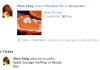
Facebook giveth and Facebook taketh. When the company first talked about the Open Graph at the last f8 developer conference in San Francisco last year, there was the promise of a whole slew of apps that would have many types of actions feeding into the ticker and news feed. The company demonstrated example social cooking apps and running apps (like what you see to the right).

But after more than a year, Facebook is cutting back on the types of actions that are allowed (presumably due to spam or messy use cases). Now apps must use authorized actions like ‘Listen,’ ‘Read,’ ‘Watch,’ ‘Like,’ or ‘Follow’ if they want to automatically publish into the ticker or news feed as they consume content. Developers can still create custom actions like “run” or “cook”, but a user has to click a button in order for that activity to be shared.

The company is also giving additional distribution to news feed updates that have locations or photos tied to them, since these stories can get 70 percent more clicks if they have decent visuals. Facebook’s Henry Zhang wrote that these stories can see up to 50 times more ‘Likes’ than other stories.

Facebook is also cracking down on how apps publish stories on behalf of users — an issue the company has wrestled since the very early days of the platform.

Specifically, they’re cracking down on apps that automatically publish stories back to Facebook as a person consumes content. Apps have to use Facebook’s approved built-in actions like ‘Listening,’ ‘Reading,’ and so on to automatically publish stories back to Facebook. If they have a custom action, they will have to migrate toward one of Facebook’s approved actions listed above in the next 90 days. Or they’ll have to prompt the user to explicitly click a button first in order to share the activity.

Facebook is also cracking down on apps that post to friends’ walls through the API. Developers can still post stories that include friends via user mentions.

Underscoring all of these changes, Facebook updated its platform policies to make developers more directly responsible for the quality of their apps. Developers are responsible for making sure that negative feedback from users (in the form of ‘Hides’) doesn’t break above certain limits.

They updated this section in the policy document:

“Quality of content: you are responsible for providing users with a quality experience and must not confuse, defraud, mislead, spam or surprise users. For example, you must monitor your app’s negative feedback in Application Insights to ensure it stays below our thresholds, avoid excessive advertisements or bugs, and ensure the description of your app is consistent with your app’s content.”


Department Of Defense To Private Sector: We Need Your Help With Mobile Innovation

wheeler_edit

On stage at the second-day keynote, Major General Robert Wheeler talked about the changing role of industry and enterprise as it relates to technological innovation, and how where once the military led in that department, now the vast majority of improvements are being driven by advances made in the private sector. The upshot of that is that the Department of Defense and other federal agencies are looking for help keeping pace with rapidly evolving world of mobile tech from corporations and enterprise sources, and offering up access and more open communication in exchange.

Wheeler, who acts as Deputy CIO for C4 and Information Infrastructure Capabilities for the Department of Defense, outlined that the problems his organization focus with regards to mobile tech involve its speed of change, and the lag between those shifts and the acquisition cycle of new initiatives for military organizations. Cybersecurity threats move at an accelerated pace, and so the acquisition cycle’s relative slowness leads to major vulnerability issues. The DoD needs to become agile and mimic enterprise in this regard in order to become responsive to threats.

Overall, the DoD’s mobile strategy involves sourcing cheaper solutions than are generally available on the mass market, yet with equal or better security and productivity that’s ahead of the curve, Wheeler described. Obviously, that’s a huge challenge, especially when you’re also trying not to become obsolete in a matter of months owing to the aggressive upgrade cycles many consumer electronics manufacturers now employ.

The issue is that there’s been a major paradigm shift in the source of innovation, and that puts the DoD in the unusual position of having to go to the open market to seek help, rather than having its own innovations trickle down and out to regular folks over a period spanning decades the way it has in the past.

“A lot of innovation comes out of dod in certain areas and with certain technology,” Wheeler explained to conference attendees. “But a lot, and a lot more today comes out of [industry sources].” In order to take advantage of that outside innovation, Wheeler says the DoD is more willing than ever to talk to private companies, and while secrecy remains an important priority in some respects, by and large defense agencies are much more willing to talk to the private sector in order to solve its mobile tech challenges than ever before.


Facebook Starts Showing Birthdays And Selling Gifts At The Top Of The Mobile News Feed

Android Birthday Gifts Done

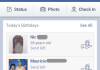
Facebook Gifts could make a lot of money on mobile by getting you to buy presents for friends, but birthdays were buried in Events and celebrations weren’t shown on mobile. So today Facebook for iOS and Android began displaying birthdays and celebrations atop the mobile news feed for users in the Gifts Beta, Facebook has confirmed.

Soon on iOS and today on Android you can click through these alerts to buy a Gift, earning Facebook a cut.

For now, the announcements of birthdays and celebrations like weddings, engagements, and pregnancies can only be seen on the news feed by people who are in the Gifts tests group, which includes press, people randomly admitted, and anyone who has received a Gift. As Gifts continues to roll out, more people will see these birthday alerts. Without them, there was essentially no mobile way to discover who to give Gifts to or be reminded to actually buy them.

Even if this wasn’t to aid Gifts, showing alerts about special occasions on the mobile news feed is good for the user experience. Birthdays and celebrations are shown prominently on the full-sized web version of Facebook, but if you predominantly access the social network from mobile, you’re liable to miss them.

Android users can click through an icon on the news feed alert to buy people Gifts. Facebook will then earn an undisclosed percentage of sales revenue on the gifts you purchase.

You can’t actually buy gifts from iOS yet, you just see a list of birthdays and clicking through gives you the option to write on their walls. However Facebook says Gift giving will be unlocked in an upcoming update, and the ‘buy from news feed’ icon is likely to come with it.

So while that little birthdays tile on the news feed might not seem like much, it could mean hundreds of millions of dollars to a company in dire need of proof it can monetize mobile.


At Long Last, RIM Starts Taking BlackBerry 10 App Submissions

BlackBerry_AppWorld-580x966

BlackBerry 10 is still a ways away (exactly how long is a topic of hot debate) but RIM has been busy laying the groundwork for it for months now. Aspiring BB10 developers have seen that work firsthand, and now it’s apparently their turn to contribute.

RIM announced earlier today that developers can up submit their BlackBerry 10 apps for inclusion in the company’s App World when the new platform launches in Q1 2013. Even though the company plans to out both full-touch and QWERTY keyboard-packing BB10 devices, these first submissions are strictly for touch-only apps.

Frankly, it’s about time RIM pulled the trigger on this. There’s no doubt about it — RIM needs as many quality developers as it can get its metaphorical hands on, and the company hasn’t been shy about incentivizing the development process. Sure, free Dev Alpha hardware is a nice touch (the company has seeded a total of around 12,000 test devices, 6,000 of which were doled out during RIM’s developer-centric world tour), but there are even juicier carrots being dangled in front of developers.

The biggest perk for developing a BB10 app? Guaranteed money. RIM announced earlier this year that developers who took the plunge would make at least $10,000 in app revenue in its first year in the BlackBerry App World, and that RIM itself would pay the difference if a developer’s product didn’t quite hit the mark. It’s a gutsy move for sure, and probably one that will result in a decent number of apps ready come BlackBerry 10 launch day, but the bigger question is whether or not RIM and its newfangled platform can maintain that level of developer support without having to sign any more checks.


RIM Zeroes In On Separation Of Work And Play In BlackBerry OS 10: Will That Fly With The BYOD Generation?

jeff-gadway

On stage at CTIA’s MobileCon keynote today, RIM’s Jeff Gadway gave an on-stage demo of the upcoming BlackBerry 10 operating system. It wasn’t any more revealing than what we’ve already seen from RIM on stage at their own developer conference events (and in Natasha’s preview earlier today), but it did emphasize that RIM’s goal with BB10 is to provide something for everyone: a social, entertainment platform for consumers and a secure, data-safe environment to make IT managers happy. But can a mobile OS these days have its cake and eat it, too, in the way RIM envisions?

BlackBerry 10 is designed around the Balance concept, that provides essentially two different software environments depending on whether you’re logged in and authorized to use a device in a professional capacity or not. Data is segregated between these environments; Gadway noted on stage that you can’t copy and paste info from data from one into the other, and he showed how apps like the on-device photo gallery don’t share content between the two distinct environments. Likewise, there’s App World for Work, a special enterprise-specific version of BlackBerry’s mobile application marketplace that can serve only apps hosted on a company’s own servers, or provide access to certain white-listed apps selected or made mandatory by the user’s employer.

Lest that sound a little onerous in terms of providing a unified communications platform, Gadway pointed out that BB10 still unites key elements that make sense housed together, like email and messaging communications. You still have to authorize to view content from one vs. the other, but they all live in the same place. Overall, though, the focus is on data segregation, and on limiting access to apps. The challenge this presents is that instead of being an answer to the BYOD problem that satisfies both IT departments eager to regain control and users looking for freedom, this could just push people to look for platforms where easy access to the consumer apps they’ve come to depend upon.

Consumers began practicing BYOD precisely because they wanted easy access to their data; the ability to quickly drop something in Dropbox and share it on a device where they controlled software loadout is in part what led to Dropbox’s rapid enterprise use. Building a mobile system that could in theory lock out access to those tools even though the information in question is actually on the device, albeit siloed on the personal side of things, seems like an inhibition of freedom, not a move towards more employee-choice driven adoption of mobile work tools.

It may be too early to tell, but it looks like what RIM is providing with BlackBerry 10 could lead to frustration on the user side, rather than an overabundance of choice. It may be that this still represents the best possible balance for IT departments looking to rein in the risks of BYOD, but I think the question of how a segregated (but unified) approach to mobile will sit with users remains to be seen.


Google’s Mod_Pagespeed Is Now Out Of Beta And Ready To Make Your Sites Faster

pagespeed-logo

Google just released the first stable version of mod_pagespeed, the company’s open-source module for Apache that can automatically optimize your web pages to improve download and rendering speeds. With this release, Google is declaring this tool ready for broader adoption, though it’s worth noting that a number of large hosting providers like DreamHost, Go Daddy and content delivery network EdgeCast have already been using it in production for quite a while now.

Mod_pagespeed is one of Google’s many initiatives to make the web faster. The module applies up to 40 different optimization filters. It can, for example, optimize your images by compressing and resizing them automatically. Other optimizations include domain sharing and rewriting, CSS and JavaScript concatenation and minification, as well as deferred loading of images and JavaScript.

The company introduced the module in late 2010 and has been working on it ever since. Using mod-pagespeed, Google says, can often halve the download times for larger websites. According to Google, mod_pagespeed currently powers about 120,000 sites.

As PageSpeed team members Joshua Marantz and Ilya Grigorik also note in today’s announcement, ” page speed is one of the signals in search ranking and ad quality scores,” so online publishers who want to rank well on Google’s search results pages should probably give it a try.

With PageSpeed Service, by the way, Google also offers what is essentially a mix of a Google-hosted CDN network that also uses mod_pagespeed to optimize the web pages it serves. PageSpeed Service, however, is currently invite-only.

If you have an hour to kill, here is a deep dive into the intricacies of mod_pagespeed:


Shrink To Grow: Citysearch And Urbanspoon Parent Company CityGrid Lays Off 15% Of Its Employees

citygrid_logo-2

Online media and advertising company CityGrid, the parent company of properties like Urbanspoon, Citysearch and Insider Pages, is announcing a round of layoffs today that will affect about 15% of its workforce. The company, which is part of the IAC network, currently has around 450 employees. As CityGrid CEO Jason Finger told me earlier today, the reason for the layoffs is a general shift from cost-per-click (CPC) advertising in the local space to a subscription-based and cost-per-acquisition (CPA) model. CityGrid, which is made up of some of the oldest companies in this space, based its revenue model around CPC.

As Finger told me, today’s cuts will affect a variety of CityGrid’s groups, but primarily employees in technology and support functions. He stressed that this decision was made in an effort to reduce cost, but “so we can make appropriate investments going forward.” The company wants to “shrink to grow” its CPA-based model and its existing consumer properties. Indeed, Finger argued that today’s layoffs will help the company “accelerate the innovation cycle” and allow it to focus on mobile and social. “We are extremely excited about the opportunity in local and remain committed to investing to grow our business,” Finger said.

Earlier this year, CityGrid, acquired Yext’s pay-per-call ad service Felix for a rumored $30 million. This, said Finger, shows the company’s commitment to the CPA model and CityGrid plans to layer this model on top of the categories it currently serves. Because of the strategic shift in the local advertising market, Finger noted, merchants now want to pay for the actual customers they receive or prefer a high ROI subscription-based advertising model.

It’s also worth noting that when Finger, whose background is in CPA advertising, took the job as CityGrid’s CEO in April, he found a company that had strong assets, but that also still had a significant technical debt due to its reliance on legacy technology. The company has now, for the most part, migrated off these old legacy dependencies.

CityGrid is a relatively new construct inside of IAC. In 2010, the company merged Citysearch, Insider Pages and UrbanSpoon to form CityGrid. According to IAC’s latest quarterly earnings report from July, CityGrid and ServiceMagic, which the company groups together in its report, had revenue of about $84.5 million in the preceding quarter. Compared to other groups inside of IAC, these local services saw lower growth rates than the company’s other segments.


LocalResponse Can Now Target Ads Based On Historical Tweets And Check Ins

LR-historicals_10_10

LocalResponse just announced a new way for its customers to target their ads.

Previously, the startup’s advertisers could reach audiences based on social network activity — for example, after someone checked in to a specific store, they could be targeted with ads that were relevant while in the store. Now those advertisers can also look at historical data, including posts from Twitter, Instagram, and Foursquare.

The company says its historical intent targeting (HIT) combines its own technology with social media monitoring tools from DataSift.

CEO and co-founder Nihal Mehta tells me this feature will be available to all of the company’s advertisers, but he’s really focusing on a few industries for now, particularly retail and entertainment, because that’s where this feature is most obviously useful. With HIT, a retailer could lure customers to return by offering special deals to people who checked into their store in the past few months.

Or when a movie studio releases a Blu-Ray/DVD, it could target ads toward people who tweeted about the movie when it was in theaters. LocalResponse says it tested the technology in a pilot program with Sony Pictures over the summer.

The company claims to work with more than 125 advertisers. That’s up from July, when Mehta said the number was 75. (He also said LocalResponse was serving more than 7 billion impressions per month.)


BlackBerry 10: RIM Demos Key Features Of Next-Gen Mobile OS Ahead Of Q1 2013 Release

bb10-homescreen

BlackBerry-maker RIM demoed another pre-release build of BlackBerry 10 in London today – including showing the camera Timeshift software working in real-time, and detailing a feature which allows BB10 users to switch between a personal and work mode. The latter sandboxes all corporate content and apps, meaning this portion of the phone’s data can be controlled (and remote-wiped if necessary) by the IT department — without also blitzing your personal stuff.

The new UI is a big departure for the BlackBerry-maker – as indeed it needs to be. RIM says BB10 is being designed to power the next five to 10 years’ worth of BlackBerrys — assuming it can look forward to five-or-more-score years in such a competitive technology space. Of course it’s no secret RIM’s been having a tough time in recent years, as it tries to shift off its legacy mobile OS software to a new generation, BB10, built on QNX, but there are some rays of hope amid all the gloom too.

The word RIM continually uses to illustrate its ethos with BB10 is ‘flow’ – by which it means that various types of content can be pulled in quickly from just off screen (and layered over other content). For example, the UI allows you to glance into the universal inbox by using an ‘up and over’ swiping gesture. Equally, you can use gestures to glance at your homescreen widgets from the lockscreen view without having to entirely unlock the phone.

Today’s demo was not a complete showcasing of the BB10 software as parts of it are clearly still a work in progress. Hands on time was limited to swiping around and trying the various gestures used to navigate apps and menus (there’s no back button — it’s all done with swipes), and trying the keyboard. Other areas — such as the new App Store — were shown off during the demo but not accessible during hands on time.

While today’s demo looked generally solid — with smooth, fluid transitions — there were also areas where it looks a little rough round the edges (notably the camera software). Hopefully RIM will have ironed out any bugs/glitches by the time the software ships. The due date for BB10 remains unchanged since the last shipping update from RIM: Q1 2013 — so to be clear, that means any time in the first three months of next year (for the record, a March shipping date would still be Q1). Two devices are planned for launch: one fully touchscreen, one with a physical Qwerty.

Other bits of the BB10 puzzle remain to be confirmed. RIM uses Microsoft’s Bing search and maps on extant devices including its PlayBook tablet, and elsewhere TomTom is a supplier to RIM for maps data but the BlackBerry-maker would not confirm any names for who it will use to power search and maps in BB10.

Another thing to flag is battery life: the days of RIM being able to boast about its exceptional longevity vs rival smartphones are coming to an end. While the company says it is putting “an awful lot of effort into battery management” — all of this knuckling down is aimed at ensuring “we get a full day’s use out of this smartphone at launch”. A full day’s use will put a BB10 smartphone in the same category as scores of other rival smartphones. There are smartphones out there that can’t last a day, and others that can last a few days, but BB10 looks like it’s lining up to be just another piggy in the middle on the battery front.

Read on for a breakdown of the features demoed by RIM today.

Lockscreen

The BB10 lockscreen includes a dedicated camera button at the bottom right hand side, a notifications bar at the left, plus the date and time in the centre. Impending calendar events can also be displayed. Unlocking is achieved by sliding up — but it’s also possible to take a sneak peak at homescreen content by partially sliding a finger over the screen without having to fully unlock the device.

Notifications

These are displayed on a sidebar that sits off the lefthand side of the screen – the bar has to be pulled on screen to view (with the exception of the Lockscreen, which displays notifications at all times). This is a departure from Android’s philosophy of larding notifications at the top of the screen. RIM says it wants to keep notifications tucked away off screen in order to maximise screen real estate — the downside is you can’t immediately see whether there are any new messages etc. This could end up giving BB10 users a nervous thumb-twitch — i.e. as they keep checking to see if anything off-screen needs their immediate attention.

Homescreen

The homescreen consists of up to eight widgets (four per screen). Any apps can be displayed as widgets, not just native apps — RIM says its APIs give developers “deep access” to the platform. Homescreen widgets are chosen by users when they first set up the device and – contrary to some reports — do not change dynamically based on app usage. The widgets themselves can dynamically update to show more recent info. Sample widgets on the demo device included a weather widget, calendar, BBM and a browser widget.

Inbox

BB10 has a universal inbox for all comms — whether it’s traditional email messages, texts, Tweets or BBM. The inbox can be accessed at any point by swiping up and over to the right to pull it on screen. The inbox view can also be filtered so you can see one particular set of comms at a time — the menu for slicing and dicing your inbox data sits just off screen, and is once again pulled on screen with a swipe. Swiping down from the top of the inbox view also brings in an overview of the calendar. Again the ethos is that you can quickly cross-reference various bits of data in one place without having to navigate into and out of multiple different apps.

Keyboard

RIM’s shown off its forthcoming ‘smart keyboard’ software before, which will be used in full touchscreen BB10 devices – and today’s demo didn’t offer any major new revelations on previous showings. The main twist remains a feature that positions suggested words above the next letter that you’d have to type to spell them out. So, for example, if you type ‘Roger” the word ‘Federer’ might appear above the ‘F’ key as a potential shortcut to speed up typing. To include one of these suggested words in your message you swipe up over it. While it seems like a neat idea, in practice it looks a little fiddly — and will certainly take some getting used to. RIM’s demo rep certainly wasn’t rattling out sample messages at great speed. At the bottom left of the keyboard there’s a globe button — to configure language support so it can recognise foreign spellings.

The virtual keyboard also some other tricks up its sleeve: it customises to its owner in a way that a physical QWERTY never can: the central strike points of each key can move by up to half a key to adjust to your particular typing style (with the aim of reducing typos). The keyboard software also analyses your messaging history to learn more about the language you use — and will apparently incorporate what it learns about your vocab and slang into its next-word suggestions.

Personal vs work

A corporate BB10 is not one device: it’s two, with work apps and data segregated from personal apps and data in a “fully sandboxed perimeter” — with the aim being to avoid sensitive corporate data bleeding out via insecure consumers apps and the like. This separation of church and state has been added to BB10 to please RIM’s traditional heartland of CIOs and IT chiefs — which it reckons are feeling put upon in these fly-by-night, BYOD times. When the phone is switched from work mode to personal mode (done by pulling down a menu and toggling from one to the other), all corporate apps and data disappear, and vice versa — although if you want to be able to see your personal comms in your work inbox you can configure it display them, says RIM. The dual mode has the added advantage of allowing business folks to avoid work email, etc. for the weekend by switching the phone over to personal mode and pretending all those unread work missives don’t exist.

Browser

The browser is based on Webkit and includes full support for Flash and pinch to zoom. Tabs and bookmarks can be viewed by pulling them on the left-hand side of the screen with yet another swiping gesture. The browser includes a reader mode view which repackages web content to give it a “clean text look” — surely a Flipboard-inspired feature — decluttering and simplifying formatting for the smartphone form factor and to avoid the need to do lots of zooming in and out. Other options on the browser include the ability to change the font size, and a share button to make it easy to send links to others.

Camera

RIM wasn’t letting anyone poke around the camera interface but it did demonstrate the Timeshift feature in action up on a big screen — I’d previously seen a video of this, but today got to see a real-time demo. The software is similar to that found on some Android phones which effectively take a video before you hit the shutter button in order to allow you can choose from a selection of stills after the fact. RIM’s take is a little more nuanced — it includes a clockface-style dial that allows you to rewind or go forward in time from the moment you press the shutter to pick the best facial expression (faces are picked out via a facial recognition algorithm). There’s then a second, liner slider at the bottom to allow you to choose the preferred pose for the rest of the shot. The final photo is then a composite of both selections — so much for the camera never lies.

Contacts

As well as the usual contact data (telephone number, email etc), BB10 displays additional up-to-date info about the individual sourced from the internet and social networking sites such as LinkedIn. Tapping on an ‘updates’ button on a contact’s page will display a stream of online search results relating to the person (it’s not yet clear who RIM’s search partner is for this service, or for the rest of search on BB10).

Settings

Another menu can be pulled down from the top of the screen — which on Android and iOS brings up the full notifications tray but on BB10 this is where settings shortcuts, including buttons to toggle Wi-Fi and Bluetooth on and off, are found.

Apps

There’s a new look App Store for BB10 with a promo carousel flagging up featured apps at the top, and sections for trending apps and games. Music — and in some regions — video content will also be sold via the store (RIM hasn’t announced who it’s partnering with for music or other media content). To date, the company said it has distributed just over 5,000 developer devices — and expresses confidence about the number of apps that will be on the platform at launch (without providing any numbers).


KIDO’Z Arrives On Mobile, Making Android Devices Safe For Kids

kidoz-apps

Tel Aviv-based KIDO’Z, which got its start back in 2009 as a kid-friendly media browser for desktop computers is finally making the jump to mobile. The company is today officially announcing an Android version of its software that enables parents to lock down their smartphones and tablets, only allowing kids access to approved mobile applications and websites. The app also provides kids with a directory of pre-approved childsafe apps to choose from when they’re in search of new content.

When KIDO’Z first launched, it offered an Adobe AIR-powered desktop browser that let kids play games, watch videos and visit approved websites. Today’s kids are no longer clamoring for PC time, however – they want to play with mom and dad’s phones and tablets. Because the Android operating system allows mobile applications to more tightly integrate, access and control core OS features, it makes sense for KIDO’Z to choose Android as its initial foray into mobile.

Other apps offer similar features to KIDO’Z, in terms of parental controls and kid app directories, including Famigo, which raised $1 million for its efforts in March 2012, recent Y Combinator participant Kytephone, and Play Safe, created by a former Kytephone team member, to name just a few that we’ve covered in recent months.

But one thing that makes KIDO’Z more unique in this space is that it doesn’t just do app whitelisting and blocking, it also offers a pre-approved selection of content and an ad-blocker tool. While that latter feature might not be great news for content creators, it can be good news for parents who don’t want their child exposed to ads for “Death Zombie Battle Gore IV” while enjoying “Happy Bunny Sunshine”…or whatever. (I’m sure most content creators target better than that, but you can never be too careful.)

In addition to the kid-friendly app store, KIDO’Z also provides “KIDO’Z TV” which features fun and educational videos organized into channels, a kid-safe web browser, a selection of kid-safe e-books, offline support, and controls for parents that let them set time limits and other screen time rules. All the content which is included with the app is first vetted by the team, also parents themselves, before being added.

Unlike the desktop version, which is sold on a subscription basis and now has nearly one million users, the Android app is a free download here on Google Play, where it’s available in 17 languages.

However, although the app itself is free, founder Gai Havkin tells me that the company plans to monetize through the virtual currency which parents buy for their kids. This money will allow kids buy real, pre-approved apps in the KIDO’Z App Store, and company will then split the revenue earned with the app publishers. Currently, the mobile store only contains free apps, but Havkin says they’re now building up the premium library, and will launch it later on this year alongside the eWallet/virtual money feature. iOS support is also on the roadmap, but he says it’s too early to share details about that.

KIDO’Z, a team of eight, is funded by private angels and its subscription revenue, but is now in the process of raising a new round of funding.


Software Is Eating The Fashion World And The VCs Are Going Shopping

Screen Shot 2012-10-10 at 19.34.47

Over the last couple of years a new trend amongst startups has been towards addressing incumbent industries. And there are few such traditional sectors as the world of fashion. Hence we’ve seen a great deal of activity in the space. We’ve seen the rise of apps to measure our bodies for clothes and personalise our fashion shopping experience. We’ve even seen fashion startups start to acquire each other. And tech is merging with fashion – heck, even models are starting to wear Google Glasses on the catwalk.

What the heck is going on? Well I’ll tell you: the disruption and transformation of an entire industry. Software is definitely eating this particular world. The latest symptom of this fever is the news that VC Index Ventures plans to offer up $50,000 to find the next hot little number.

This will be prize money in the form of a convertible note for the winning startup at the Decoded Fashion London event in November. It’ll be the first European event of its kind after starting in New York this year. Ten startups will pitch at the event, which unusually will have both tech and fashion media at the event, including TechCrunch. Also during the event the British Government – mindful that London is a fashion Mecca – is also planning to hand out awards to fashion tech companies. And it’s interesting that an event like this can attract the likes of Facebook, other VCs such as Advent Venture Partners and Tumblr.

Meanwhile, back in London fashion startups continue to proliferate, with the likes of EditD, Lyst and WIWT making increasingly bigger waves.

However, it’s not all been plain sailing. Recently Lookk (a startup out of Vienna which secured funding in London and scaled up) hit a rocky patch when it lost its CEO and co-founder Tamas Locher after realising the problem it was tackling was going to be a lot bigger (though the company is continuing under the other founders).

Lookk allows upcoming fashion designers to cut out the traditional network of buyers and sell clothes straight to consumers and actually making them as well.

But all successfully monetizing formulas so far in fashion – in contrast to Lookk – have been top-down approaches, as fashion has always been.

As Locher said in a farewell email to friends and the press, the pace of transformation was much slower than they had thought. “We were searching for an explosive formula on the intersection of social and e-commerce. We saw incremental positive effect of social on transactions but in our case they have certainly not been explosive,” he wrote.

There is no doubt fashion startups are definitely the new black. But there will clearly be a few discontinued lines in the future.


Protect Your Facebook Feed From Hackers With A University of California-Designed App

20080916facebook_011

Have you ever clicked on suspiciously salacious videos or links from your Facebook friends, only to find out that it leads you to a website full of naughty images and pop-up windows? Chances are, your friend wasn’t posting porn intentionally; their account was hacked and posting links to websites filled with viruses that then infect your computer, ransack your Facebook account, and perpetuate the viral machine.

To protect users, engineers at the University of California, Riverside have created an app that flags hacker-created posts.  After analyzing a massive dataset of 40 million posts from 12,000 users who installed the app, MyPageKeeper was found to correctly identify 97 percent of malicious posts.

“In many ways, Facebook has replaced e-mail and web sites. Hackers are following that same path and we need new applications like MyPageKeeper to stop them,” said professor of Computer Science, Michalis Faloutsos. Faloutsos found that nearly half (49 percent) of Facebook users are exposed to so-called social-malware (“socware”) with posts from their friends like “OMG OMG see this video.. WOW!”.

MyPageKeeper scans posts for words such as “FREE,” “Shocked,” and”Hurry” and found that posts using six of 100 keywords were sufficient to catch most socware. Interestingly, posts with fewer “likes” and comments are more likely to be socware, as users seem to be getting more savvy when it comes to spotting suspicious images themselves (and, once they click on the link, they know it was bogus and have no reason to “like” it).

An easy way to detect socware manually is to check the URL that is displayed at the bottom of the browser as the mouse hovers over a link, to determine whether it is from a reputable source or Facebook itself. Shortened URLs are often used to disguise malicious links.

You can get MyPageKeeper here.


Teenage Hacker Scores $60,000 From Google For Discovering Security Issue In Chrome (Again)

Google-chrome-logo

A teenage hacker who goes by the name of “Pinkie Pie” will receive $60,000 in prize money from Google, by producing the first Chrome vulnerability at the Hack in the Box conference on Wednesday. The exploit was discovered and successfully launched just ahead of the deadline for completion, according to early reports from the event. Before awarding the cash prize, Google had to first verify and confirm the vulnerability – which it just now did, the company tells us via email. More details have also been posted to the Google Chrome blog.

According to the blog post, the hack involves the following exploit:

  • [$60,000][154983][154987] Critical CVE-2011-2358: SVG use-after-free and IPC arbitrary file write. Credit to Pinkie Pie.

Google has set aside $2 million in prize money for hackers who find security vulnerabilities in its Chrome web browser, with $60,000 being reserved for those who find “full Chrome exploits.” $50,000 which is offered for partial exploits, and $40,000 for non-Chrome exploits – that is, other bugs found in Flash, Windows, or a driver that are not necessarily specific to Chrome, but could cause issues for users. Google said in February that it would awards those latter prizes because it also served the company’s overall mission of “making the entire web safer.” (The prize amounts have since changed.) Incomplete exploits may also be rewarded, based on judges’ decisions.

This is the second time “Pinkie Pie” has earned the top prize. In March, the hacker also earned $60,000 in the first “Pwnium competition” (as the event is called) by stringing together six vulnerabilities in order to break out of Chrome’s sandbox. According to a report from Infoworld, the hacker was not attending the Hack in the Box event this week, but had a colleague submit his latest entry for him.

In case you’re curious, the hacker is only identified by his handle “Pinkie Pie” because his employer doesn’t authorize his activity, noted Wired in March. (And yes, “Pinkie Pie” refers to the My Little Pony TV show, which has quite the following on Reddit).

Google has been offering cash rewards for those discovering security vulnerabilities and other bugs for some time. In March 2010, for example, the company began offering bounties for bugs found in the open-source browser Chromium (Chrome’s code base), which started at $500 and went up to $1,337 (yep, “leet” in hacker lingo).


Desperately Seeking Sevens

<< Previous | Next >>
7 Inch Tablets
  • 7 Inch Tablets
  • Nexus 7
  • Samsung Galaxy Tab 2 7.0
  • Toshiba Excite 7.7
  • Barnes & Noble Nook Tablet

Bigger isn’t always better. For many people, these midsize machines are the best options out there for consuming media on the go.

The Basics

Didn’t Steve Jobs say these would never be viable?

Yes. He was wrong. When Jobs said that back in 2010, 7-inch tablets had low-res screens and underpowered internals that made them more like clunky phones than ultraportable tablets, but they’ve come a long way since then. The best among them boast HD displays and the same quad-core CPUs found in many top-end 10-inch tablets. They’re as fast and vibrant as full-size tablets but weigh about half as much and can fit in a jacket pocket.

So what do they do best?

Reading and email. A full-size tablet will always be better for gaming, web browsing, and watching videos (though none of those things are a struggle on a 7-incher). And nothing beats your phone for portable connectivity. But reading for hours at a stretch is much nicer with these than with something the size and weight of an iPad, and, relative to smartphones, the larger screens and keyboards make these much nicer for emailing on the go. (Yes, you’ll have fewer typos.)

How about apps?

That’s the rub with Android tablets. They don’t get nearly as many tablet-specific apps as the iPad does. (Google won’t disclose the figure, but it’s far short of the 225,000 iPad-specific titles.) So on Android tablets, you often end up having to use stretched-out phone apps, which look pretty awful on a 10-inch screen. On a 7-incher, however, those apps have a much cleaner appearance.

Buying Advice

The rumors of a smaller iPad are just too strong to ignore. (Actually, Apple may have announced one by the time you read this.) So if you live your mobile life in iOS, hold off. But if you’re an Android user or just like the idea of a fast and simple mobile hub for your books, magazines, music, and email, nothing will serve you better than one of these.

<< Previous | Next >>

Photo: Greg Broom

Barefoot in the Park

Photo by Peter McCollough/Wired

I had high hopes for these Breatho shoes. The fact they didn’t visually scream “barefoot running shoes” — meaning they looked more like a regular running shoes and less like the hind feet of a creature with webbed extremities — had me feeling optimistic.

My training schedule was ramping, and I was routinely running through all the various aches and pains. These shoes might, I figured, be more forgiving on my tight calves and tender tendons than other zero-drop, lightweight running shoes I’ve tried.

Vivobarefoot has named its latest trail shoe the “Breatho” because of the breathability of the sweat-wicking neoprene mesh upper, and for its ability to dry out quickly.

Vivobarefoot has named its latest trail shoe the “Breatho” because of the breathability of the sweat-wicking neoprene mesh upper, and for its ability to dry out quickly. There’s hardly anything to the upper. It was so narrow and small next to my regular running shoes that I was doubtful it would fit. But fit it did, in a very snug and comfortable way.

The design resembles the offspring of a wetsuit and a backpack: lots of neoprene and criss-crossing lines, as the locking lace system uses a series of zig-zag eyelets. As is standard with Vivo’s shoes, the color selections leave something to be desired.

Walking around in the Vivobarefoot Breatho Trails, I was struck by how comfortable they were. Running felt the same: as pleasant as can be expected given the barely-there construction of the shoe, and considering the need to focus on a quicker turnover and mid-foot landing. But for the minimalist runner, those mental gymnastics are part of the fun.

Well, that’s where the fun ended. The day after running in the Vivobarefoot Breatho Trails, I awoke to what felt like rocks in my calves, and I was apprehensive about slipping into them again when it came time for another test run.

The design resembles the offspring of a wetsuit and a backpack: lots of neoprene and criss-crossing lines.

Minimalist running purists may turn up their noses at the 2.5-millimeter sole with 4.5-millimeter lugs. There’s also a 3-millimeter insole that barefoot adherents can easy remove if they wish.

But for me, the extra comfort provided by the combination of the insole, sole, lugs and the TPU toe guard were a blessing that allowed me to run without having to carefully evaluate each footfall on the trail. I just ran without thinking too much about the terrain, and I managed to avoid the sharp pains (and four-letter words) that usually result whenever my foot finds a stick, stone or some other protrusion. The lugs also provide a good grip on the trail.

Photo by Peter McCollough/Wired

Objectively, I can see how the Breatho Trails would be a huge hit for dedicated barefoot runners who want to trot through the woods. The material and construction are the best I’ve seen in a pair of zero-drop trail shoes to date, and they have a nice, grippy feel on the dirt. But while their comfort level is higher than most minimal shoes, they’re not very forgiving, even with the lugs and the insole absorbing some shock.

So, seasoned off-roaders will love them. But those with tight calves and nagging soreness, or those just dabbling in barefoot trail running should stick with something more forgiving.

WIRED More protection — and less wincing and cursing — than other minimal trail shoes. Only 9.6 ounces. 100 percent vegan. Excellent breathability. Priced more reasonably ($90) than Vivo’s other shoes.

TIRED Not for the faint of heart (or soft of sole). Colors and styling are garish. Rubber sole lugs won’t appeal to purists.