Best method to keep track of a users progression through reading sections of text

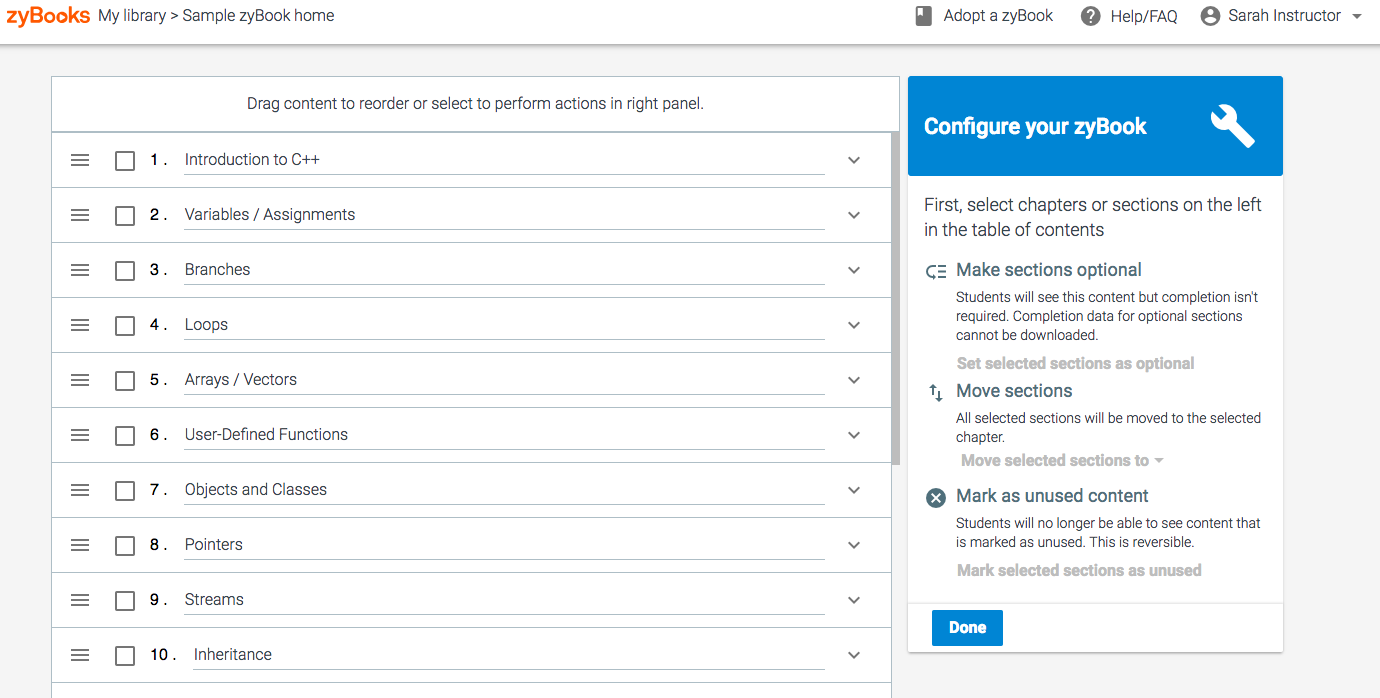
Similar to zyBooks if you are familiar with it, I want to track the sections the user has read through and checked completed with a button.

However, conceptually I am having trouble thinking of what to store in my mongo database, besides just an object or an array of objects that contains each section and bool values, to track their progress. A section will have around 10 subsections. But there will be around 8 sections total. So a total of 80 subsections to keep track of.

This is what I was thinking of but it seems inefficient.

const sectionArray = [
  {
    section: "1",
    completed: false,
    subsections: [
      {
        name: "1.1",
        completed: false,
      },
      {
        name: "1.2",
        completed: false,
      },
      {
        name: "1.3",
        completed: false,
      },
    ],
  },
  {
    section: "2",
    completed: false,
    subsections: [
      {
        name: "2.1",
        completed: false,
      },
      {
        name: "2.2",
        completed: false,
      },
      {
        name: "2.3",
        completed: false,
      },
    ],
  },
...
];

I will also display a section and its subsections content depending on which the user decides to view using react and material ui.

I do not want to commit to my method if there is a better alternative.

drop event is not getting triggered

Here’s the code I have:

<!DOCTYPE html>
<html>
  <style>
    html,
    body {
      margin: 0;
      padding: 0;
      width: 100%;
      height: 100%;
    }

    body {
      display: flex;
      align-items: center;
      justify-content: center;
    }

    #drop_zone {
      border: 5px solid blue;
      width:  200px;
      height: 100px;
    }
  </style>
  <script>
    function dropHandler(ev) {
      console.log('File(s) dropped');
    
      // Prevent default behavior (Prevent file from being opened)
      ev.preventDefault();
    

    }
    function dragOverHandler(ev) {
      console.log('File(s) in drop zone');
    
      // Prevent default behavior (Prevent file from being opened)
      ev.preventDefault();
    }
    function dragEnterHandler(ev) {
      console.log('Entered drop zone');
    
      // Prevent default behavior (Prevent file from being opened)
      ev.preventDefault();
    }
    function dragLeaveHandler(ev) {
      console.log('Left drop zone');
    
      // Prevent default behavior (Prevent file from being opened)
      ev.preventDefault();
    }
  </script>
  <body>

    <div id="drop_zone" ondrop="dropHandler(event);" ondragover="dragOverHandler(event);" ondragenter="dragEnterHandler(event);" ondragleave="dragLeaveHandler(event)">
      <p>Drag one or more files to this Drop Zone ...</p>
    </div>
  </body>

</html>

All the other drop events are triggered except for ondrop.

ondrop not getting triggered

How can I get a random product in JavaScript? [duplicate]

How can I get a random product in JavaScript?. I am trying to get the random product but I can’t.

const allData =[ 
 {
    "id": "1",
    "name": "LG Gram ",
    "price": 1299,
    "Processor": "Intel CORE i7",
    "RAM": "16GB"
  },
{
    "id": "2",
    "name": "LG Gram 2",
    "price": 1399,
    "Processor": "Intel CORE i5",
    "RAM": "32GB"
  },
{
    "id": "3",
    "name": "LG Gram 3",
    "price": 1499,
    "Processor": "Intel CORE i7",
    "RAM": "8GB"
  },
]

What is the best way on mapping the data?

I dont know why I cant pass the value of value to listsOfAuthor, can you guys help me on this? thanks, what i want is to display all names of People, that if I add names on People it will automatic detect or add the names on reportChart

<script>
    const reportChart = () => {
        var listsOfPeople =[]
        var author = ("SELECT name FROM People", 10, (value)=>{
             console.log(value) //please see the results below
             listsOfPeople = value
        })
        $("#chart").kendoChart({
            title: {
                text: "School"
            },
            legend: {
                visible: false
            },
            seriesDefaults: {
                type: "bar"
            },
            series: [{
                name: "Total Visits",
                data: [1, 2, 3]
            }, {
                name: "Total Visits",
                data: [1, 2, 3]
            }],
            valueAxis: {
                max: 10,
                line: {
                    visible: false
                },
                minorGridLines: {
                    visible: true
                },
                labels: {
                    rotation: "auto"
                }
            },
            categoryAxis: {
                categories: [listsOfPeople], //undefined
                majorGridLines: {
                    visible: false
                }
            },
            tooltip: {
                visible: true,
                template: "#= series.name #: #= value #"
            }
        });
    }

    $(document).ready(reportChart);
    $(document).bind("kendo:skinChange", reportChart);
</script>

the result of console.log(value)

0: [‘Mark’] 1: [‘Joseph’] 2: [‘Luna’] 3: [‘Yuno’]

Apply class to all classes if it cotains a certain string

I have a profile card that contains a job role inside a span, and I’m trying to get the content of the job role using textContent, and if it matches a certain word, I want to add a class to the span

<span class="jobrole">Manager</span>

Here is the javascript:

var text = document.querySelector(".jobrole").textContent;
var job = document.querySelector(".jobrole");
      if (text == "Manager") {
        for (var i = 0; i < job.length; ++i) { 
          job.classList.add("manager");
        }
}

However, it’s not applying the manager class to any on the spans that contain the string “manager”

Dynamo DB – Find the most recent entry for each primary key

I have a dynamoDB table where I have a primary key of “email” and a sort key of “timestamp”
For audit purposes I dont have any editing or deletion, only insert. However what I now want is a query to select all users (emails) but only the most recent version of that primary key.
Is this possible? I have tried to loop over every email and run a query to select based on primary key and limiting to 1 however my lambda quickly timed out and failed.

Replacing multiple HTML elements using Jquery

In the following example I am trying to update the value of #viewer_campaign3 with new data and move the older values to other HTML elements. But I think what happens is that I end up overwriting the old data.

    $('#viewer_campaign1').html($('#viewer_campaign2'));
    $('#viewer_campaign2').html($('#viewer_campaign3'));
    $('#viewer_campaign3').html("new data");
<script src="https://cdnjs.cloudflare.com/ajax/libs/jquery/3.3.1/jquery.min.js"></script>
    <div class="section clearfix impact">
        <div class="col-md-8 col-md-offset-2">
        
            <h2 class="mb-30"><span><i class="fa fa-refresh fa-spin fa-fw"></i></span>Live</h2>
            
            <div class="">
            </div>
            <div class="stats mt-30 .col-xs-6 .col-sm-3">
                <div class="col-md-4">
                    <i class="fa fa-heart"></i>
                    <p>Demo1<span id="viewer_donation_amount1"></span><br><a href="" id=viewer_campaign1>Hello Campaign1</a><p>
                </div>
                <div class="col-md-4 .col-xs-6 .col-sm-3">
                    <i class="fa fa-heart"></i>
                    <p>Demo2<span id="viewer_donation_amount2"></span><br><a href="" id=viewer_campaign2>Hello Campaign2</a><p>
                </div>
                <div class="col-md-4 .col-xs-6 .col-sm-3">
                    <i class="fa fa-heart"></i>
                    <p>Demo3<span id="viewer_donation_amount3"></span><br><a href="" id=viewer_campaign3>Hello Campaign3</a><p>
                </div>
            </div>
        </div>
    </div>

Any help is appreciated

editorState.getCurrentContent() is not a function using draft.js

I use the same getHtml() on another text editor in the app and it works fine, but when trying to use it on this page I get the error:

TypeError: editorState.getCurrentContent is not a function

I have tried various related questions on SO, but none have worked for this specific issue.

import React, { useState } from "react";
import classes from "./UpdateModal.module.css";
import "./UpdateModal.css";
import { useBlogCtx } from "../../context/BlogContext";
import {
  EditorState,
  ContentState,
  convertFromHTML,
  convertToRaw,
} from "draft-js";
import "../../../node_modules/draft-js/dist/Draft.css";
import { Editor } from "react-draft-wysiwyg";
import "react-draft-wysiwyg/dist/react-draft-wysiwyg.css";
import "./UpdateModal.css";
import "draft-js/dist/Draft.css";
import draftToHtml from "draftjs-to-html";
import { db } from "../../firebase";
import { doc, updateDoc } from "firebase/firestore";

function UpdateModal() {
  const {
    // updatePost,
    setShowUpdateModal,
    updateModalHandler,
    setTitle,
    setImage,
    currentId,
    title,
    image,
    post,
  } = useBlogCtx();

  const [editorState, setEditorState] = useState({
    editorState: EditorState.createWithContent(
      ContentState.createFromBlockArray(convertFromHTML(post))),
  });

  const getHtml = (editorState) =>
  draftToHtml(convertToRaw(editorState.getCurrentContent()));

  const onEditorStateChange = (editorState) => {
    setEditorState({ editorState });
  };

  const updatePost = async (id) => {
    const postDocRef = doc(db, "posts", id);
    // setShowUpdateModal(false);
    await updateDoc(postDocRef, {
      title: title,
      image: image,
      post: getHtml(editorState),
    });
  };

  return (
    <div
      onClick={() => {
        updateModalHandler();
      }}
      className={classes.backdrop}
    >
      <form onClick={(e) => e.stopPropagation()} className={classes.form}>
        <label htmlFor="title">Title</label>
        <input
          id="title"
          type="text"
          value={title}
          onChange={(e) => setTitle(e.target.value)}
        />
        <label htmlFor="image">Image(URL)</label>
        <input
          id="image"
          type="text"
          value={image}
          onChange={(e) => setImage(e.target.value)}
        />
        <label htmlFor="post">Post</label>
        <Editor
          editorState={editorState.editorState}
          onEditorStateChange={onEditorStateChange}
          wrapperClassName="rich-editor demo-wrapper"
          editorClassName="demo-editor"
        />
        <div className={classes.buttons}>
          <button className={classes.cancel} onClick={updateModalHandler}>
            Cancel
          </button>
          <button
            className={classes.update}
            onClick={() => {
              updatePost(currentId);
            }}
          >
            Update
          </button>
        </div>
      </form>
    </div>
  );
}

export default UpdateModal;

Any help will be appreciated.

Javascript promise. Why does resolve return different values when it’s called in different places?

const image = document.querySelector('.images');

const createImage = (imgPath, seconds) => {
  return new Promise(function (resolve, reject) {
    if (imgPath) {
      const img = document.createElement('img');
      setTimeout(() => {
        img.src = imgPath;
        image.append(img);
        resolve(img);
      }, 1000 * seconds);
    } else reject('ERROR. REJECTED');
  });
};

let currentImage;

createImage('./img/img-1.jpg', 1)
  .then(img => {
    console.log(img);
    // img.style.display = 'none';
    console.log('1 successful');
    // img.style.display = 'none';
    return createImage('./img/img-2.jpg', 2);
  })
  .then(img => {
    console.log(img);
    img.style.display = 'none';
    console.log('2 successful');
    return createImage('./img/img-3.jpg', 3);
  })
  .then(img => {
    img.style.display = 'none';
    console.log('3 successful');
    return img;
  });

I’m trying to display first picture then hide it to display a second picture after 2 seconds later. Then, hide the second picture to display a third picture.

  1. When I use resolve(imp) inside of setTimeout function, it returns <img src="./img/img-1.jpg>.
    When resolve(img) is placed outside of setTimeout, it returns just <img>. Why are each case return values different? because in JS, we can still use values that was called inside of function even after they are executed and disappeared.

    setTimeout(() => {
    img.src = imgPath;
    image.append(img);
    }, 1000 * seconds);
    resolve(img);

How do I retrieve Console.log ran inside of a New Funtion()?

If I’m creating an anonymous function with the new Function() constructor, how would I grab the console logs from inside of it?

For example:

value = "console.log('test');";
response = new Function(value)();

response is undefined because there is not return statement in this function.
Is there any way for me to find stream the console.log output from this function?

Thank you!

uploading two files from two fields with multer as middleware

i’m trying to upload two files with different file extensions with multer from two fields but when i try it with postman the result always for the file is null, what is the solution for my problem? here is my code

middleware/uploadEpub

const multer = require('multer')

exports.uploadEpub = (epubFile, coverFile) => {
const storage = multer.diskStorage({
    destination: function (req, file, cb) {
        cb(null, "uploads")
    },
    filename: function (req, file, cb) {
        cb(null, Date.now() + '-' + file.originalname.replace(/s/g, ""))
    }
})

const upload = multer({
    storage
}).fields([{name: "bookFile", maxCount: 1},{name: "coverFile", maxCount: 1}])
}

controller/book

exports.addBook = async (req, res) => {
try {
    const { ...data } = req.body

    const newBook = await book.create({
        ...data,
        bookFile: req.file,
        coverFile: req.file
    })
    let bookData = await book.findOne({
        where: {
            id: newBook.id
        },
        attributes:{
            exclude: ['createdAt','updatedAt']
        }
    })

    bookData = JSON.parse(JSON.stringify(bookData))
    res.send({
        status: "Success",
        Book: {
            ...bookData
        }
    })
} catch (error) {
    console.log(error)
    res.status(500).send({
        status: "Failed",
        message: "Server Error"
    })
}
}

How would I go about creating an id for an object inside of an array, and removing said object

I am creating an in-console employee tracker using prompts from users. I have finished EVERYTHING except the stupid remove employee by id. I can’t figure out how to assign an id to objects inside the array then let the user submit an id number for removal and then that number delete the assigned employee from the employeeArray[]; The array will already be displayed in the console on load up. I know this is really basic for a lot of you, and I truly appreciate you taking the time to give pointers, teach, mentor. I have worked hard on this entire thing.

I included everything in case you needed to see something else.

Employee, Manager, PartTime classes

class Employee{
    constructor(name,age){
        this.name= name;
        this.age= age;
        this.aSalary= 0;
    }
}

class Manager extends Employee{
    constructor(name,age,payRate){
        super(name,age);
        this.payRate= payRate;
        this.employeeType = "Manager"   
        console.log("Manager");

    }
    calculatePay(){
        this.aSalary= (this.payRate * 40)*52-1000;
    }
}

class PartTime extends Employee{
    constructor(name,age,payRate,hours){
        super(name,age); 
        this.payRate= payRate;
        this.hours= hours;
        this.employeeType= "PartTime";   
        console.log("Part Time");
    }
    calculatePay(){
    this.aSalary= (this.payRate * this.hours)*52;
    }
}

Main Class with the removeEmployee block I cannot figure out

class Main{
    constructor(){
        this.employeeArray = [];
        const emp1 = new Manager(`Ben`,35,10);
        emp1.calculatePay();
        this.employeeArray.push(emp1);
        const emp2 = new Manager(`Dan`,23,25);
        emp2.calculatePay();
        this.employeeArray.push(emp2);
        const emp3 = new PartTime(`Sue`,35,10,25);
        emp2.calculatePay();
        this.employeeArray.push(emp3);
        this.displayEmployee();
        this.displayMenu();
    }

    displayMenu(){
        let displayMenu = prompt(`Main Menun
        1. Add Employeen
        2. Remove Employeen
        3. Edit Employeen
        4. Display Employeesn
        Please Make a Selection!`);
    
        if (displayMenu == 1){
            this.addEmployee();
        }
        else if (displayMenu == 2){
            this.removeEmployee();
        }
        else if (displayMenu == 3){
            this.editEmployee();
        }
        else if (displayMenu == 4){
            this.displayEmployee();
        }
    }
    addEmployee(){
        let add = prompt("Add Employee Name,Age,Hours/Week,Pay Rate [Separate each by a comma]");
        let employeeArray = add.split(",");
        console.log(employeeArray);

    if (employeeArray[2]<=39){
        const partTime = new PartTime();
        this.menuStart();
    }
    else {
        const manager = new Manager();       
        }
    }

    removeEmployee(){
        let remove = prompt("Please Remove Employee by ID");

        this.menuStart();
    }


    displayEmployee(){
        console.clear();
        console.log("My Employees");
        console.log("IDt  Namet  Salaryt  HRSt  Payt  FT/PTt");
        this.employeeArray.forEach((employee)=>{
            console.log(employee.name)
        })
        this.displayMenu();
    }
}

(()=>{
    const main = new Main();
})();

Is this a splice method I just am too dumb to figure out? Every time I try something VS code just yells at me saying I’m wrong…..hurtful dang program lol

I tried running a forEach loop to run through the entire array, but all it kept doing was selecting the actual array index and not what was selected in the prompt for an id. I cant figure out if I am supposed to assign an id? OR if there is a way to use a for loop to run through the array and pick out an index number +1?