Modern Infographic Paper Arrows (Infographics)

Four multicolored arrows pointed upwards with headings and thin line pictograms placed in horizontal row. Concept of 4 options to choose. Realistic infographic design template. Vector illustration.

Included:

-1 EPS10 file

-1 AI file with “Live text” for easy editing

-1 JPG image 300dpi

-1 EPS CS file with editable text

-1 PSD Layered file (PSD files was Generated in Illustrator CC, some features can be lost. To reach maximum editability use Adobe Illustrator)

Fonts:

-Details in help file

Features:

-Well organized

-Fully layered

-Easy to edit and customize (contains gradients and meshes)

-100% Vector

Download Modern Infographic Paper Arrows (Infographics)

Modern Infographic Paper Timeline (Infographics)

Four colorful rings placed in horizontal row connected by white stripe with thin line symbols. Concept of 4 successive steps of development. Modern infographic design template. Vector illustration.

Included:

-1 EPS10 files

-1 AI files with “Live text” for easy editing

-1 JPG images 300dpi

-1 EPS CS files with editable text

-1 PSD Layered files (PSD files was Generated in Illustrator CC, some features can be lost. To reach maximum editability use Adobe Illustrator)

Fonts:

-Details in Help file

Features:

-Well organized

-Fully layered

-Easy to edit and customize (contains gradients and meshes)

-100% Vector

Download Modern Infographic Paper Timeline (Infographics)

Timeline Infographics (Infographics)

Horizontal timeline infographics template with arrows, workflow or process diagram

Archive contains:
– Vector Ai CS3 file with Live text
– Vector EPS10 file with text converted to outlines
– Photoshop PSD file with Live text
– Transparent PNG image without icons and text
– JPG Preview image

Fonts:
– Roboto, https://www.fontsquirrel.com/fonts/roboto
– Bebas Neue, https://www.fontsquirrel.com/fonts/bebas-neue
– Open Sans, https://www.fontsquirrel.com/fonts/open-sans

Download Timeline Infographics (Infographics)

7 Steps Infographics (Infographics)

Infographic template with 7 steps or options

Archive contains:
– Vector Ai CS3 file with Live editable text
– Vector EPS10 file with text converted to outlines
– Photoshop PSD file with Live editable text
– Transparent PNG image without text and icons
– JPG Preview image

Fonts:
– Roboto, https://www.fontsquirrel.com/fonts/roboto
– Open Sans, https://www.fontsquirrel.com/fonts/open-sans
– Bebas Neue, https://www.fontsquirrel.com/fonts/bebas-neue

Download 7 Steps Infographics (Infographics)

Infographic Elements (Infographics)

Infographic Elements – pie charts, timeline, percents, bar graph, line graph, people infographics, circle diagram, pyramid, steps, options

Archive contains:
– Vector Ai CS3 file with Live text
– Vector EPS10 file with text converted to outlines
– JPG Image

Fonts:
– Mikodaks, https://www.fontsquirrel.com/fonts/mikodacs
– Roboto, https://www.fontsquirrel.com/fonts/roboto
– Open Sans, https://www.fontsquirrel.com/fonts/open-sans

Download Infographic Elements (Infographics)

Phoenix Logo (Animals)

LOGO TEMPLATE

Logos are vector based built in Illustrator software. They are fully editable and scalable without losing resolution. Improve your visibility… Get a professional and effective logo. Here’s the files included in the main package.
.ai (illustrator CC)
.psd (photoshop CC)
.eps (illustrator 10)
.jpg (white background)
.png (transparent background)
.txt (links to the free fonts)

For a scalable and vector version for web, open the .AI or .EPS version and «save as» the logo in .SVG

LOGO SPECIFICATIONS

.Full vectors
.100% editable and scalable
.Editable colors
.CMYK colors
.Print ready
.Free fonts

Font Used: OPEN SANS
https://www.fontsquirrel.com/fonts/open-sans

The preview mockup is not included in the download file. It’s only for presentation purpose. Contact me via my profile page if you need assistance. Right now, i’m notavailable for freelance or exclusive logos. All logos in my portfolio are only available here on Graphicriver.

Thank you for you purchase and your trust in my designs. Enjoy!

Download Phoenix Logo (Animals)

Lion King (Animals)

LOGO TEMPLATE

Logos are vector based built in Illustrator software. They are fully editable and scalable without losing resolution. Improve your visibility… Get a professional and effective logo. Here’s the files included in the main package.
.ai (illustrator CC)
.psd (photoshop CC)
.eps (illustrator 10)
.jpg (white background)
.png (transparent background)
.txt (links to the free fonts)

For a scalable and vector version for web, open the .AI or .EPS version and «save as» the logo in .SVG

LOGO SPECIFICATIONS

.Full vectors
.100% editable and scalable
.Editable colors
.CMYK colors
.Print ready
.Free fonts

Font Used: OPEN SANS
https://www.fontsquirrel.com/fonts/open-sans

The preview mockup is not included in the download file. It’s only for presentation purpose. Contact me via my profile page if you need assistance. Right now, i’m notavailable for freelance or exclusive logos. All logos in my portfolio are only available here on Graphicriver.

Thank you for you purchase and your trust in my designs. Enjoy!

Download Lion King (Animals)

Vintage Black and White Action (Actions)

This action is designed to add a Vintage Black and White effect to your photos and it will work with every photo you use.
I recommend you to use high resolution photos, if you wanna achieve high quality results.

This action is surprisingly easy to use & it has all necessary options for customization. All you need to do is:
– Open a photo in Photoshop
– Load the action.
– Choose an action & click the “play” button.
– Still confused? Not really happy with the result? You can play with the options & Layers.
You will find different options to achieve your desired look.

The action has been tested and working on Photoshop CS3,CS4,CS5,CS6,CC & CC2014.
This package includes 1 Photoshop ATN file
This action works in a non-destructive way to achieve a high quality look. So, the original image layer will remain unchanged.
This action is a must have for photographers & graphic designers.
The photos used in the preview image are not included for download. Used for illustration purpose only.

Love the actions? Want more?
Head on over to https://graphicriver.net/user/bpgd/portfolio
to get more actions for your collection. :)

Thanks for your time & consideration. If you like my work & satisfied with the result, please don’t forget to rate.

Download Vintage Black and White Action (Actions)

Vivid Photoshop Action Bundle (Photo Effects)

Your Files

  • 4 Photoshop Action File
  • 4 Photoshop Brush File
  • 1 Photoshop Pattern File
  • 4 Text Help File

More Details About Actions

Vivid Photoshop Action Bundle

In this bundle has 4 photoshop actions. You can use this action in photoshop CS5, CS6, CC, CC2014, CC2015, CC2015.5. The only restriction is that you must install the version in English. For now, other languages are not supported.

If you use a different language on your Photoshop, there is an easy way to switch to English. Check the video tutorial to change photoshop’s language to learn how.


The Layers Organization

The best of the Photoshop Action is that it will keep layer organized. That way you can further work on your image quickly, customizing it even further. Each Photoshop Action has its own layers organization. Each Photoshop Action has its own layers organization. it is easy to customize your work. You can find all video tutorials in our youtube channel.

Some Recommendations

To get the best possible outcome out of the Photoshop Action, you should use as an input only high-resolution images. Recommend resolution 2500px X 3500px pixels, it will be best.

Our Test Method

When a new Photoshop Action is developed, it goes through an extensive testing period before it is released to our portfolio. If you encounter any trouble, please use the help page to report any issue or send an email describing the problem. We will assist you immediately.

Are you looking for Support?

Photoshop actions are very easy to use. However, if you get stuck with something and need assistance, you can go to the support page. There you can find help for all the PSDSquare Photoshop Actions.

You will find much more than just technical support. There is also advice on how to sell the works you do with the Photoshop action. If you need further help, there is my email too, so that you can ask a particular inquiry.

Save the most Time

The idea of developing the PSDSquare Photoshop Actions is to save you the most time. The result is something the most skilled designers would do in days. For an average designer, it would take weeks or even months to get such effects.
You don’t need to be a Photoshop expert to use the Photoshop Actions. Even a beginner can use them.

Earn Money with PSDSquare Photoshop Actions

You can earn money not just as a Photoshop professional, but as an affiliate referring people. Make sure you sign to the affiliate program. To go even further, sign up to the Envato Affiliate Competition. There you can earn even more money. Make use of our top items for your referrals,
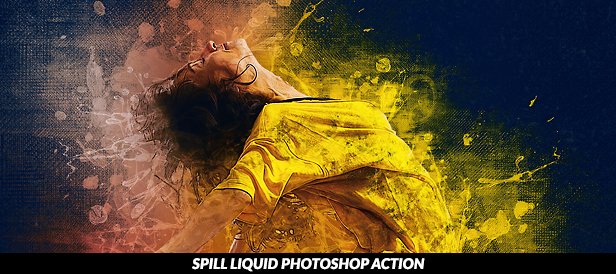
PSDSquare’s All Photoshop Actions

PSDSquare Photoshop Action Bundles

Download Vivid Photoshop Action Bundle (Photo Effects)

Coordinator-Hexagon Logo Template (Letters)

This striking logo perfect for Your company.Logos in a vector format, fully editable without losing quality.
• Ai CS version, CMYK
• EPS CS version, CMYK
• PNG on transparent background
• Black and white version
• Information about the font (free fonts)
Contact me if you need help.

Thank you for your support and purchase!

Download Coordinator-Hexagon Logo Template (Letters)

Horror (Photo Effects)

Horror Photoshop Action

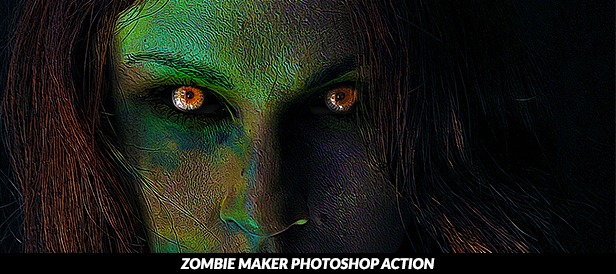
Halloween is coming, use Action horror to turn a gentle person into scary and horror faces like ghost, monster, evil spirit, What a nightmare. Quickly and very convenient for editing.

  • Horror has been tested and working on Photoshop (Multi languages) CS5, CS6, CC2014, CC2015, CC2017.
  • This package includes: Horror.ATN, Horror Brushes.ABR, Readme.txt.
  • Action includes: 4 main actions, 10 extra actions.

Hope this action is useful for you :)

All of texts and images are not included.

Please view the tutorial in this video:

\

The similar items that you might like:

Special features of Pasulukha’s Action:

  • Action is optimized to run in many different languages of Photoshop, you do not have to perform complicated conversion tasks to English language and vice versa.
  • Give you a neat working environment: after the action has completed, it creates a well organised layer structure. Each layer and group of layers is named, assigned color to easily distinguish and customize.
  • The operation is simple and very convenient, brings outstanding artistic effects, brings you the joys, surprises your family and friends, supports your designs, and more.
  • Saving a lots of time working, spending more time with your loved ones.
  • Each action comes with a detailed video tutorial guiding you how to install action, using action, customize everything for your purposes.

For the best Results:

You should use high resolution photos in the range of 1500px – 4000px width / length. Smaller photos may produce unexpected results. Watch the tutorial video carefully. But if the action has any error, please email me here Pasulukha’s profile, I will respond as soon as possible.

Browse over 49 Pasulukha’s products

\
\
\
\
Animated-Dispersion-Banner
\
AP-Banner
ALFD Banner
Mix-Art-Banner
sparkling-color-streak-banner
winter-comes-banner
shiny-snowflake-banner
mysmas-banner
line-art-banner
watercolor-comic-banner
sparkling-wave-banner
melt-art-banner
burst-lighting-banner
neon-banner
Banner-Star
Body-Painting-Banner
Splatter-Art-Banner
Flood-banner
Add-Cloud-banner
3D-Sketch-banner
Quick-Sketch
Pop-Art-2-in-1
Polygons
Pixel-exposure
Sparkling-effects
Impress-Painting
Duotone-Comic
Felt-Popup
Pro-Felt-Transformation
Snowflake
Ghost-effects
Face-Painting
Broken-Glass
Light-Painting
Photo-to-Painting
Painting-Popup
Dreamer-FX
Doube-Ex-Wizard
Watercolor-2
Watercolor
Facebook-Multishape
30-Multi-Popup
45-Popup-banner

Download Horror (Photo Effects)

North Korea Physical Map (Travel)

North Korea Physical Map – highly detailed vector illustration. Image contains layers with shaded contours, land names, city names, water object names.

Zip file contains RGB JPEG image (6888×8192 pixels), Illustrator (AI), EPS 10 fully editable vector file, PSD and SVG file.

All layers are separated and clearly labeled.
Color system:
RGB color system.

Download North Korea Physical Map (Travel)

Business Infographic Elements (Infographics)

Download Business Infographic Elements (Infographics)