In this guide you’ll learn how to downgrade iOS 4.0.2 to iOS 4.0.1 / 4.0 on iPhone 4, 3GS, 3G and iPod Touch 3G, 2G. Instruction on how to downgrade iPhone, iPod Touch iOS 4.0.2 to 4.0.1/4.0 firmware can be found below.
iOS 4.0.2 fixes the exploit used in JailbreakMe 2.0, the jailbreak for all iPhones and iPod Touch. So, if you want to jailbreak iPhone 4, 3GS, 3G or iPod Touch 3G, 2G then you MUST downgrade to iOS 4.0.1 or 4.0 first.
In this guide we’ll use TinyUmbrella to downgrade iPhone / iPod Touch firmware. There’s no need to edit any Hosts file that is required in other guides found all over the cloud. We are going to setup downgrade server the TinyUmbrella way: with a single click.
IMPORTANT:
iPhone 4, iPhone 3GS, 3G, iPod Touch 3G and iPod Touch 2G users MUST have SHSH blobs saved for 4.0.1/4.0 firmware in order to downgrade from iOS 4.0.2.
How to: Save SHSH blobs for iPhone, iPod Touch
If you’ve SHSH blobs saved on Saurik’s server via Cydia, download them into your computer first. To do that:
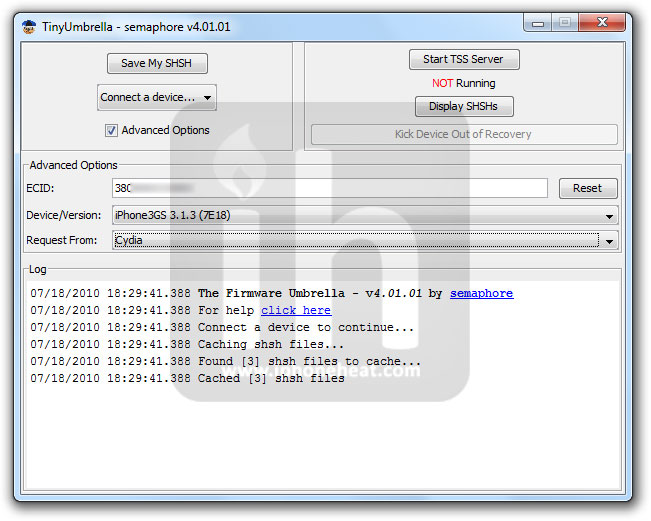
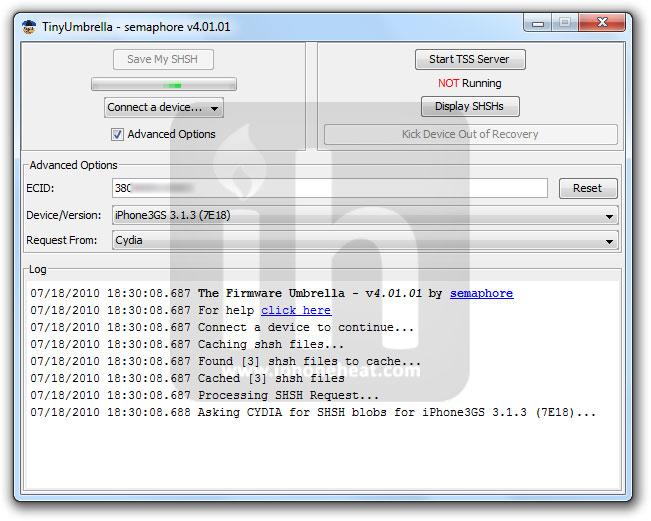
- Connect your device, Fire up the TinyUmbrella (Download Link below-Step 1) and Check mark the Advanced Options.
- Select your device, firmware (the one for which you’ve SHSH saved at Cydia; 4.0.1, 4.0) and Cydia as Location.
- Hit the save My SHSH button. that’s it.
(e.g: to download 3.1.3 SHSH blobs from Cydia see the screenshot below)
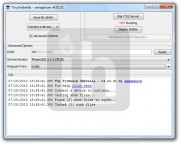
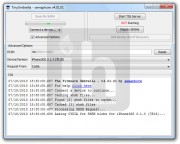
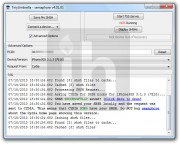
Click to enlarge.
NOTE: If iPhone 4, 3GS, iPod Touch 3G and iPod Touch 2G (MC) users do NOT have SHSH blobs saved for an older firmware, they can NOT downgrade unless Apple is signing the Firmware.
Downgrade iOS 4.0.2 to iOS 4.0.1 / 4.0 firmware
*** Read the whole process first and then try.***
Step 1 – Required Stuff
Download TinyUmbrella and desired firmware for iPhone 4, 3GS, 3G, iPod Touch 3G, 2G from the links below:
Step 2 – DFU Mode
Put your iPhone into DFU Mode (How to: enter DFU Mode)
Step 3 – Start TSS Server
iPhone 3G and iPod Touch 2G (Non-MC) please skip to step 4. iPhone 3GS and iPod Touch 3G and iPod Touch 2G (MC) users:
- Run the TinyUmbrella
- Hit the Display SHSH button to confirm that downloaded SHSH blobs has been cached by TinyUmbrella for 4.0.1 or 4.0. (If you already have them in your PC, drag and drop the SHSH blobs in the TinyUmbrella window then hit the display SHSH blobs button to confirm).
- Then hit the Start TSS Server button.
Step 4 – Restoring the Firmware
- Now Open the iTunes.
- Hold down the Shift (Windows)/Alt (Mac) key and hit the Restore button.
- Select the downloaded firmware (from Step 1) and let the restore process complete.
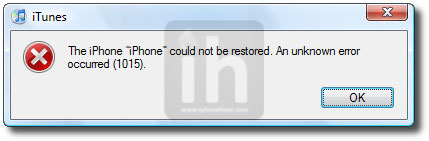
iTunes will bring up error 1015, 1013 or 1011 message. Don’t worry, it’s normal. You’ve successfully downgraded your iPhone/iPod Touch firmware.
Step 5 – Getting Out of Recovery
Now in order to get out of recovery mode, hit the “Kick Device Out of Recovery” button on TinyUmbrella right below the Start TSS Server button. That’s it!
Now you can jailbreak iOS 4.0.1 and iOS 4.0 using the guides linked below:
How to: jailbreak iOS 4.0.1
How to: jailbreak iOS 4.0
You can follow us on Twitter, Join us at Facebook, and also Subscribed to RSS Feed to receive latest updates.


 The Mercury News is reporting that Sunnyvale, CA resident Paul Shin Devine, a 37-year-old Apple manager in global supply, has been arrested and charged with accepting kickbacks from Asian suppliers. In return, he provided confidential information that allowed these suppliers to negotiate more advantageous contracts with Apple.