(Closify) Creating dimension independent, uploadable and adjustable image containers has never been made this simple.
Convert a single line of HTML code into an elegant image upload container.
<div id="profile-container" height="200" width="200" />
Here is how you can Closify the above single tag using jquery Closify plugin, with padding a single option:
$('#profile-container').closify({circluarCanvas:true});
Two simple steps and now you will be having an elegant circular profile image container, that is uploadable and adjustable, in which user can drag n crop it as per his/her desire. For real experience, please visit the live preview.
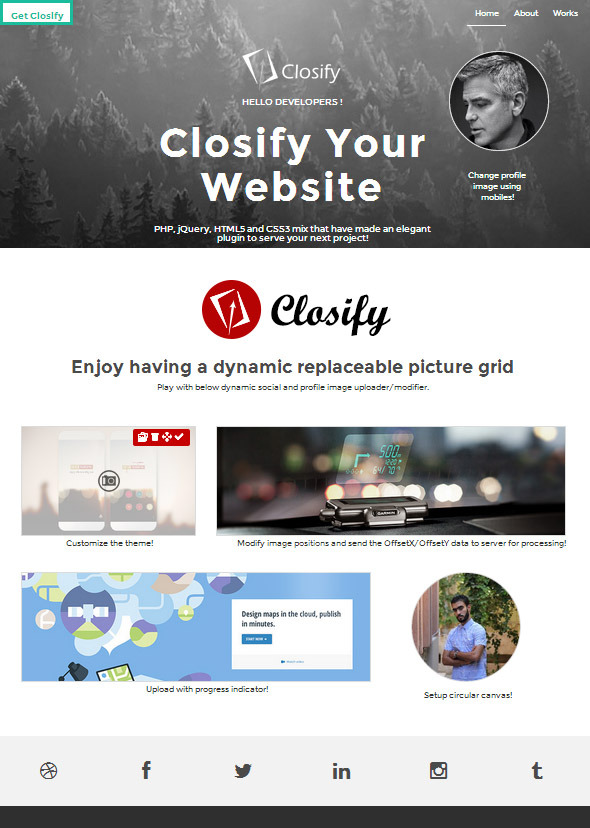
Closify is a jQuery based plugin, that simplifies the developers task to create unlimited number of dynamic image containers; with different shapes (Rectangular, Oval & Circular), and, with different dimensions according to their website design. With closify the developers can easily create uploadable and adjustable (cover, profile, or any other custom image container) with a single line of code. Intelligently enough the Closify plugin would resize the uploaded image according to the size of the container set, with a respect of the image aspect ratio, and then it starts to generate a dynamic in the front-end, with a flixable slide menu for each container that has four different options: (Upload, Reposition, Save and Delete).
- Upload: The user can click this button and upload the desired image to be processed and seamlessly returned to perfectly fit the container.
- Reposition: The uploaded images might have either a longer hieght or a longer width in respect to the container, and conveniently the plugin gives the user the capability to position/reposition his image according to his taste at any time.
- Save: Clicking this button will save the position offset (offsetX & offsetY) and then send it to server for post-processing. Developer need to handle the SQL Script on where to save this info, and re-apply it later.
- Delete: Delete the image from the container, and send a POST request to the server with
Some features:
- Dynamic image container – Easily set the size of the desired container through a single line of HTML code.
- Dynamic container shape – Easily set the shape of the container (Circular, rectangular and oval) through plugin options.
- Image dimension independent – No matter what size of the image the user will upload the plugin will make it fit nicely into the container.
- Cross browser compatibility – Qualified to work for Chrome/IE/Firefox/Opera/Safari
- Progress bar enabled – You can easily enable or disable a progress bar functionality for the uploading process.
- Slide & Crop feature – Having a nice slide & crop feature for the uploaded image.
- Server side aware – It keep the server side aware of most of the events happen in the client side for backend processing.
- Well documented source code – It has bot PHP/jQuery source code that is very clear and very easy to customize.
- Comperhensive error handling – It has a built-in error handling functionality that can catch inputs that are off constraints.
- Error output relocation – The error output could be easily relocated within HTML using plugin options.
- Customizable theme – Menu style could be easily customized through plugin options.
- Multiple progress-bar styles – It has more than one style for the progress bar, to help match your website.
- Maximum limitation – You can define the maximum size of images through the plugin options.
- Event outlet – It gives the developer the capability to listen to multiple events, such as (beforeSubmit, success, error and progress).
- Define an initial default image – Developers can define an initial global photo for each container.
- Customize loading image – Loading image could be overriden by the developers.
- Container background image – Background image of the container can be globally redefined through plugin options.